
You make an AI dance video by uploading one full-body photo of an adult, picking a dance style, and letting an image-to-video model animate the person for a few seconds. On Ziztu that takes about two minutes and gives you a 5 second clip of the person in your photo doing hip-hop, shuffle, salsa, disco, robot dance or contemporary, in the same clothes and the same place. If you want to copy a real routine move for move, there is a second route: motion control, which takes a reference dance video and puts those exact moves on your character. This guide covers both, with the steps, the photo that works, the cost and the honest limits.
Two ways to make a photo dance
There are two kinds of AI dance video, and picking the right one saves you credits.
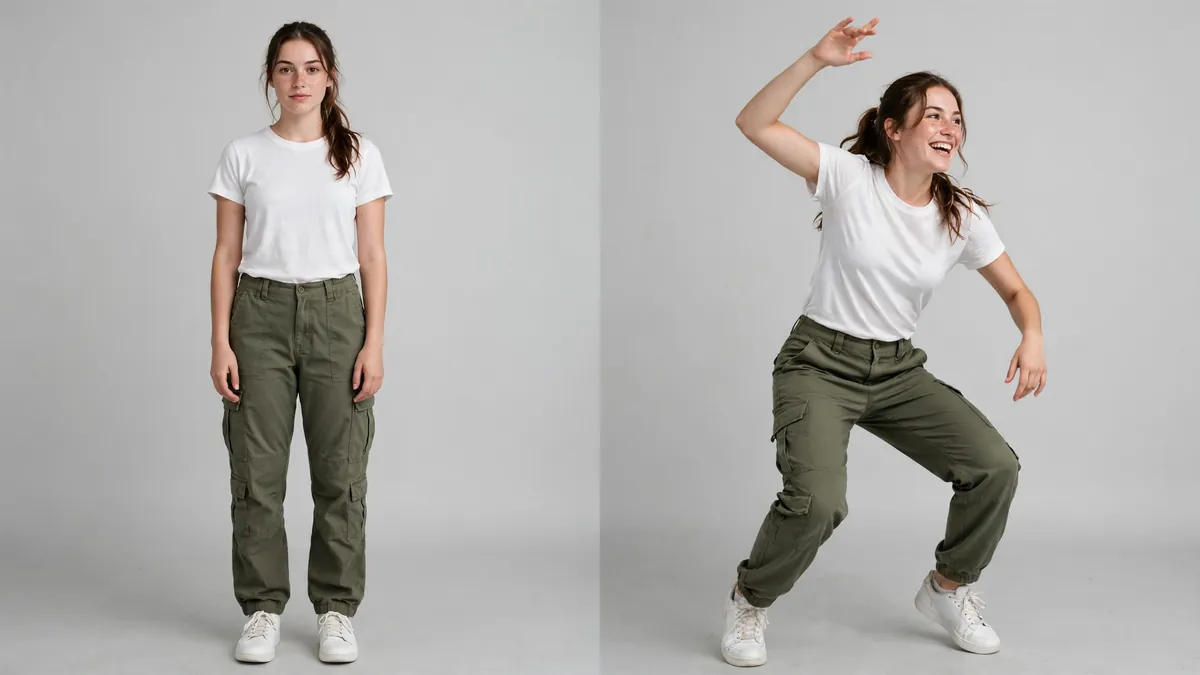
A dance style from a preset. You pick a style and the model invents moves that fit it. Ziztu's AI Dance Generator runs this on MiniMax H3 Max Turbo. It is the fast, cheap option for a fun clip, a birthday post or a reaction reel. The moves are new every time, so you cannot ask for a specific trending step.
Motion control from a reference video. You give the model your character image and a short clip of someone dancing, and it transfers that motion onto your character. Kling 3.0 Motion Control does this, and you can run it in the AI Video Studio. It is the option for a known routine, a choreography you filmed yourself, or a dance that has to land on exact beats.
Rule of thumb: if you only care about the vibe, use a preset. If you care about the steps, use motion control.
How to make an AI dance video, step by step
This is the preset route, which is where most people should start.
- Get a full-body photo of an adult. Head to feet in the frame, standing, with space on every side. Your own photo, a friend who said yes, or an original character you made.
- **Open the AI Dance Generator** and sign in to a free account so your trial credits and the clip are saved.
- Upload the photo. The tool keeps the same face, clothes and background and only adds the motion.
- Pick a dance style. Hip-hop groove is the safest first try. Salsa and contemporary use more arm and hip movement. Robot dance hides small glitches well, because stiff moves are the point.
- Add one detail if you want. A short note like "ends with a spin and a pose" or "slow and smooth, cool attitude". One detail works better than five.
- Generate. The clip is ready in about two minutes. You can start another while you wait.
- Check it and download. Watch the hands and feet. If they smear, run it again or try a calmer style, then save the MP4.
How we tested
We made the examples on the tool page with this exact flow, from AI-made photos of fictional adults, on our own live server. One was a woman in a white t-shirt and cargo pants in a photo studio, set to hip-hop groove with "big smile, playful energy" added. The other was a man in a red hoodie on a city street, set to robot dance with no extra words.
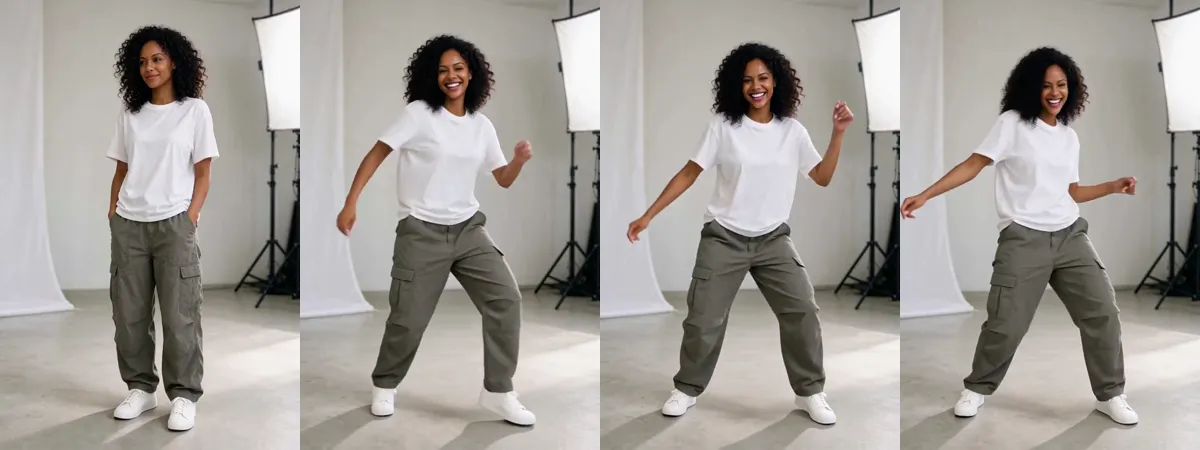
We pulled frames from the start, middle and end of each clip and checked them side by side. Both kept the face, the outfit and the background through the whole 5 seconds. One surprise: both source photos had the hands in the pockets, and the model still pulled them out and used them, with fists up for the robot and open arms for hip-hop. You can watch both clips on the AI Dance Generator page before you spend a credit.
Pick a photo that dances well
The model can only move what it can see. Most bad dance clips come from a photo that hides part of the body.
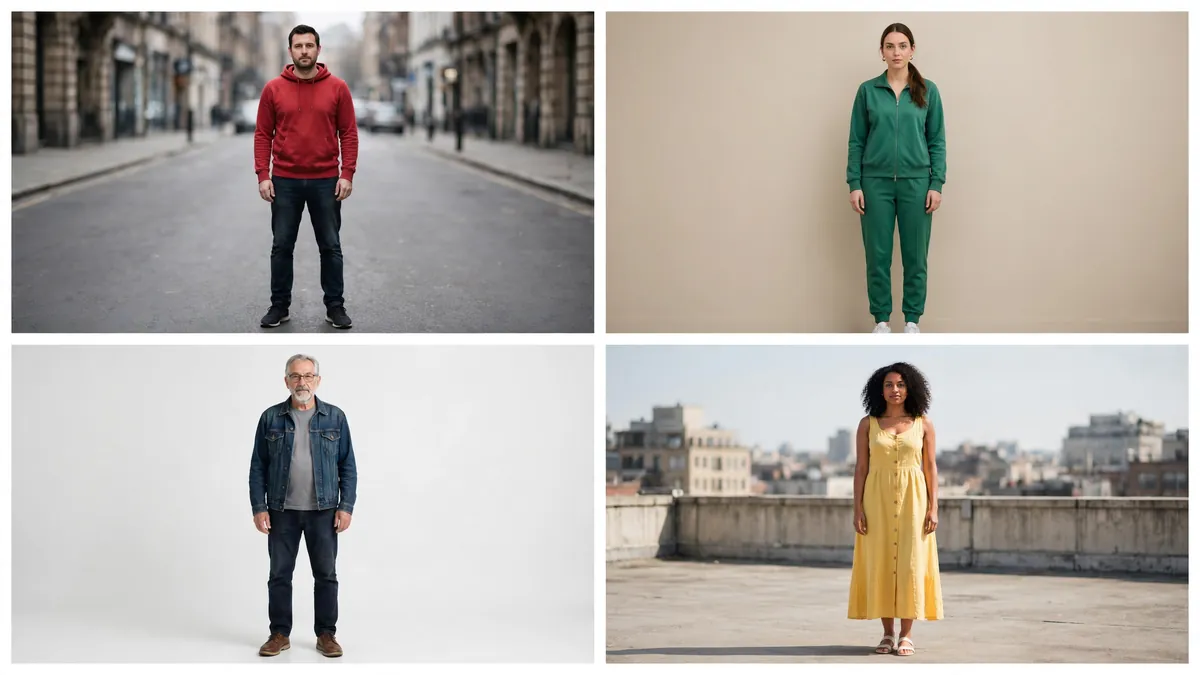
A photo that works has:
- The whole body, head to feet. Cropped feet are the most common problem. The model has to guess the footwork, and it shows.
- Arms you can see. Hands in pockets worked in our tests, but folded arms or hands behind the back make the model guess more.
- Space around the person. The dance needs room. A tight crop means arms leave the frame.
- A plain background and even light. A wall, a studio or an empty street. Crowds and hard shadows get pulled into the motion.
- One person. Group photos confuse which body should dance.
Clothes matter a little too. Fitted clothes show the movement. A long coat or a big dress can swing in odd ways.
What it costs
Your first clip can be free. A new Ziztu account gets 0 free credits for scripts, character art, storyboards, voices and sound, plus free, no card. After that, a dance style clip is 500 credits at 768P. The Starter plan is $39 a month for 32,000 credits, which is 64 dance clips a month if that is all you make.
Kling Motion Control is priced by the second, and the length comes from your reference video, so a 10 second routine costs more than a 5 second preset clip. The Studio shows the credit cost before you press generate. Budget two or three tries for any clip you plan to post. Each run varies a little.
Copy a real routine with motion control
When the steps matter, use motion control in the AI Video Studio.
- Make or upload your character image. Same rules as above: full body, arms free, plain background.
- Add the reference dance video. A clip you filmed, or one you have the right to use. One dancer, full body, steady camera.
- Pick Kling Motion Control as the model and choose 720P (Standard) or 1080P (Pro).
- Choose the orientation. Following the video's orientation is better for complex moves and allows up to 30 seconds. Following the image's orientation allows up to 10 seconds.
- Generate and check the timing against the music before you post.
This is also how you keep one character dancing across a whole series. Make the character once, then send the same image through different reference clips. It is the same idea we use for any recurring character, from an AI influencer to an anime lead: lock the look first, then add motion. For more on how Kling compares with other video models on motion, see Seedance vs Kling vs Hailuo.
Limits to know before you start
Being straight about what this does not do:
- Preset clips are 5 seconds. Fine for a loop or a Story. For a full song, you cut several clips together or use motion control.
- Presets cannot copy a named dance. They invent moves in the style. Only motion control follows a real routine.
- Hands and feet are the weak spot. Fast footwork and finger detail can blur. Robot dance and slow styles hide this best.
- No sound is added. You put the music on in your editor or on the platform.
- Adults only, with consent. The tool is for photos of adults, and only photos you have the right to use.
I started Ziztu after my own attempts to direct high-quality anime and micro dramas with other AI tools kept falling short. Dance clips are a small version of the same problem: the character has to stay the same while the body moves. That is the thing to judge any dance tool on, more than the number of styles.
Post it the right way
Label it. TikTok asks creators to mark realistic AI-generated video, and Meta shows an AI info label on Instagram, Facebook and Threads. Turn on the AI-generated content setting when you upload. Only post dances of people who agreed to it, and never use a photo of a minor.
If you want a different kind of short, the same one-photo flow powers other effects. The AI fan cam makes a concert-style close-up, and the AI kissing video guide walks through a gentle couple clip. For a dancer who is fully your own, design one in the OC maker and animate that image.
The one thing to remember: a full-body photo with free arms beats any prompt. Ready to try it? Open the AI Dance Generator, upload one clear full-body photo, and pick hip-hop groove. Your first clip is covered by free, and each clip after that is 500 credits.