AI Poster Maker
Describe your poster and put the words you want in quotes. Ideogram 4.5 draws the picture and the type together. Each poster costs 15 credits.
Updated
Example outputs
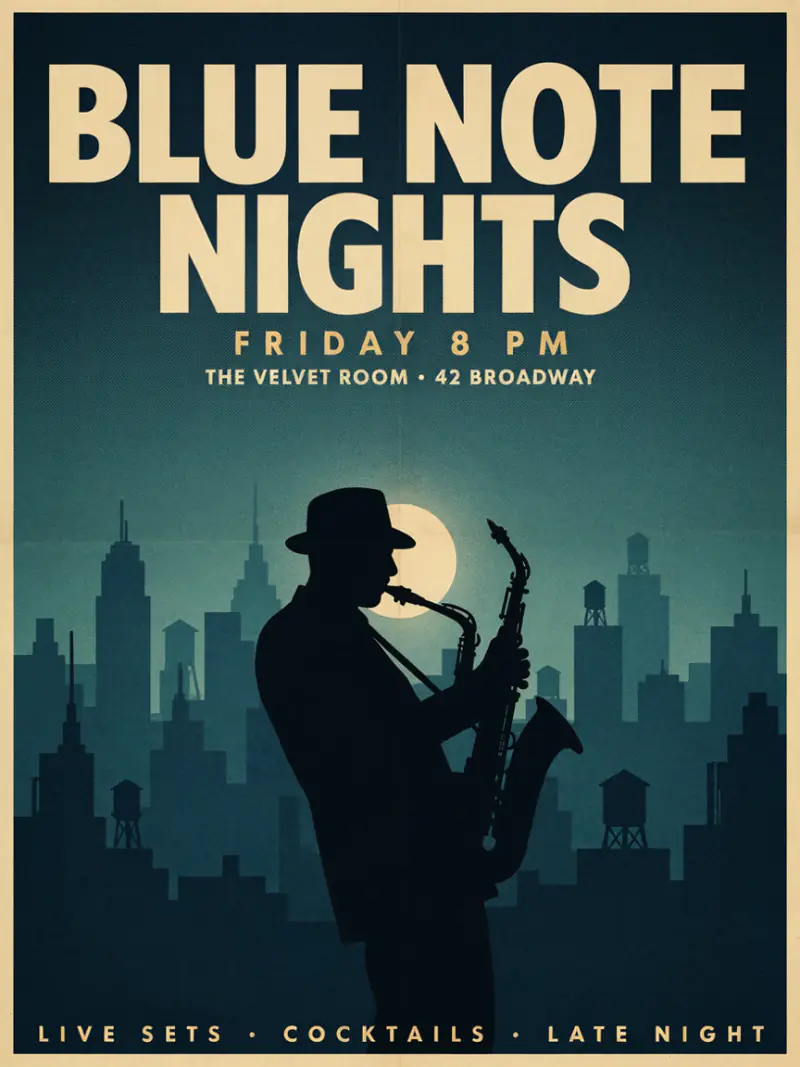
Input: a jazz night poster, title "BLUE NOTE NIGHTS", subtitle "Friday 8 PM", Portrait, Vintage. The model added the venue line and footer itself. Model: Ideogram 4.5, 15 credits.
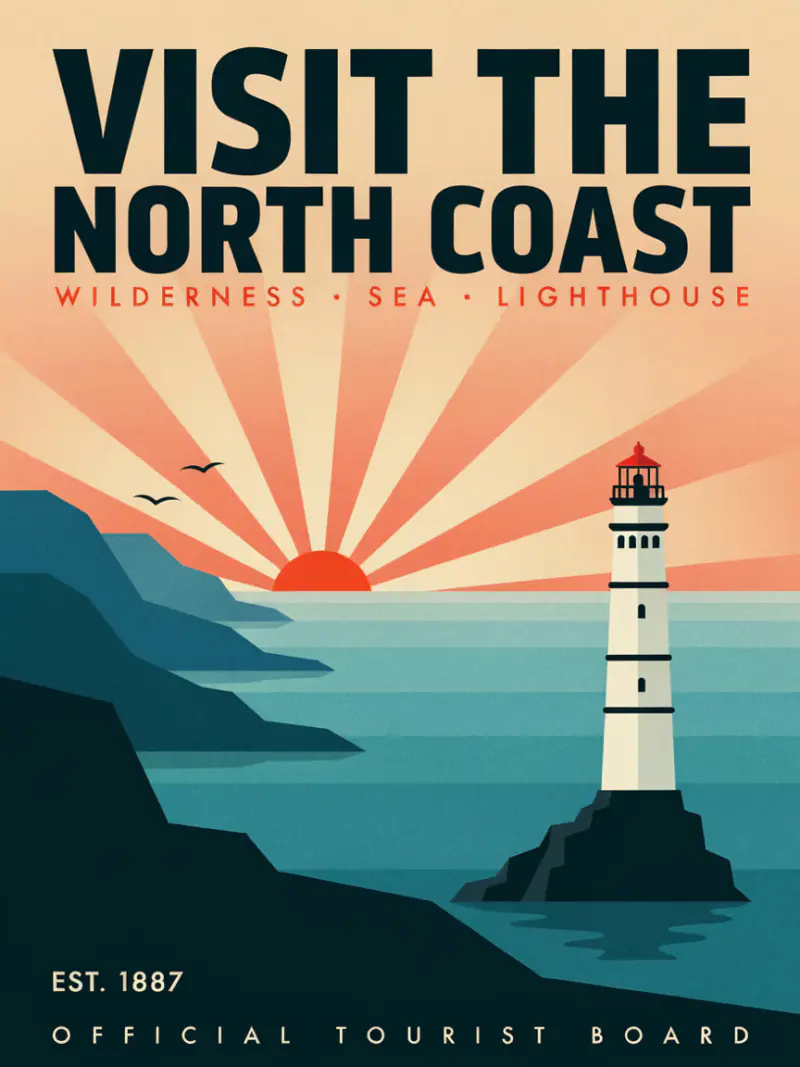
Input: a travel poster of a lighthouse at sunrise, title "VISIT THE NORTH COAST", Portrait, Bold graphic. The small lines were added by the model. Model: Ideogram 4.5, 15 credits.
How it works
Describe your poster: include the subject, the mood, the style and any text you want on it.
Choose a format (portrait, landscape, square or story) and a visual style preset.
Download the image. It is sized for screens and social posts.
| Format | Aspect ratio | Best for |
|---|---|---|
| Portrait A3 | 2:3 | Print posters, event flyers, gallery prints |
| Landscape | 3:2 | Banners, desk prints, presentation slides |
| Square | 1:1 | Social media posts, Instagram, album covers |
| Story | 9:16 | Instagram and TikTok stories, phone wallpapers |
Make any poster with AI
The AI Poster Maker turns a text description into a finished poster image. It is built on Ideogram, an image model with strong typography handling, which makes it well-suited for posters where text is a key design element. Event flyers, art prints, motivational prints, movie one-sheets, travel posters and gig flyers all generate well from a clear description.
Unlike template-based poster tools, this approach generates the image and the layout together, so the typography feels designed rather than dropped into a box. The trade-off is that very precise typesetting (exact font, exact position) works better in a design tool like Figma. Use the AI for fast concept generation and iteration, then refine in your design tool if needed.
How to describe a poster for the best result
A good poster prompt includes:
- Subject and scene: what is depicted visually (a mountain, a band, an astronaut, a product).
- Style: cinematic, minimalist, vintage, retro, art deco, watercolor, bold graphic, anime.
- Color palette: dominant colors or a color mood (dark and moody, warm sunset tones, monochrome, bright primary colors).
- Text elements: the exact words, their hierarchy (title vs subtitle), and their position (top, center, bottom).
- Format: portrait, landscape or square.
Example: "a retro 1970s surf poster, a large cresting wave with a silhouetted surfer, bold yellow and orange tones, title at the top: ENDLESS SUMMER INVITATIONAL, subtitle at the bottom: MALIBU BEACH, JULY 4TH, sans-serif all-caps" will produce a specific, usable result.
Poster types to try
The tool works across a wide range of poster styles and use cases:
- Event posters and flyers: music gigs, art exhibitions, film screenings, sports events, parties, conferences.
- Art prints: botanical prints, travel posters, landscape photography-style illustrations, abstract minimalist prints.
- Movie and TV one-sheets: cinematic character studies, fantasy and sci-fi landscapes, horror films.
- Motivational and typographic prints: short phrases in bold typography over a simple background.
- Brand and product: product launch announcements, brand awareness, social ads in poster format.
Frequently asked questions
Is the AI poster maker free?
You can try it free. Sign up with an email address and you get 40 free trial credits; one poster costs 15 credits. Free trial results carry a small "Made with Ziztu" watermark. Paid plans start at $12 a month for 1,000 credits. That is two posters.
Can I include specific text in the poster?
Yes. Include the exact text in your prompt and describe where it should appear. Ideogram handles text rendering well for short to medium-length labels, titles and taglines.
What size are the posters?
A portrait poster is 864 by 1,152 pixels, and the other formats are about the same area. That is sharp on screens and social posts, but too small for a large print.
Can I use the poster commercially?
Every paid plan includes commercial use of what you make here, such as event promotion and social posts.
Can I upload my own image and turn it into a poster?
Upload-based editing is not yet supported. Describe your image in the prompt for the closest result.
How do I get crisp text in the poster?
Keep the text content short (under 6 words per element) and describe the font style (sans-serif, bold, retro, handwritten). Long text strings generate less reliably in AI images.