AI Headshot Generator
Upload a clear photo of yourself, pick a style and a background. The AI redraws it as a studio headshot and keeps your face.
Updated
Example outputs
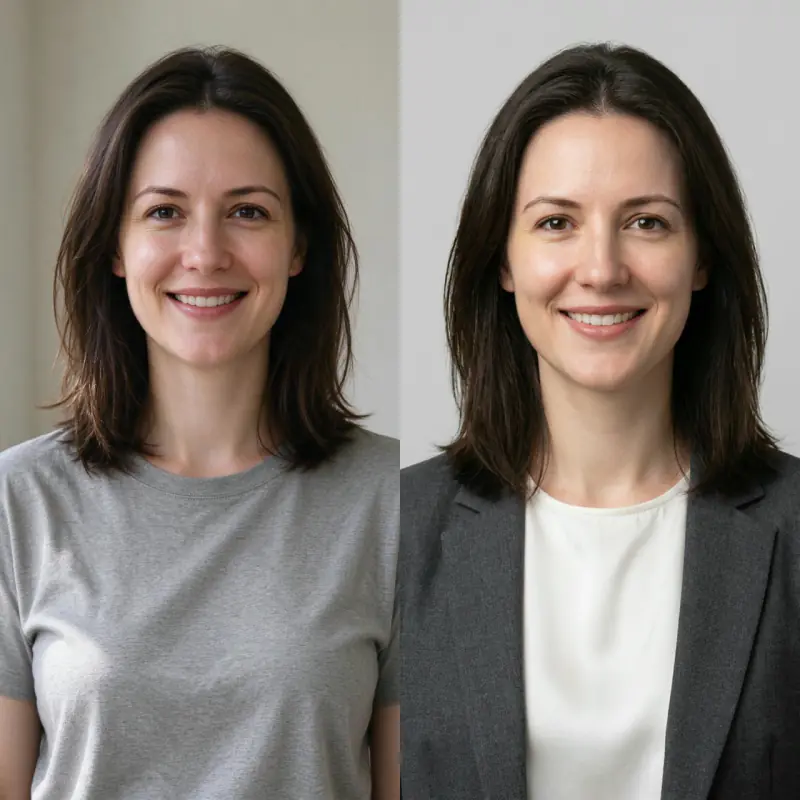
Left: the uploaded photo (an AI-made person, both sides cropped for this card). Right: Corporate, plain light grey, no extra words. Model: Nano Banana Pro edit at 1K, 38 credits.
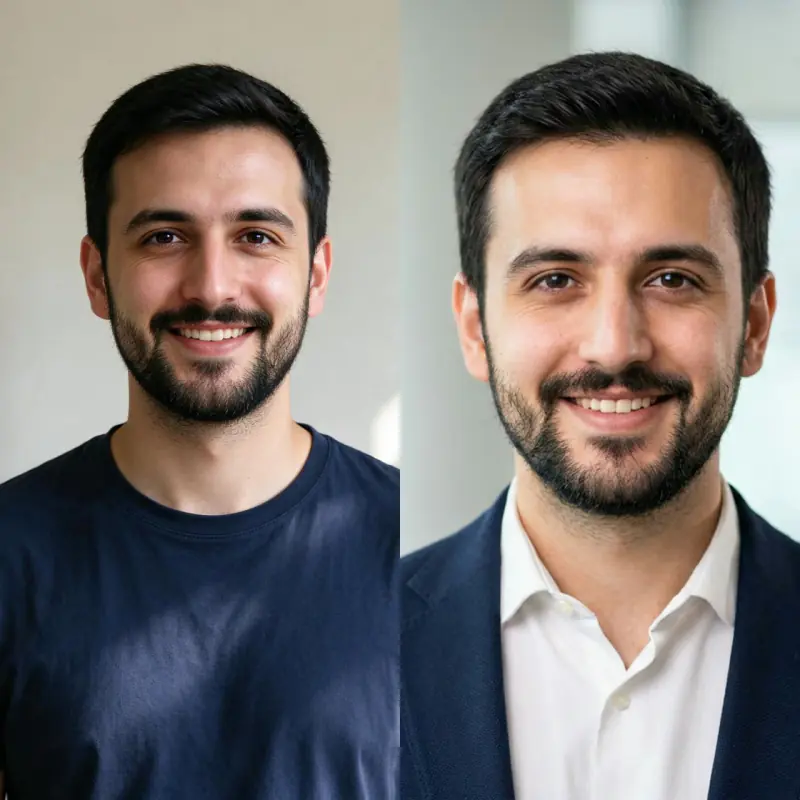
Left: the uploaded photo (an AI-made person, both sides cropped for this card). Right: LinkedIn, soft office blur, plus "navy blazer over a white shirt". Model: Nano Banana Pro edit at 1K, 38 credits.
How it works
Upload a clear, well-lit photo of yourself with your face visible. A phone selfie works.
Pick a style (corporate, LinkedIn, creative, casual, actor or academic) and a background. Add a detail if you like, such as the clothes.
Nano Banana Pro redraws the photo as a head and shoulders studio headshot and is told to keep your face. Download it, about 1,000 pixels on the long side.
Ideas and uses
| Style | Background | Best for |
|---|---|---|
| Corporate | White or light gray | Finance, law, consulting, executive profiles |
| Soft blur | Professional networking, personal branding | |
| Creative | Color background or textured | Agencies, studios, portfolio sites |
| Casual | Outdoor or warm blur | Startups, remote-first teams, friendly industries |
| Actor reel | Neutral gray | Actor submissions, talent agency profiles |
| Academic | Office or bookshelf blur | University profiles, research pages, speaking bios |
Professional headshots without a photoshoot
A headshot is the first thing people see on your LinkedIn profile, company site or speaker page. This tool starts from a photo you already have and redraws it as a clean studio portrait, so you can try a few looks before you book a photographer, or skip the shoot for everyday profiles.
How to get the best result
Use a sharp photo with your whole face in even light. Pick the style that fits your field, and add a few words if you want something specific, such as "navy blazer, white shirt" or "warm smile". Try two or three styles and keep the one that looks most like you.
Headshots for different industries
The right headshot varies by context:
- Finance and law: dark suit, white shirt, neutral background, direct gaze, formal and trustworthy.
- Tech and startups: casual blazer or hoodie, white background, approachable smile, natural light aesthetic.
- Creative industries: more personality is acceptable. Bold or colored backgrounds, casual clothing, expressive expressions.
- Healthcare: white coat, clean and trustworthy expression, light background.
- Academics: professional but not corporate. Glasses acceptable, bookshelves or office in soft blur.
- Real estate and sales: wide, confident smile, bright and welcoming, outdoor or office blur background.
Frequently asked questions
Is the AI headshot generator free?
You can try it free. Sign up with an email address and you get 40 free trial credits; one headshot costs 38 credits. Free trial results carry a small "Made with Ziztu" watermark. Paid plans start at $12 a month for 1,000 credits.
Will it look like me?
The model is told to keep your face, skin tone, hair and age, and in our tests the person stayed recognizable. It redraws the whole photo, so small details can change. Try a couple of styles and pick the best.
What photo works best?
One person, face visible and in focus, even light, nothing covering the face. A plain selfie at arm length is enough.
Is it good enough for LinkedIn?
For most profiles, yes: a clean head and shoulders portrait on a plain background. For press or casting, a real photographer is still the safer choice.
Can I use the headshot commercially?
Every paid plan includes commercial use of what you make here, such as your profile, website and talks.
Is my photo stored?
Your uploaded photo is deleted from our server within 24 hours. To make the result, the photo is sent to our AI provider, fal, which keeps its own copy under its own retention rules. Only upload photos you have the right to edit.
Can I upload someone else's photo?
Only with their permission. You confirm you have the right to use the photo before you generate.