Video to GIF Converter
A free video to GIF converter with no signup. Upload an MP4, MOV or WebM, pick the moment, and download a clean looping GIF. You see the file size before you save it.
Upload your file to get started. No account needed.
Examples
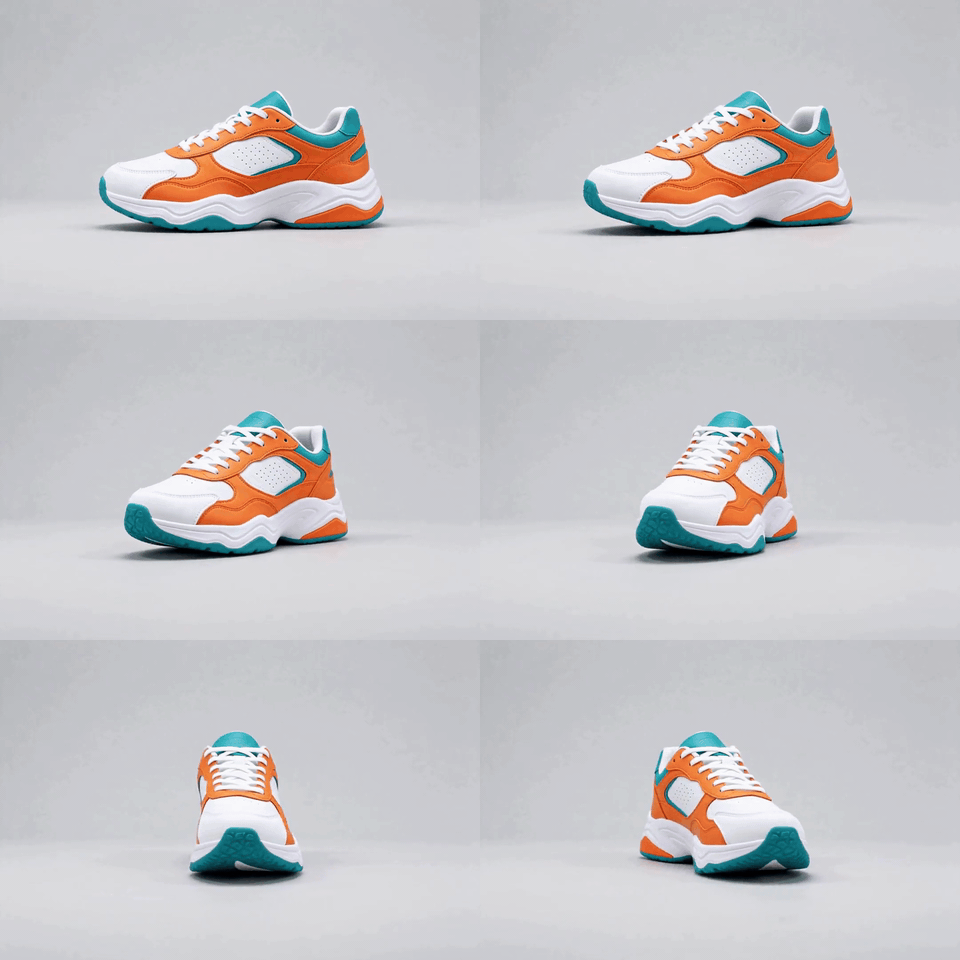
A sneaker turning: 480 px wide, 15 frames a second, 3 seconds. Smooth and sharp.
480 x 320 px · 3 s

A gift box swelling like a balloon: 320 px wide, 10 frames a second, 3 seconds. The small, fast setting.
320 x 320 px · 3 s
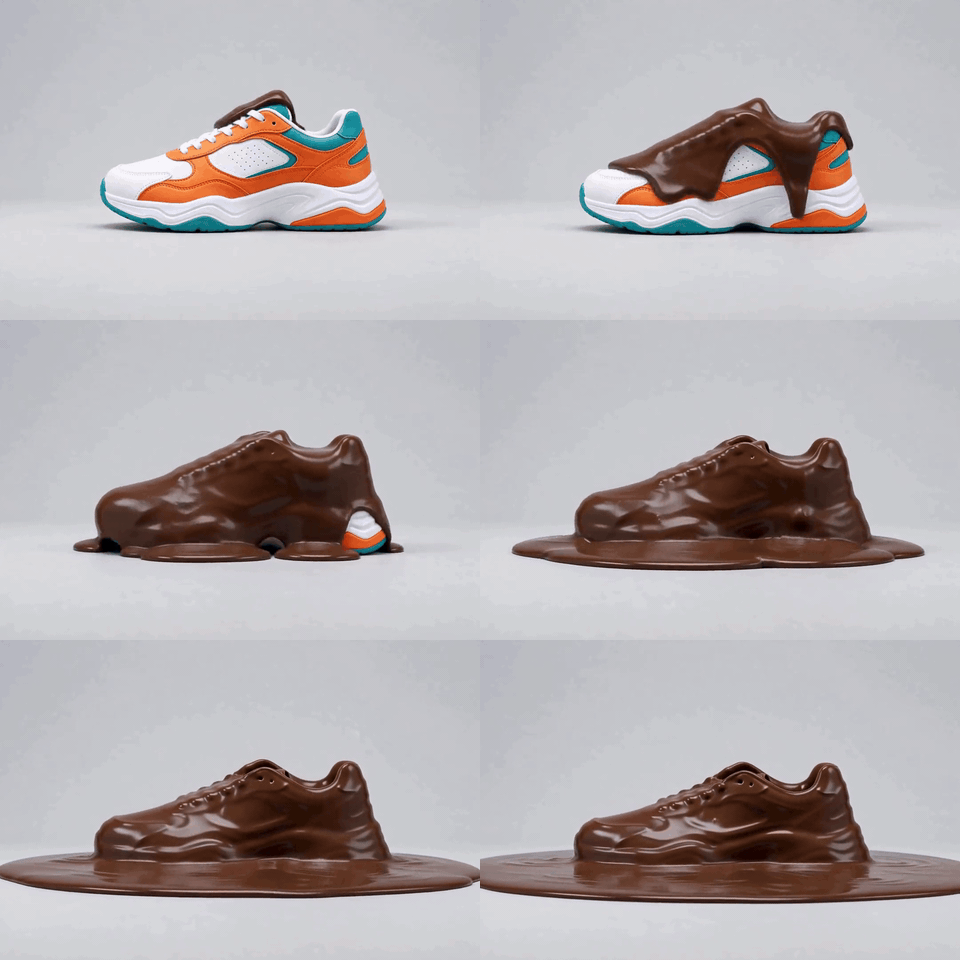
A chocolate sneaker melting: 480 px wide, 10 frames a second, 4 seconds. Fewer frames, a smaller file.
480 x 320 px · 4 s
How it works
- 01
Choose your video
An MP4, MOV or WebM up to 100 MB. Play it, and pause where the GIF should start.
- 02
Set the length and the size
Choose how long it runs (1 to 15 seconds), the width (320, 480, 720 px) and the frames a second (10, 15, 20). Pick loop forever or play once.
- 03
Make the GIF and download it
Press the button. The GIF appears with its file size, and you save it with one click.
What you get
A palette made for your clip
Every GIF gets the 256 colors that suit your video best, so faces, skies and gradients stay cleaner than with a standard palette.
You choose the moment
Pick where the GIF starts and how long it runs, from 1 to 15 seconds, from a video up to 30 minutes long.
Free, and private
No account and no card. 10 GIFs an hour. Your video is deleted from our server as soon as the GIF is made.
Who it's for
Meme makers and fans
Cut the best two seconds of a clip and turn it into a reaction GIF that loops.
Teachers and support teams
Turn one step of a screen recording into a short GIF for a guide, a help page or a message.
Creators and editors
Make a looping preview of a video, a product shot or an animation from your own footage.
Ideas and uses
| Setting | Choices | What it does |
|---|---|---|
| Start | Any second of the video | Where the GIF begins. |
| Length | 1 to 15 seconds | A longer GIF is a bigger file. |
| Width | 320, 480, 720 px | The picture size. A smaller width makes a much smaller file. |
| Frames a second | 10, 15, 20 | More frames look smoother and make a bigger file. |
| Looping | Loop forever or play once | Whether the GIF starts again by itself. |
| Your video | MP4, MOV or WebM, up to 100 MB and 30 minutes | Larger files are refused before anything is made. |
| Speed of use | 10 GIFs an hour | Keeps the tool free for everyone. |
How to make a GIF from a video
A GIF is a short, silent, looping picture. To make one from a video, you pick a moment and a size, and the tool turns the frames of that moment into a GIF.
Choose your file, play it, and pause where the GIF should begin. Set the length, the width and the frames a second, then press the button. The result appears next to your video with its size, so you can see right away whether it is small enough for where you want to use it.
If you have not recorded the video yet, you can make a short clip with AI and bring it here.
Tips for a better GIF
- Keep it short: two to five seconds is enough for a good loop. Every extra second adds frames and size.
- Start with 480 px wide: it is sharp on a phone and on a laptop. Use 320 px for a small file and 720 px when the picture matters most.
- Use 15 frames a second for smooth motion: 10 is fine for slow scenes and makes a smaller file. Use 20 for fast action.
- Cut where something happens: a GIF that starts in the middle of the action reads at once.
- Check the size: the result shows its file size. If it is too big, go narrower or shorter, or use the GIF compressor.
What happens to your video
Your video goes to our server over HTTPS and is turned into a GIF there with ffmpeg. The video is deleted as soon as the GIF is made, and the GIF is deleted as soon as it has reached your screen. Anything left behind is deleted within 60 minutes.
The limits are 100 MB per video, 30 minutes of video, 15 seconds of GIF and 10 GIFs an hour. No account is needed.
Frequently asked questions
How do I make a GIF from a video?
Use the tool on this page. Choose your video, play it and pause where you want the GIF to start, set the length and the size, and press Make the GIF. The GIF shows up with its file size, and you download it. It takes a few seconds, and there is no signup.
Is this video to GIF converter really free?
Yes. There is no account, no card and no sign-up step. You can make 10 GIFs an hour. The limit keeps the tool fast and free for everyone.
What video files can I use?
MP4, MOV and WebM, up to 100 MB and up to 30 minutes long. The GIF is cut from the part you choose. If your video is in another format, export it as MP4 first.
How long can the GIF be?
Up to 15 seconds. A GIF stores every frame as a picture, so a long GIF becomes a very large file. For a longer clip, an MP4 is the better format.
How do I make the GIF file smaller?
Make it shorter, make it narrower, or use fewer frames a second. Going from 480 to 320 px wide cuts the number of pixels by more than half. Going from 15 to 10 frames a second removes a third of the frames. The tool shows the size of the result, so you can try again with another setting. You can also run the finished GIF through the free GIF compressor.
Does the GIF have sound?
No. A GIF is a silent picture format, so the sound of the video is left out.
Why do some GIFs look grainy or banded?
A GIF can show only 256 colors in a picture, so smooth gradients can turn into steps. This tool builds a palette from your own clip and uses dithering to hide the steps. Clips with flat colors and clear shapes look best. A dark, blurry or very busy clip is the hardest case.
Is my video private?
Your video is uploaded over HTTPS to our server, turned into a GIF with ffmpeg, and deleted as soon as the GIF is made. The GIF is deleted as soon as it reaches your screen. Anything left behind is deleted within 60 minutes. We do not keep or use your files.
Can I turn a GIF back into a video?
Yes. The free GIF to video converter makes an MP4 from any GIF, and can play it several times to make it longer.
Can I make the clip with AI first?
Yes. Make a short video from a line of text with the AI video generator, or bring a picture to life with image to video AI. Then bring the clip here and turn it into a GIF.
More like this
 GIF to Video ConverterA free GIF to video converter with no signup.
 GIF CompressorA free GIF compressor with no signup. Upload a GIF, make it narrower, drop some frames or use fewer colors, and see the before and after size before you download.
 AI Video GeneratorRun the same prompt on a second model to compare.
 Image to Video AIUpload one photo, type what happens, get a 5 second clip.
 MP3 to MP4 with ImageUpload your audio, add an image or solid color, and download a clean MP4 ready for YouTube, Instagram or TikTok.
 AI Slideshow MakerUpload your photos, add a title and get a slideshow video.
Updated
Turn your next clip into a GIF in seconds.
New accounts also get 400 free trial credits for scripts, pictures and voices. No credit card required.