
To make a fursona, decide five things first: species, body type, color palette, markings and personality. Then generate drafts with an AI character tool, keep the one that feels like you, and turn it into a ref sheet that shows your character from the front and back with exact colors. You do not need to draw. The ref sheet is what lets you keep the character consistent and, later, commission artists to draw it.
This guide walks through each decision, the prompts that work, how to make a ref sheet, and how AI art is treated in furry spaces.
Step 1: Decide who your fursona is
A fursona represents you, so start with personality, not looks. Write three words that describe the character: playful, calm, fierce, shy, curious. Those words will shape the expression, pose and colors.
Then answer these questions:
- Species. Wolf, fox, cat, dragon, rabbit, deer, hyena, bat, protogen or a hybrid. Pick something with a strong silhouette: big ears, a distinctive tail, horns or wings.
- Body type. Anthro (upright, humanoid), feral (four legs), semi-feral or a stylized chibi.
- Palette. Two or three main colors plus one accent. Natural browns and greys read as grounded. Bright neons read as energetic.
- Markings. Tipped ears and tail, stripes, spots, socks, a face mask or a gradient. One signature marking makes the character recognizable.
- Outfit and accessories. Many ref sheets show the character without clothes for clarity, plus one signature outfit or item: a scarf, a collar, glasses.
Step 2: Generate your first drafts
The Fursona Maker turns these choices into a character image. Pick the species, body type, colors, markings, outfit and personality from the menus, add a sentence of your own, and generate. Each image costs 3 credits, and new accounts get 40 free credits, so you can explore a lot of ideas before paying.
If you write your own prompt in any tool, follow this order: species and body type, colors, markings, outfit, expression, pose, background.
Example: "Anthro red fox fursona, orange and cream fur with dark brown socks and ear tips, one white stripe down the muzzle, green eyes, forest green bomber jacket, curious friendly expression, standing pose, full body, plain light grey background."
Generate at least ten drafts. Change one thing at a time between rounds: the shade of the fur, the size of the ears, the eye color. You will know the right one when you see it.
Step 3: Make a ref sheet
A ref sheet is the master record of your character. Artists, fursuit makers and you will all work from it.
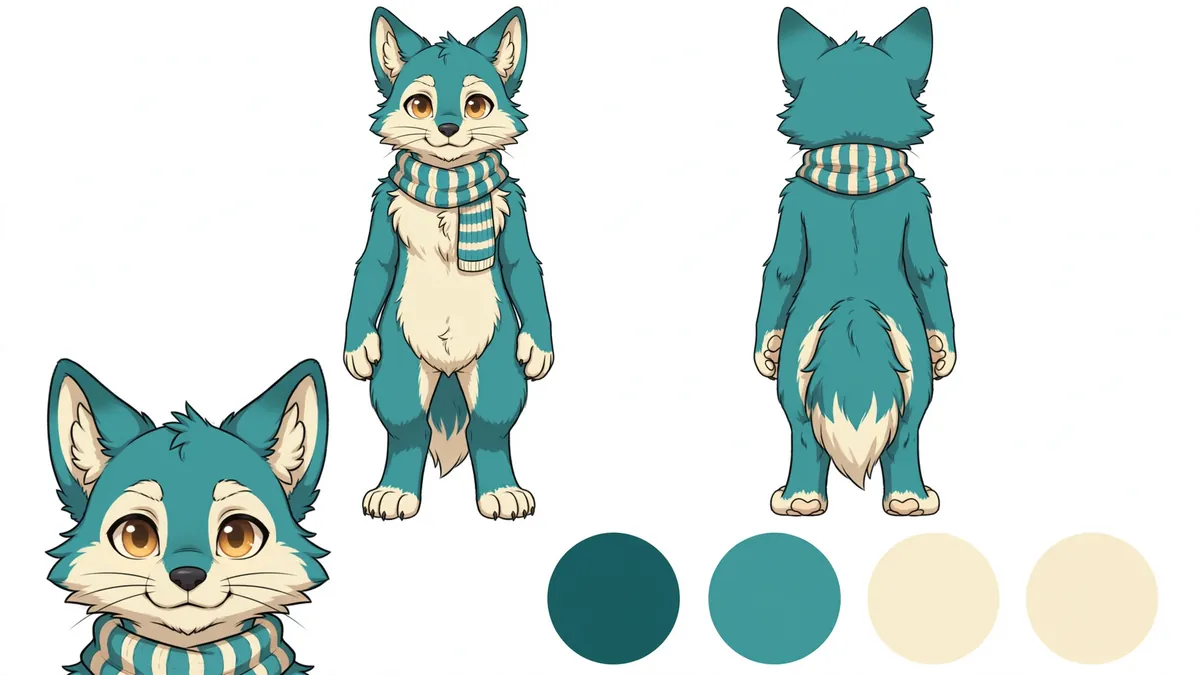
A good ref sheet has:
- Front and back views, full body, neutral pose. A three-quarter view helps too.
- Color swatches with hex codes for fur, markings, eyes, and any clothing.
- Close-ups of anything easy to get wrong: eye shape, a marking on the back, a tail pattern.
- Short notes: species, pronouns, and rules like "the stripe is always on the left."
To make one with AI:
- In Ziztu Studio, add your fursona to a project's cast and generate a character sheet. Ziztu sheets are turnarounds: front, three-quarter and back views at the same scale on a plain grey background, plus a head close-up. You can upload your favorite draft as the reference so the sheet matches it.
- Open the sheet in any editor, sample the colors, and add the swatches and notes.
Keep the original file. Every future image should be checked against it.
Step 4: Keep it consistent
AI tools will drift: a marking moves, the eye color shifts, the tail changes length. Three habits fix most of it.
- Reuse the exact same description every time. Save it in a note.
- Attach the ref sheet as a reference image whenever you make a new picture.
- Fix, do not accept, small errors. If the stripe moved, regenerate or correct it in an editor.
Step 5: Bring your fursona to life
Once the design is set, you can use it in many places.
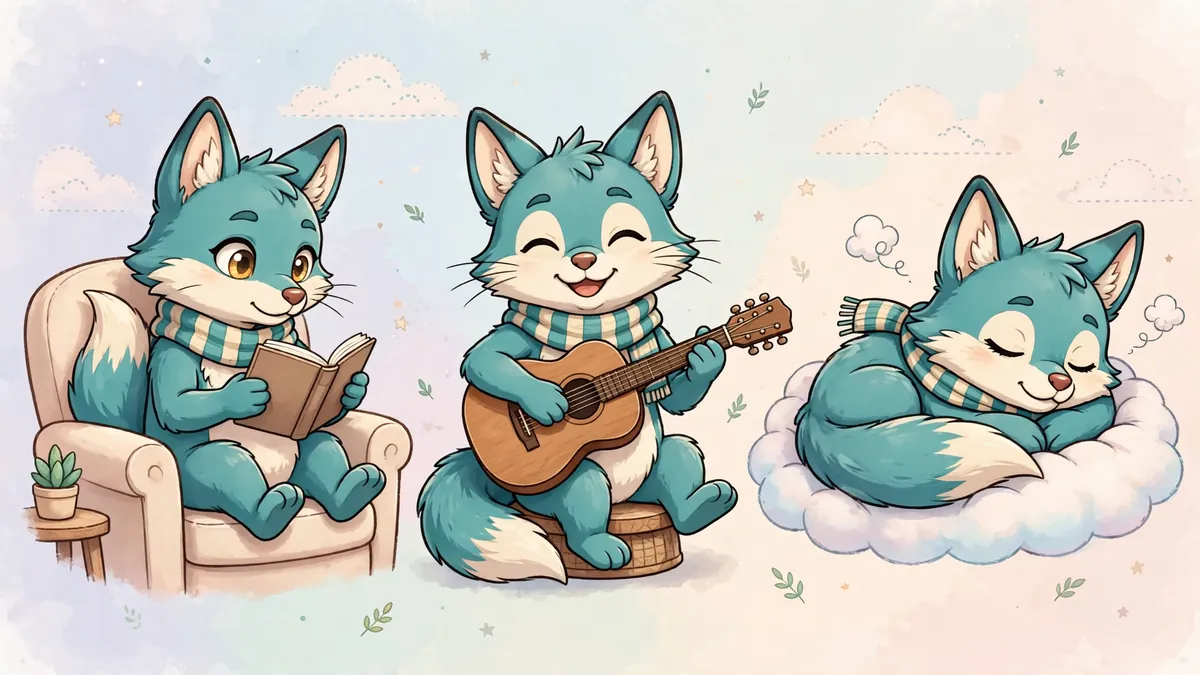
- Avatar and banner. Crop a close-up from the sheet.
- Streaming. Turn it into a PNGTuber with our guide on how to make a PNGTuber for OBS.
- Animation. In Ziztu Studio, use the sheet as a reference and animate short scenes of your character. A 5 second clip starts at 31 credits at 480p.
- Commissions. Send the ref sheet to an artist you like and pay them to draw your fursona in their own style.
AI art and the furry community
The furry fandom has a long tradition of commissioned art, and many artists and sites are wary of AI.
- Fur Affinity's upload policy prohibits AI generated content. Other galleries have similar rules.
- Some artists will not take AI references. Ask before you send one.
- Be open about how you made your design if someone asks.
A sensible approach is to use AI as a design and planning tool for yourself, then support artists for the art you share. Many people use an AI draft to figure out what they want, then commission the final ref sheet from an artist.
Honest limitations
- AI is weaker at unusual anatomy: hybrids, extra limbs and complex wings may need several tries.
- Fine markings can move between images. Your ref sheet is the source of truth.
- Hands and paws are still a common failure point.
- A generated ref sheet is a strong start, not a finished professional sheet. Add the swatches and notes yourself.
Want more character ideas? Browse the OC Maker for fandom-specific character creators, or read how to make a PNGTuber to put your fursona on stream.