
You can make a manga with AI by working the way a manga team does: write the story first, design a consistent cast, plan every page as panels with page turns in mind, draw the art without text, then letter it. AI speeds up the drawing, but the story, the layouts and the checks are what make it read like manga. In Ziztu, the AI Manga Maker runs this whole flow from one prompt and shows you the price of each step before it draws.
Why most AI manga looks wrong
Most attempts fail in the same three ways.
- Faces change on every panel. Each panel is a new random image, so the hero has a different haircut on every page.
- The words are garbled. Image models still cannot write clean text inside balloons.
- The pages have no rhythm. Every panel is the same size and the same medium shot, so nothing feels dramatic.
The fix is to plan before you draw, and to treat text as lettering, not as part of the image.
Step 1: Write a story that fits the page count
Pick the length first. It decides the structure.
If you write the story as a script first, the best screenwriting software in 2026 covers the editors that format it for you.
- 4 to 16 pages: a short story in four parts, a quarter each: setup, development, twist, resolution. Japanese four-part storytelling (kishotenketsu) puts the twist on a page turn.
- One chapter of 16 to 24 pages: open strong and end on a hook on the last page.
- A longer story: split it into chapters of 16 to 24 pages and make one chapter at a time.
Write a one line premise, the protagonist's goal, and the one memorable image of the chapter, the panel people will remember.
Step 2: Design the cast before any page
Make a character sheet for every main character: a turnaround (front, three-quarter and back view) and an expression sheet (happy, angry, surprised, sad). Use one fixed description per character, in a fixed order: age, build, face and eyes, hair plus one unique mark, outfit top to bottom, a signature prop.
For example: "Young adult courier, wiry build, round face with sleepy eyes, short black hair with one white streak, yellow rain jacket over a striped shirt, cargo shorts, high boots, satchel on the left hip."
Need ideas? The OC Maker generates character concepts you can bring into your manga.
Step 3: Plan pages and panels
This is the step that makes it read like manga.
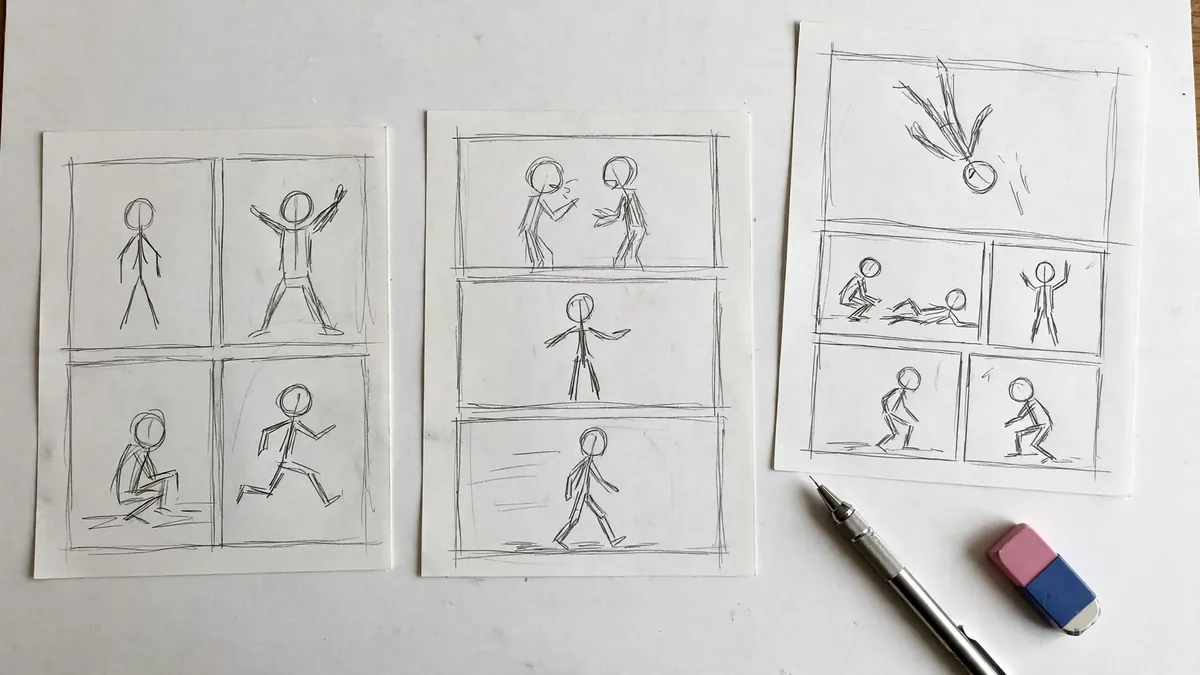
- Reading order. Decide left to right or right to left and keep it for the whole book.
- Page turns. Readers turn after every odd page. Put cliffhangers in the last panel of odd pages and reveals in the first panel of even pages.
- Panel count. A splash page has one panel. Big action pages have two to four. Normal pages have four to six. Quiet dialogue pages can have up to seven or eight.
- One dominant panel per page. Make the most important moment the biggest panel.
- Vary the shots. Open each scene with a wide establishing shot. Never use the same shot size twice in a row. Add a reaction shot after a big line and a silent panel before a reveal.
Write a page script: for each panel, the shot size, who is in it, what happens, and the dialogue.
Step 4: Draw the pages without text
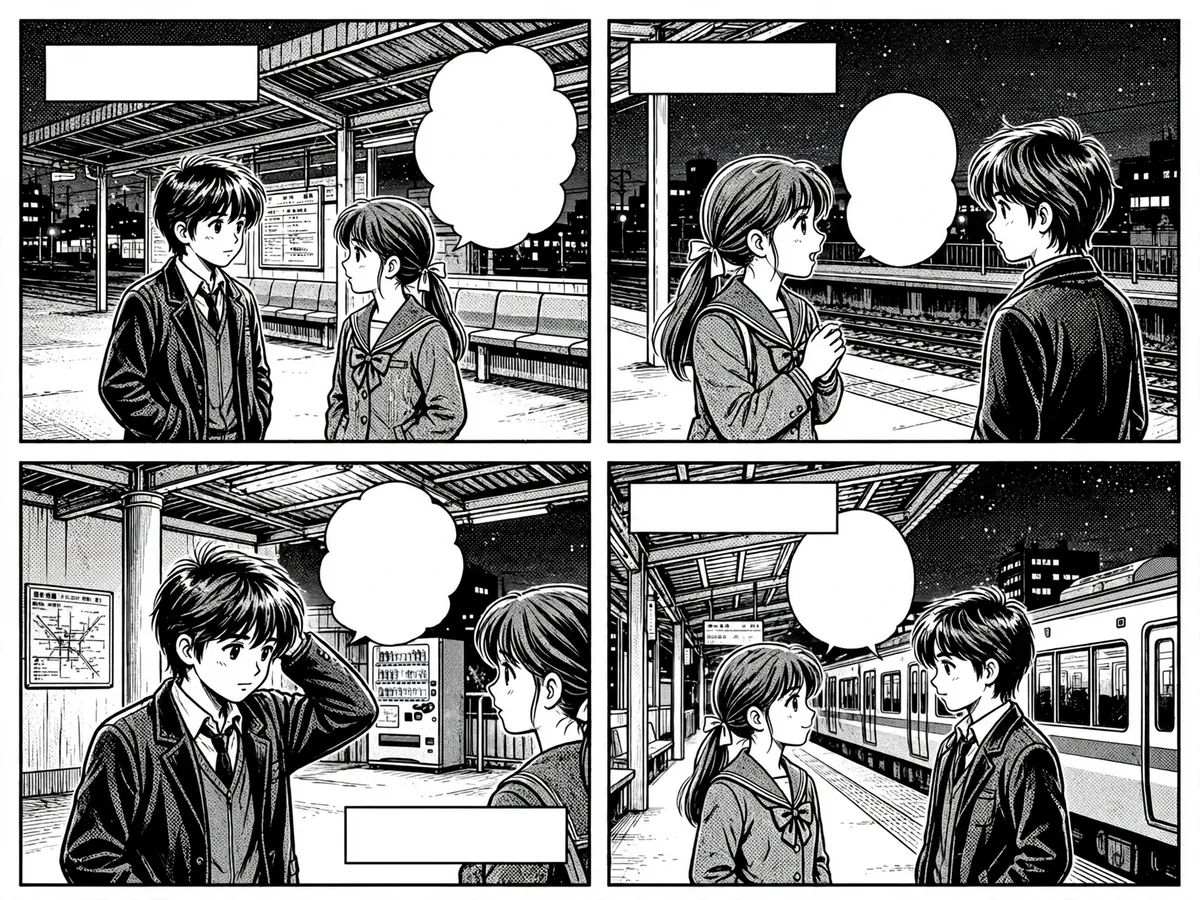
Generate each panel's art with the character sheets attached as references, and ask for no text, no speech balloons and no sound effects in the image. Leave space where the balloons will go. Black and white with screentone is the classic manga look and also hides small inconsistencies better than color.
Then check every panel like an editor: is the face right, is the outfit right, does the action read? Redraw only the panels that fail.
Step 5: Letter the pages
Add the dialogue as real text on top of the art: balloons for speech, thought bubbles, captions and sound effects. Keep one font size for the whole book so it reads evenly. Lettered text stays sharp at any size and is easy to fix later.
How the AI Manga Maker in Ziztu does it
The AI Manga Maker is Ziztu's manga tool. You give it one prompt (and optional photos or sketches), and its Director works through the steps above in order:
- Writes a story bible and a cast, with a turnaround sheet and an expression sheet for each main character.
- Sets a style for the whole book: the look, the tone and a lettering preset.
- Writes page scripts with real layouts and dialogue, then renders a storyboard and reviews it for page turns, shot variety and balloon order.
- Asks you to approve the budget before it draws: one approval for the setup, another for the page art.
- Draws the pages, checks every panel and fixes what is worth fixing within the approved budget.
- Letters the pages and makes covers if you asked for them.
A prompt for 200 pages is treated as a volume: the AI Manga Maker outlines every chapter, draws chapter 1, and each next chapter is one click with its own price.
When the book is done, export it as a PDF for screens, a print PDF with grayscale screentone and bleed, a CBZ comic archive, a zip of PNG pages, or a vertical webtoon strip.
Animate your best panels
A manga page can become a short trailer. In Ziztu Studio, use a finished panel as the first frame of a shot and animate it: a 5 second clip costs 31 credits at 480p or 50 at 768p. Add music and captions on the same timeline and export an MP4 for social media. For full anime scenes, read how to make anime with AI.
Honest limitations
- Consistency is good, not perfect. Sheets and checks catch most drift, but a long book still needs a human read of every page.
- Hands and complex poses fail more often than faces. Plan panels around them when you can.
- Fight choreography across many panels is hard. Keep action pages to a few big panels.
- Text is lettering, not art. Hand drawn sound effects in the image are unreliable.
- Rights. Keep characters and worlds original if you plan to publish or sell.
Start with a short of 8 pages. It teaches you the whole process in one evening. Then compare tools in our guide to the best AI anime video generators if you want to take your story to video.