AI Screenwriting Software
Write in the standard screenplay format, get notes that say what is wrong and how to fix it, and turn your scenes into shots for an animated film, all in one project.
Updated
A screenplay editor that keeps the format for you
The AI Script Writer is part of every Ziztu studio project. Start a script on a blank page or import one, and everything below is in the same place.
Open the AI Script WriterEvery line is a typed element: scene heading, action, character, parenthetical, dialogue, transition or shot. Enter moves to the element that usually comes next and Tab changes it, so you write without touching a ruler. Names and places you already used are suggested as you type, and the page is drawn at the exact size of a printed page, with the page breaks where the PDF puts them.
- Import and export Fountain and Final Draft (.fdx) files, and download a print-ready PDF in 12 point Courier with the standard margins.
- A title page, scene numbers, find and replace, bold, italic and underline, undo for every change.
- Saved as you write, with the script stored in the project next to its cast, places and shots.
Notes from the AI Script Doctor
The AI Script Doctor reads one scene, the lines you select or the whole draft, and writes a few strong notes. Each note says what is wrong the way an audience feels it, why it happens in craft terms, where it happens, the exact fix and why the fix works. It can read with one lens, such as three-act structure, Save the Cat or Robert McKee, or pick the lens that explains each problem best.
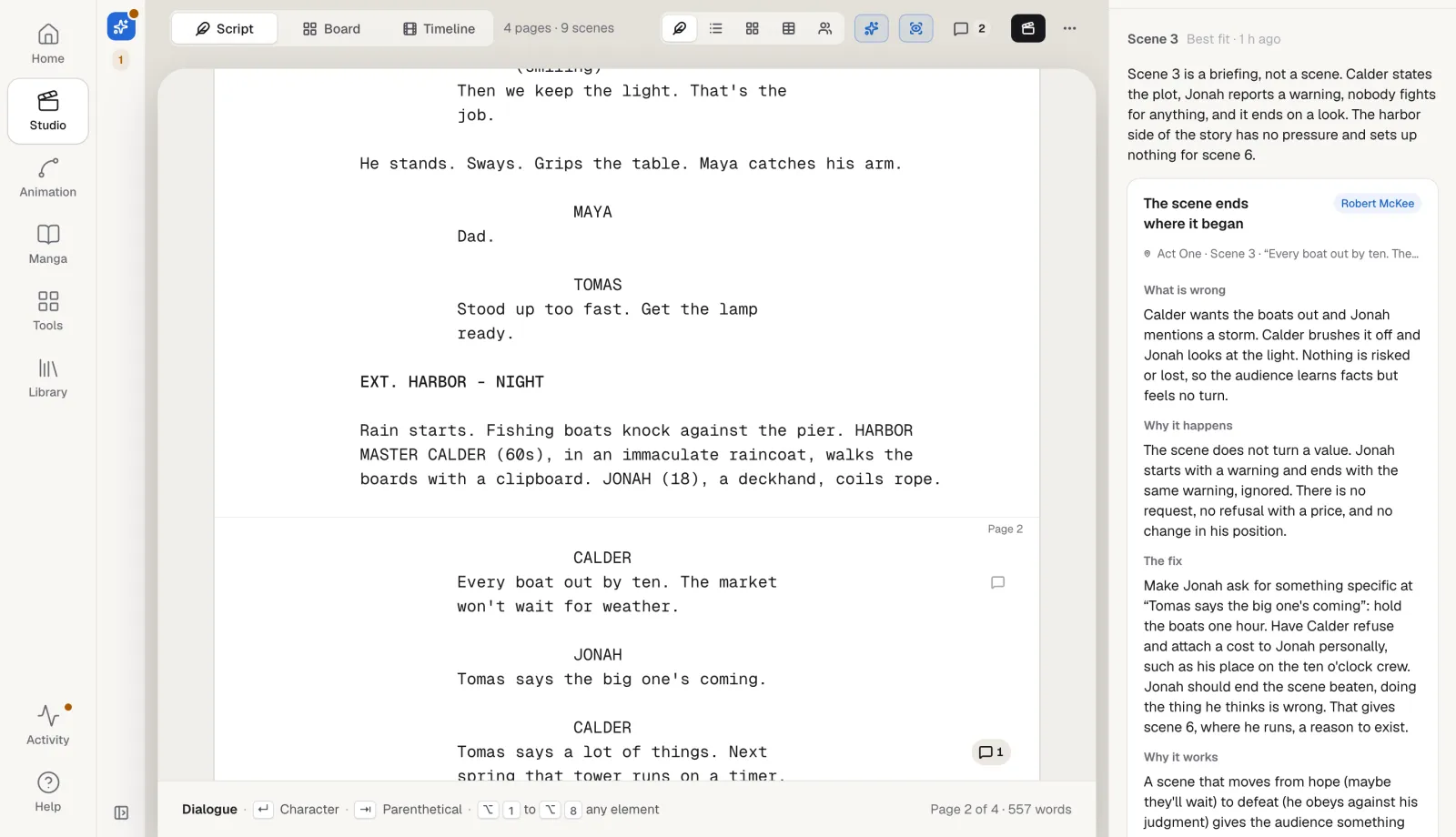
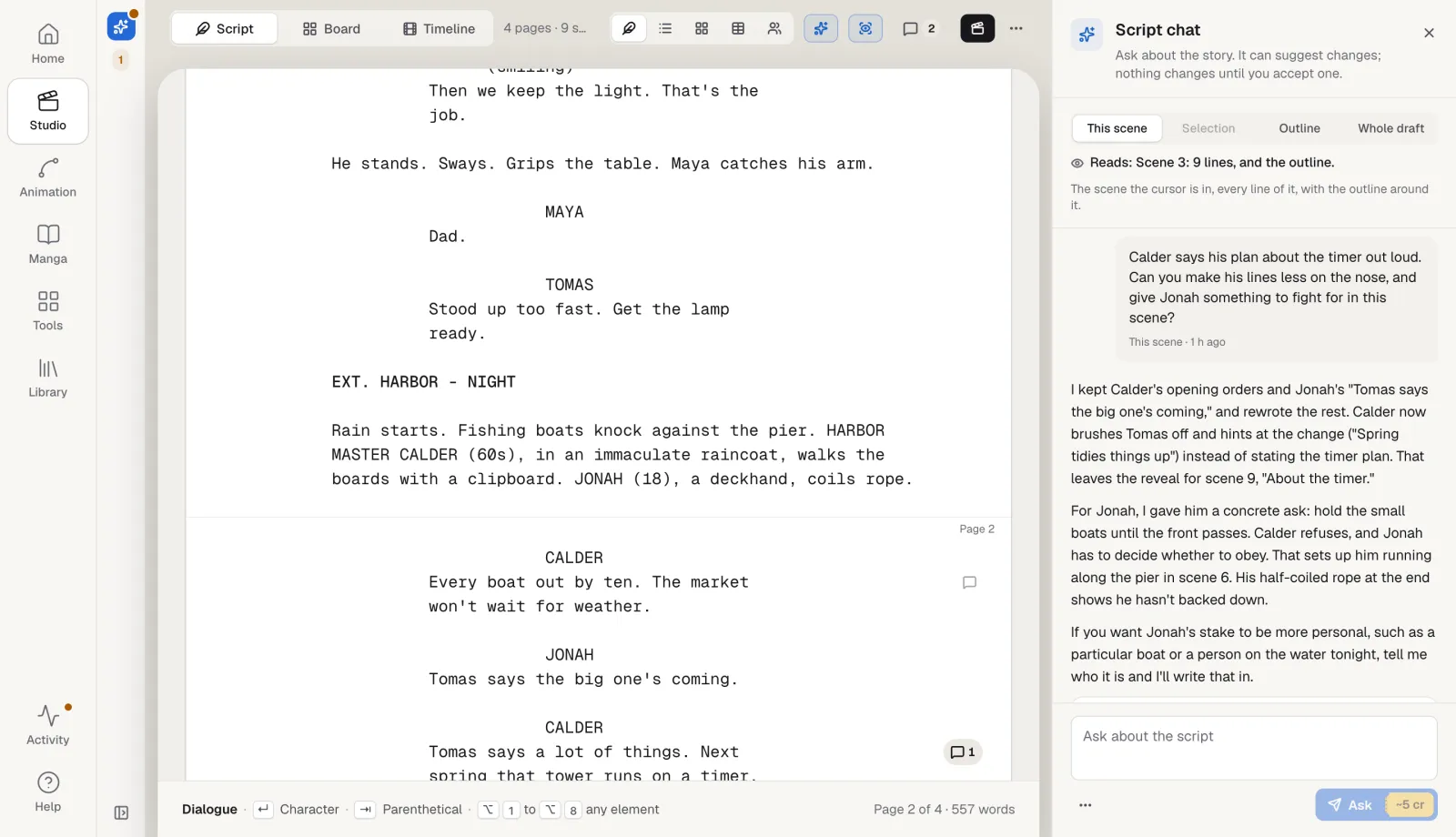
Script chat: ask about your story
Script chat answers questions about the script and says first what it reads: the scene the cursor is in, the lines you selected, the outline, or the whole draft. Ask what a character wants, where the middle sags or how a line could say less. When a change helps, it proposes the exact lines, shown before and after, and nothing changes until you accept. Every accepted change is one step to undo, and the script as it was is kept in the version history first.
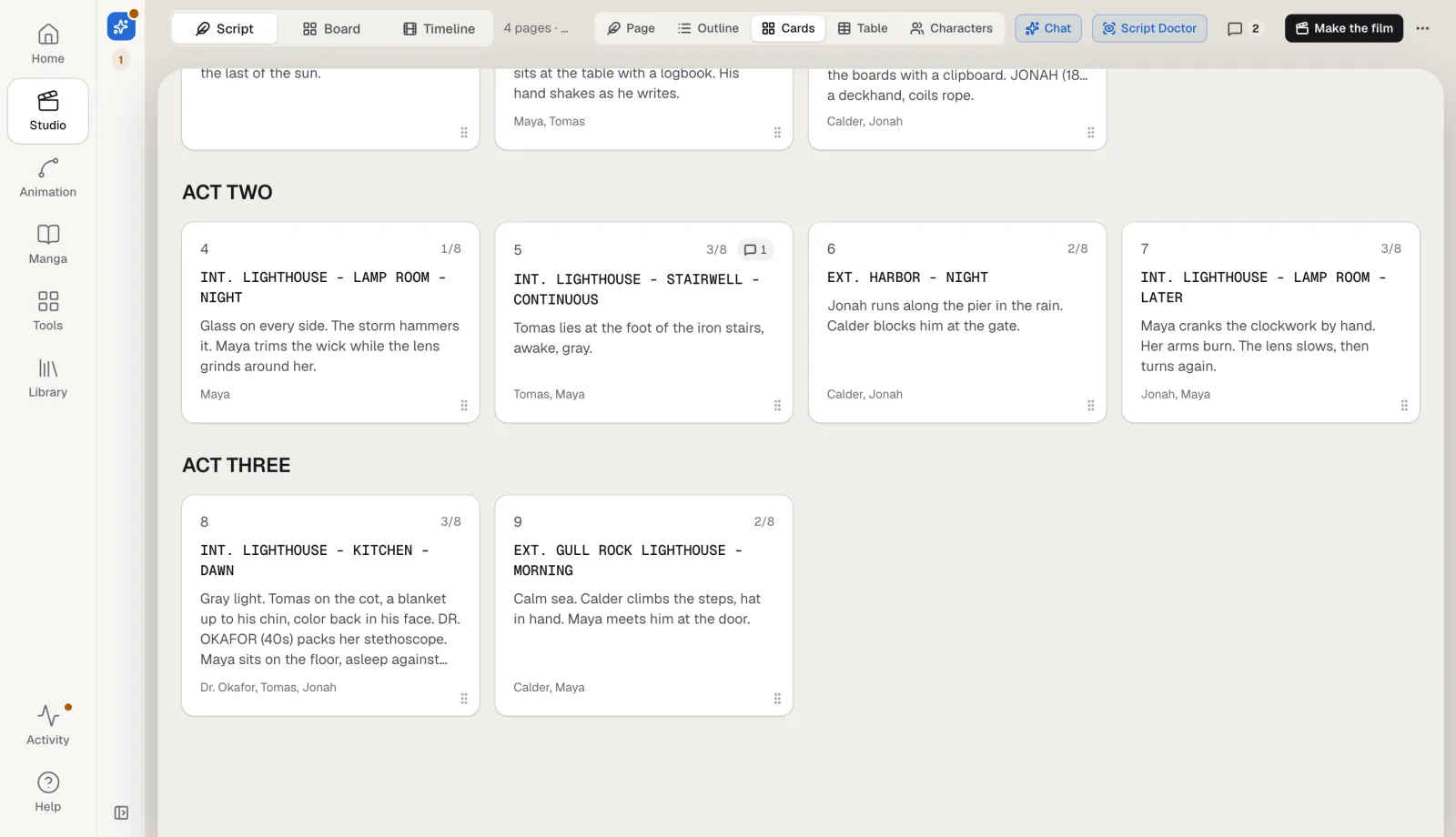
See the structure at a glance
The outline, the index cards and the scene table are drawn from the script itself, so they never drift from the pages. Drag a card to move a scene with everything in it. The table lists each scene's location, time of day, characters, length in eighths of a page and status, and open comments show on every row and card.
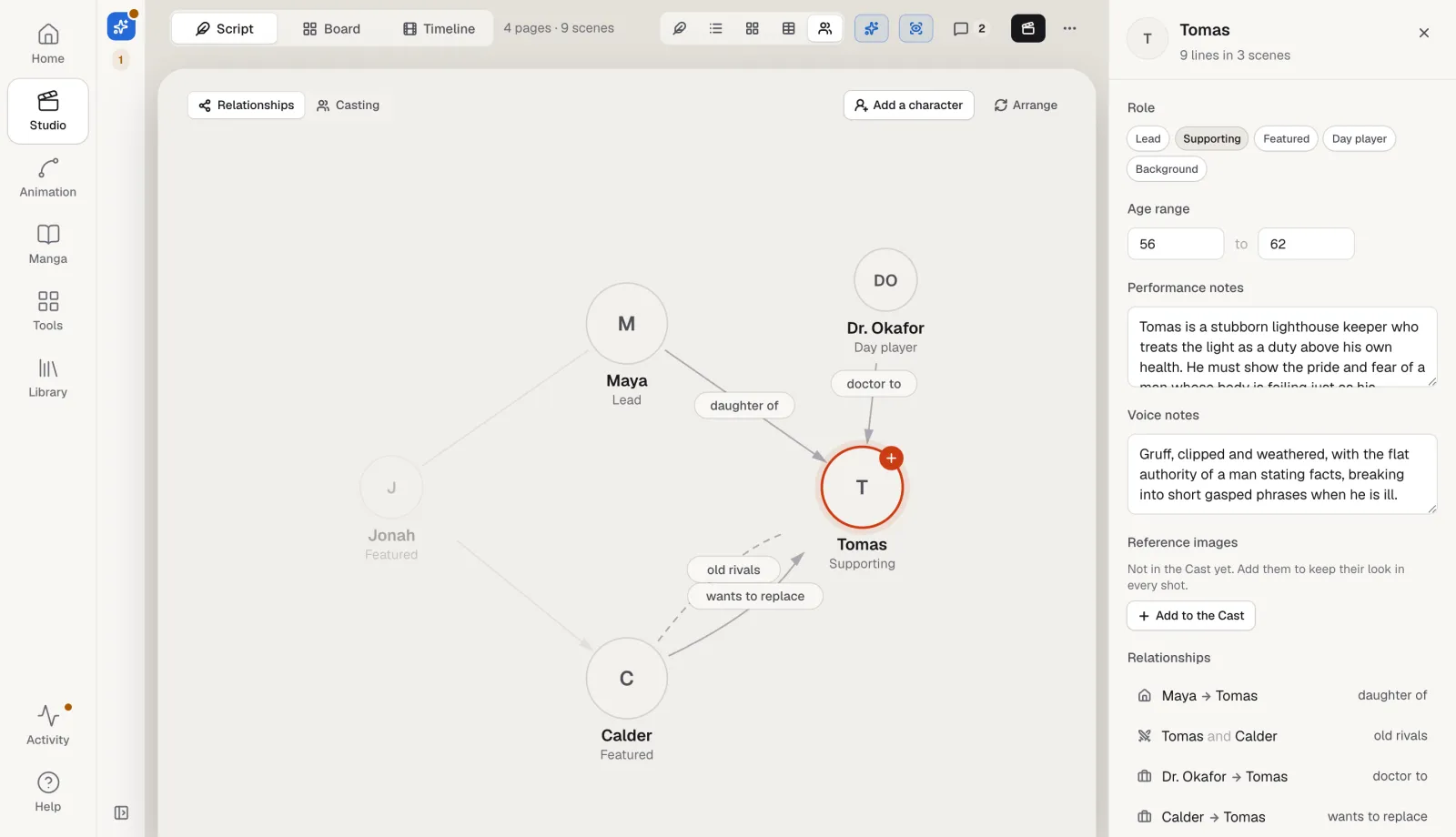
Characters, relationships and casting
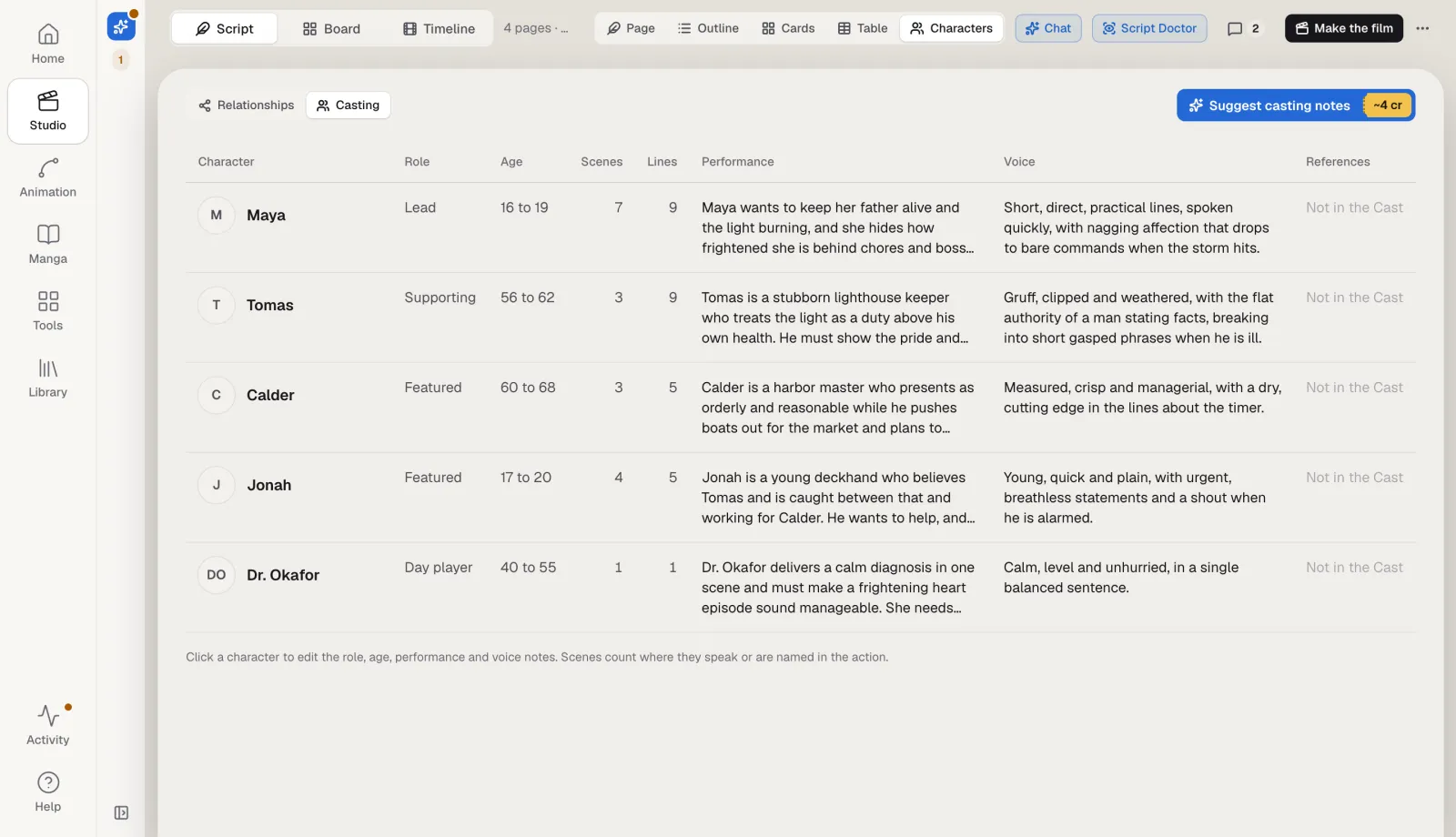
Every character who speaks is on a relationship map. Link two characters with a label, such as daughter of, old rivals or works for, choose whether it reads one way or both, and drag them into place. The casting view lists each character with a role type, an age range, performance notes, voice notes, the number of scenes and lines they have, and their reference images from the Cast. The script's own introductions fill in the ages it gives, and optional AI casting notes suggest the rest for you to accept or not.
From script to film
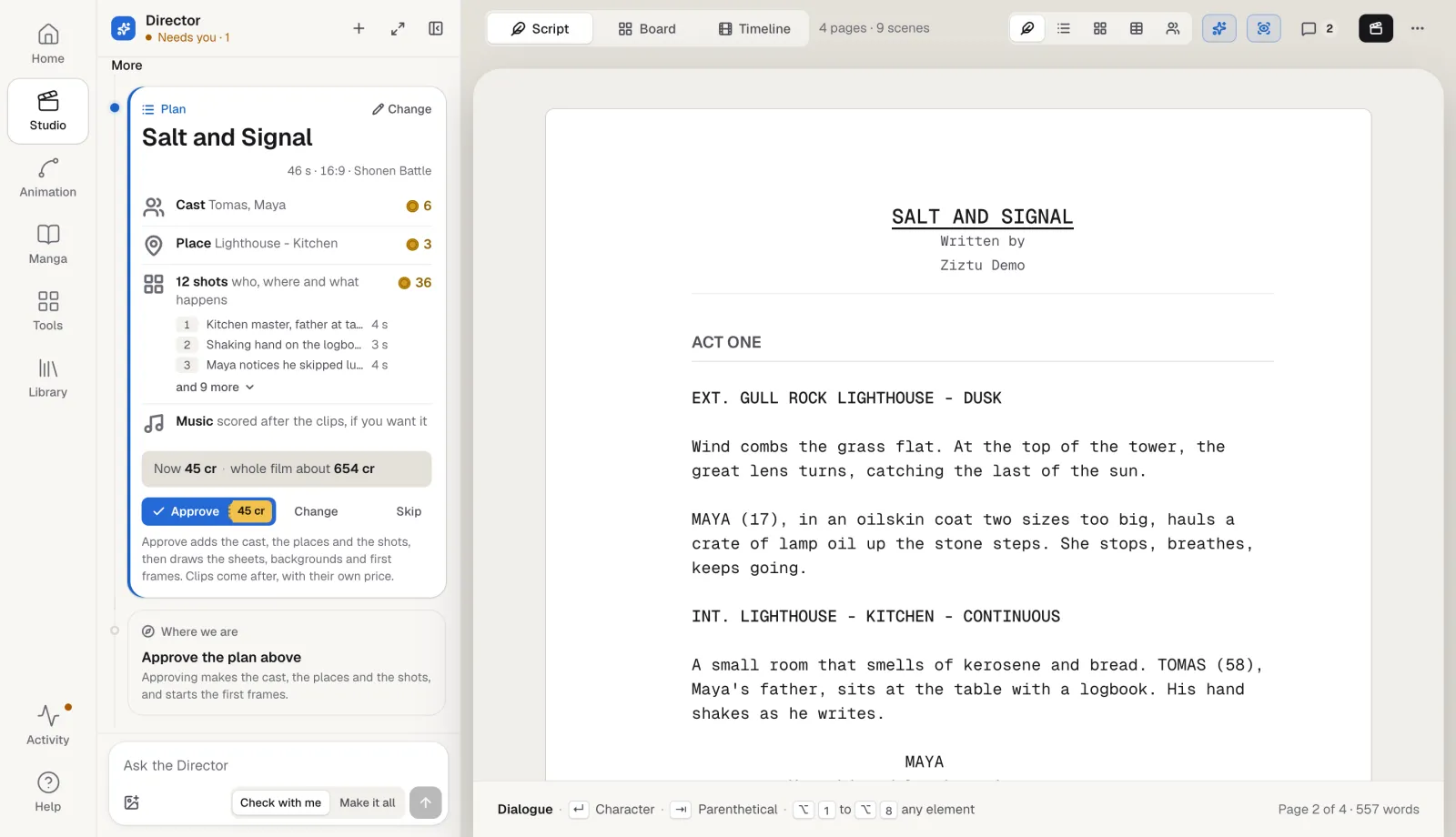
When a scene is ready, Make the film turns it into a shot plan: shot size, angle, lens, camera move and an acting note for each shot, with the script's lines kept word for word. The plan waits for your approval in the Director. Approving puts the shots on the board with the cast and places linked to the script, and each clip is made from the board at its own price.
Comments and saved versions
Leave a comment on a line or a whole scene, reply, and resolve it when it is done. Save a named version before a big rewrite, and a version is kept by itself before every AI change, every import and every restore. The compare view shows what changed since a version, scene by scene and line by line, and restoring one keeps the current script first.
Free tools for screenwriters
Two free tools run in your browser with the same code as the editor, with no account and nothing uploaded:
- The screenplay formatter turns plain text or Fountain into formatted pages and a PDF.
- The Fountain to FDX converter turns a Fountain file into a Final Draft file, or back.
Frequently asked questions
Does the AI write the screenplay for me?
No. You write it. The AI Script Doctor and Script chat read what you wrote and suggest notes and changes; nothing in the script changes until you accept a change, and every accepted change can be undone.
How much does it cost?
Writing, formatting, comments, versions, the structure views and the import and export are part of the studio. The AI Script Doctor, Script chat, AI casting notes and shot plans are text calls priced in credits, and the price shows on the button before you run one. Clips made from the shots are priced separately.
Can I import my script from Final Draft or Fountain?
Yes. Import a .fdx or .fountain file, or plain text, and export the script as Final Draft, Fountain or a PDF in the standard layout at any time.
Which story frameworks does the AI Script Doctor use?
Three-act structure, Syd Field, Robert McKee, Save the Cat, the Hero's Journey, John Truby and David Mamet. Pick one, or let it choose the lens that explains each problem best.
Can I see what changed between drafts?
Yes. Save named versions as you go; one is also kept by itself before every AI change and import. The compare view shows which scenes changed, which were added, cut or moved, and the lines and words that changed.
Does it work for scripts in other languages?
The editor, the notes and the chat work in the script's language. The PDF prints Latin, Greek and Cyrillic letters, including Polish, Czech and Turkish ones, and Chinese, Japanese, Korean, Hebrew and Arabic. A right to left script prints with the page mirrored.