
A clay snail race. A stickman who hears a noise from the fridge at midnight. The moon set against the deepest ocean trench. These are real reels that came out of Ziztu Reel Factory, finished, with a script, a voice, captions and music, and none of them shows a face.
That is the short answer to how to make AI TikTok videos: pick one faceless format, write a hook that lands in the first second, turn each line into one picture, add a voice, captions and calm music, then label the video as AI when you post. This guide walks through each step, with the costs and the limits.
What a faceless AI TikTok video is made of
Every faceless TikTok that works has the same five parts. If one is missing, people swipe.
- One idea. A single fact, question or tiny story. Not three.
- A hook in the first second. A strange claim, a number or a question on screen and in the voice at once.
- A picture for every line. When the voice says "the trench is 11 kilometers deep", the screen shows depth, not a random sunset.
- A voice and word-for-word captions. Most people watch with the sound low, so the captions carry the story.
- One steady music bed. Quiet, under the voice, the same style from start to end.
AI can now make every one of these parts. The hard part is making them fit together, which is where most "AI TikTok" tools fall short: they give you one 5 second clip and leave the script, voice and edit to you.
How we tested
We looked at the finished example reels on the Reel Factory page, each made from one topic, in styles such as claymation, stickman, diorama, ocean depth, animal facts and would you rather. We checked each against the five parts above: does the hook land in the first second, does each line have its own picture, are captions readable on a phone, is the music under the voice. We also compared them with the single example clips on the AI TikTok video generator, to see what a one-clip tool leaves for you to do. I started Ziztu after my own attempts to direct high-quality anime and micro dramas with other AI tools kept falling short, so the bar here is a reel you would post today, not a demo.
Step 1: Pick a faceless format
Choose a format before a topic. A format is a repeatable shape your audience learns to expect.
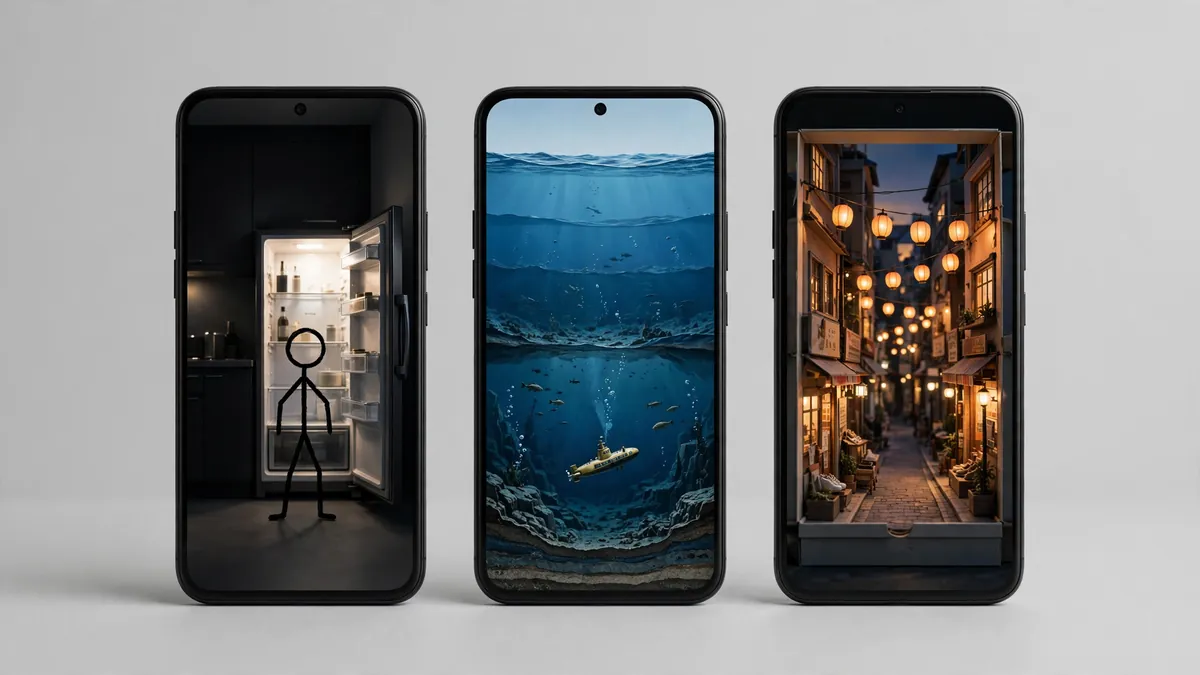
Formats that work without a face:
- Would you rather / versus. Two things side by side, one surprising answer. Our "Moon Versus Mariana Trench" reel is this format.
- Scale and depth. How deep, how tall, how small. The camera travels and the numbers grow.
- Animal facts. One odd fact per reel, such as an animal with three hearts.
- Tiny stories. A stickman or a clay character in one funny moment, 15 to 30 seconds.
- Diorama worlds. A city street or a room built in a shoebox, with a calm narrator.
Pick one and stick to it for at least two weeks. Changing format every day makes it hard to learn what works.
Step 2: Write the hook and the script
The hook is the first line, and it has one job: stop the thumb. Good hooks are short, specific and slightly strange.
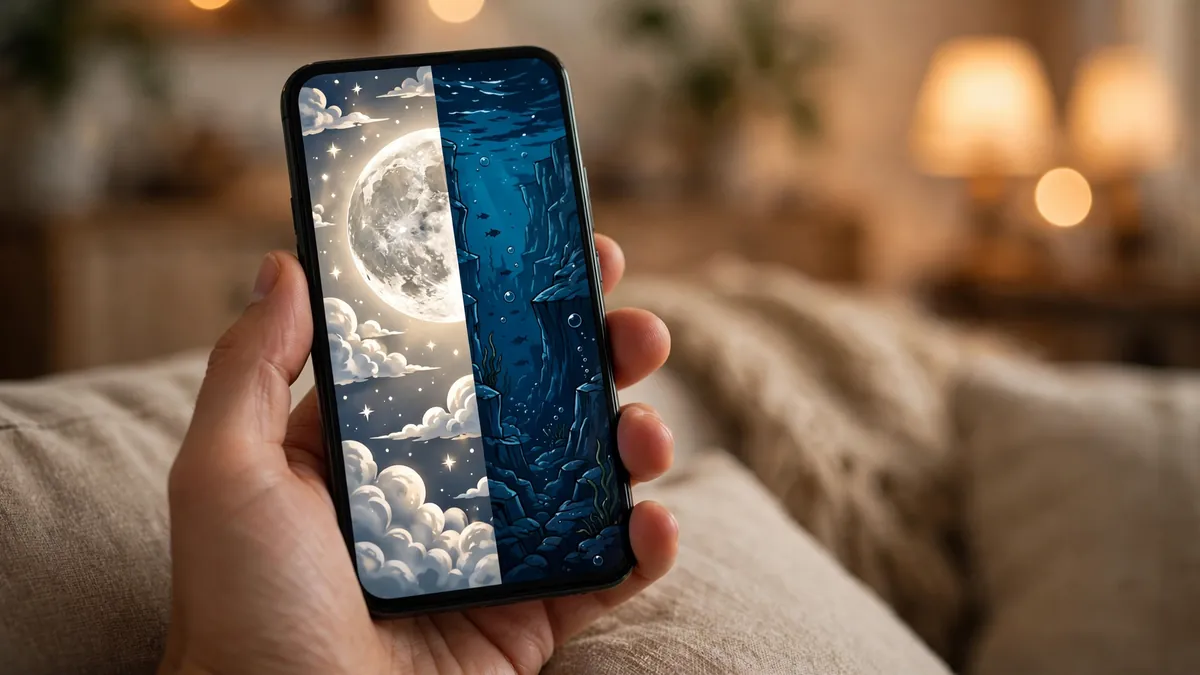
A few patterns that work:
- A paradox: "The moon is easier to reach than the bottom of our own ocean."
- A number out loud: "Three hearts, and one of them stops when it swims."
- A question with a twist: "Would you rather live on the moon or 11 kilometers under the sea?"
Then write the rest in short lines, one idea per line, about 2 to 3 seconds each. A 30 second reel is around 10 to 12 lines. End with a payoff, not a summary, and a simple question that invites a comment.
If you are stuck, the free TikTok script generator drafts a hook and a script from one topic. Edit it until it sounds like a person talking to a friend.
Step 3: Turn each line into a picture
This is the step that separates a good faceless TikTok from a slideshow. Every line gets its own shot, and the shot shows what the voice says.
You have two ways to do it:
- One clip at a time. Type a scene into the AI TikTok video generator or the faceless video generator and get a 5 second 9:16 clip with sound from MiniMax H3 Max Turbo. Good for B-roll or for testing a look. You then join the clips in an editor.
- The whole reel at once. In Reel Factory the script becomes a shot list, each line gets a frame in the look you picked, and the key moments get real motion while the rest get camera moves. You can read the story first and edit it scene by scene before anything runs.
Keep one look for the whole video: clay stays clay, anime stays anime. Mixing styles inside one reel looks like a mistake.
Step 4: Add the voice, captions and music
Pick a voice that fits the format: calm and warm for facts and depth, quick and dry for funny stickman moments. Read the script out loud once yourself. If a line is hard to say, it is too long.
Captions should be word for word, large, and placed in the middle third of the screen so the TikTok buttons and the caption box at the bottom do not cover them.
Music goes under the voice, quiet and steady. One bed for the whole reel is better than three tracks that fight for attention. Skip whoosh sound effects between every cut. They make a reel feel cheap.
Reel Factory adds the voice, captions and music for you, and the Custom mode lets you choose each one yourself.
Step 5: Export, label and post
- Export a vertical 9:16 MP4. TikTok fills the screen with no black bars.
- Watch it once on your phone with the sound off. If the story still makes sense, the captions work.
- When you post, turn on the AI-generated content setting. TikTok asks creators to label realistic AI content, and its own label tells viewers how the video was made.
- Write a short caption that repeats the hook in other words, and ask one question.
Step 6: Post on a rhythm and change one thing at a time
A single post tells you almost nothing. Post on a steady rhythm, for example one reel a day for 30 days, and change one thing at a time: the hook pattern, the look, or the length. Keep what wins.
If you want a new reel on a theme every day or every week, Reel Factory can start a series for you. You still check each reel before you post it.
What it costs
Making the script and hook is cheap or free. Video is the part that costs money, because every second of moving picture is made by a video model.
- A new Ziztu account starts with 0 free credits, no card, plus free.
- A single 5 second H3 Max Turbo clip at 768p is 500 credits.
- A full reel uses several shots, a voice, captions and music. Reel Factory shows the exact price on the button before anything runs, and a step that fails is refunded.
- The Starter plan is $39 a month for 32,000 credits.
Where a rival is cheaper for one raw clip, that can be true. The saving disappears once you add the script, voice, captions, music and the edit yourself, and the hours that takes.
Honest limits
- Length. Reel Factory reels are short, 15 to 30 seconds. TikTok's Creator Rewards Program only counts videos of one minute or longer, so short reels are for reach and growth, not for that program.
- Motion. Not every shot moves fully. At the Premium tier the key moments get real motion and the other shots get camera moves over a still frame. Each quality tier says what it does before you pick it.
- Facts. AI scripts can get a number wrong. Check every fact in a facts reel before you post it.
- Originality. A remake of a reel you like should change the idea and the script, not just the voice. TikTok rewards original work.
- Monetization. TikTok lists at least 10,000 followers and 100,000 views in the last 30 days for Creator Rewards, and the program is only open in some countries. Plan for affiliate links or your own offer while you grow.
A simple first week
- Day 1: pick one format and write five hooks.
- Day 2: make your first reel and post it.
- Days 3 to 7: post one reel a day, changing only the hook.
- End of week: keep the hook pattern with the best watch time and change the look next week.
If you later want a face on camera without filming yourself, our guide on how to make an AI influencer covers a consistent synthetic presenter, and how to make an AI dance video covers a trend format that does well on TikTok.
Make your first AI TikTok video
The quickest path is one topic and one look. Open Reel Factory, type your topic or paste a reel you like, choose a look and press Make. You get a finished vertical reel with script, voice, captions and music, ready for TikTok, Instagram Reels and YouTube Shorts. Start with 0 free credits, no card.