Tier List Maker
A free tier list maker with no signup. Drag your items into S, A, B, C, D and F, add your own pictures, and download the list as a PNG. Your pictures never leave your browser.
Upload your file to get started. No account needed.
Examples
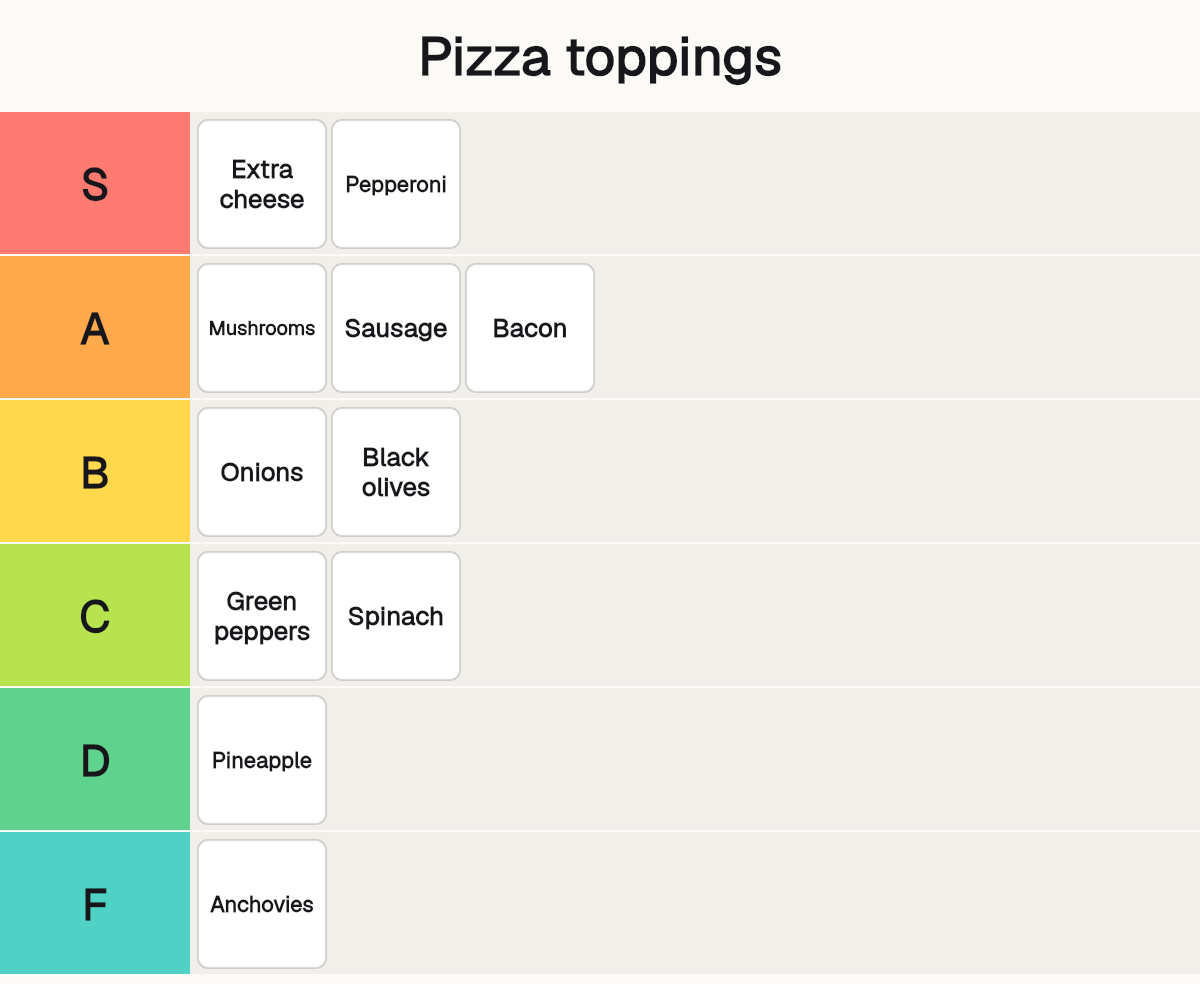
The list the maker opens with: pizza toppings, ranked from S to F. Ready to drag around.
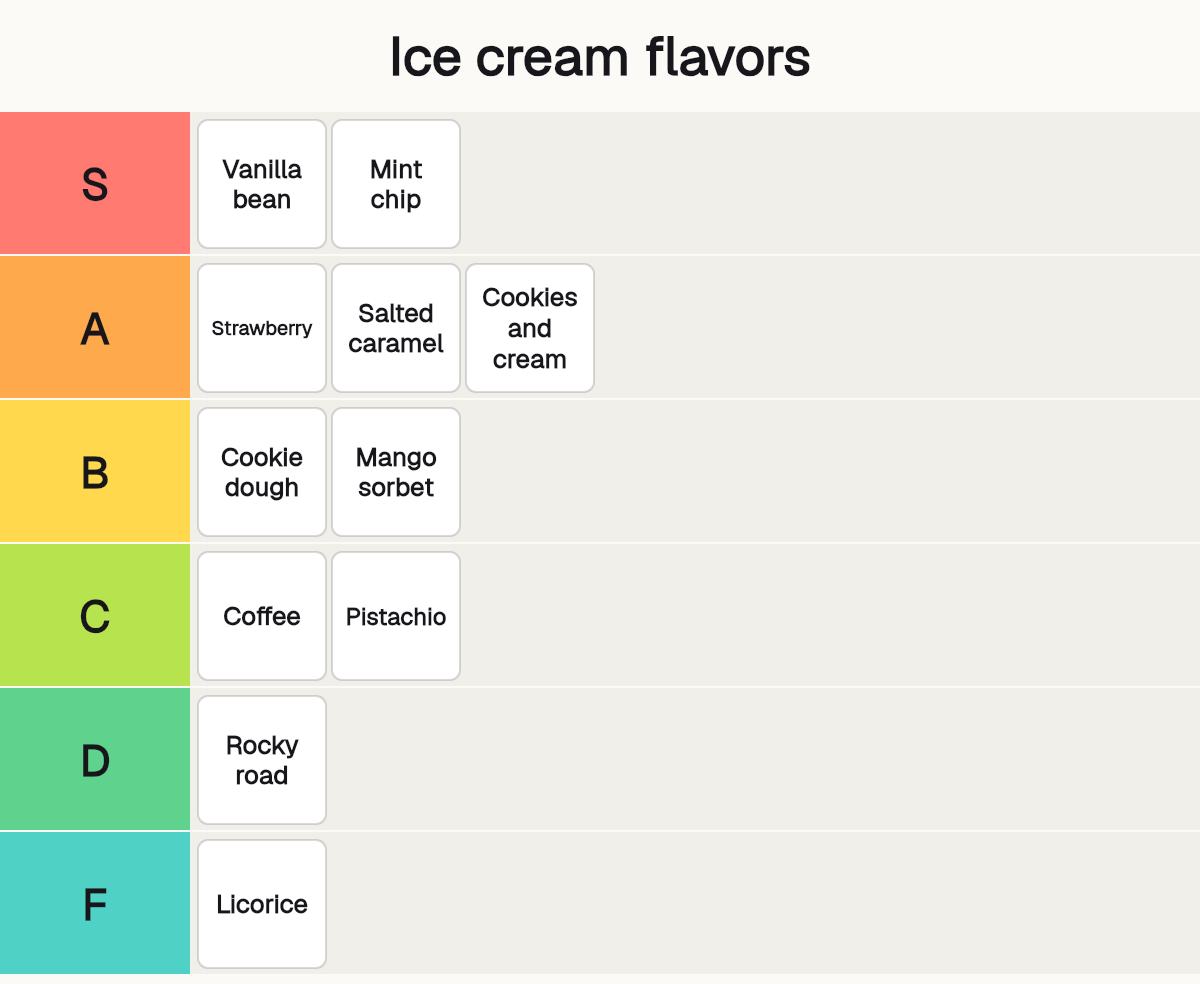
A new topic in the same six tiers: ice cream flavors.
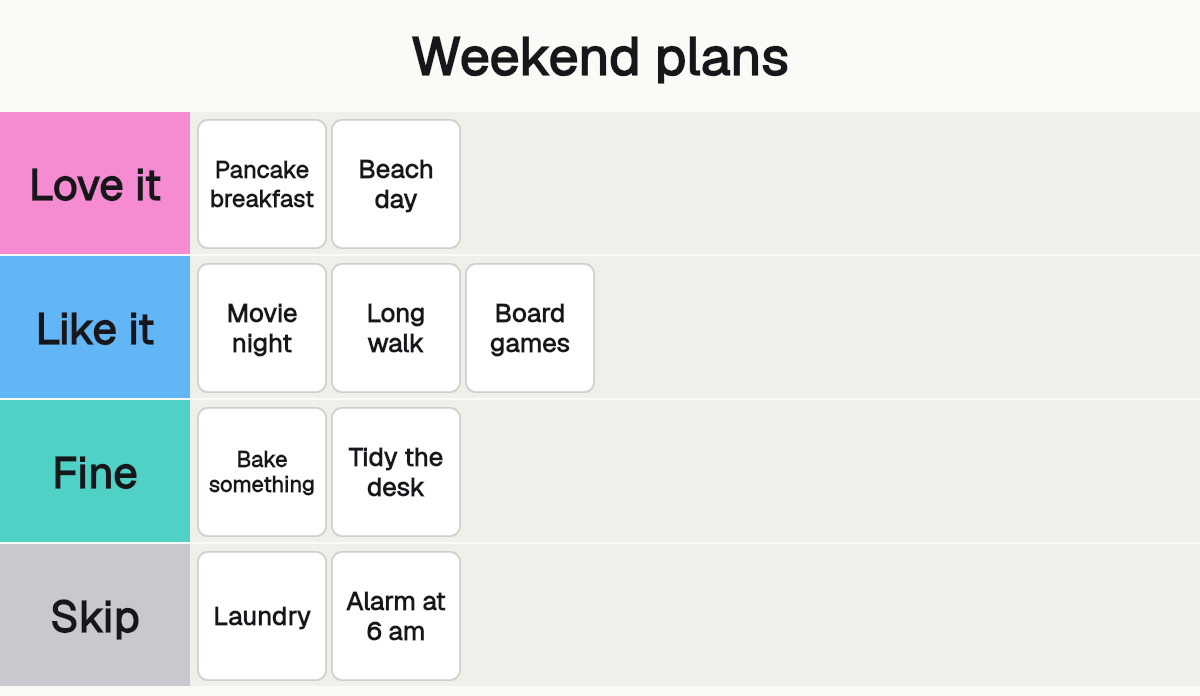
Your own tier names and colors: four tiers, Love it to Skip, for weekend plans.
How it works
- 01
Name your list and your tiers
Type a title. Rename any tier, change its color, or add and remove tiers. The S to F rows are ready when you arrive.
- 02
Add your items
Type one item on each line, or add pictures from your device. They wait in the unranked items until you place them.
- 03
Rank them and download the PNG
Drag each item into a tier, or tap it and then tap a tier. When you like the list, press Download PNG.
What you get
Ready to use in one second
It opens with a full S to F tier list you can drag around right away. Rename the tiers, change their colors, add or remove rows.
Pictures stay with you
Add pictures from your phone or computer. They are read in your browser and never uploaded. Your list is saved in this browser until you clear it.
Mouse, finger or keyboard
Drag with a mouse or a finger, tap an item and then a tier, or use the keyboard: Enter to pick up, the arrow keys to move, Enter to drop.
Who it's for
Fans and gamers
Rank your favorite characters, games, songs or episodes, then post the picture and let the comments argue.
Teachers and teams
Sort ideas, options or books into tiers in a workshop, a class or a meeting, with no account to set up.
Creators
Make a ranking picture for a video, a post or a thread, and turn the same list into a short reel.
Ideas and uses
What a good tier list looks like
A tier list works when the items are of one kind and there are not too many. Ten to thirty items is plenty. Name the list for what it ranks, such as "Pizza toppings" or "Best opening songs", so people know the question before they see the answer. Not sure where to start? Pick one of the tier list templates and the items are ready to rank.
Keep the tiers meaningful. S to F is the classic set, but you can rename them. Four tiers called Love it, Like it, Fine and Skip say the same thing in your own words, and the colors are yours to change.
Mouse, touch and keyboard
With a mouse or a finger, press an item and drag it. A bar shows where it will land. You can also tap an item and then tap a tier, which is easier on a small screen.
With a keyboard, press Tab until an item has focus. Enter picks it up, the arrow keys move it, and Enter drops it. Escape puts it back where it was. Each move is read out, for example "Pepperoni is in tier S, position 2 of 4".
Your list stays in your browser
The maker does all of its work in your browser. Your pictures are never uploaded, and the PNG is drawn on your own device. The list is saved in this browser so you can come back to it, and you can delete the saved copy at any time. The picture has only your title, your tiers and your items.
Want to go further? The Reel Factory can turn the ranking into a short video, and the AI meme generator makes a picture to go with it.
Frequently asked questions
What is a tier list?
A tier list ranks things into groups called tiers. S is the top tier, then A, B, C and D, and F is the bottom. People use tier lists to rank games, characters, foods, songs, movies, anything they have an opinion on.
How do I make a tier list?
Use the maker on this page. Type your title, add your items (type them, or add pictures), drag each item into a tier, and press Download PNG. It takes a minute, and there is no signup.
Is this tier list maker free?
Yes. There is no account, no card and no limit on how many lists you make. It runs in your browser.
Is there a tier list template?
The maker opens with a ready S to F template, filled with an example list. Press Reset to bring it back at any time. Rename the tiers, change the colors or add rows to make your own template.
Can I use my own pictures?
Yes. Press Add pictures, or drop picture files onto the unranked items, or paste a picture. Most picture files your browser can open work, such as PNG, JPG, WebP and GIF. Each picture is shown as a square tile cropped to the middle.
Are my pictures uploaded?
No. The pictures are read and drawn in your browser. Nothing is sent to a server. The page keeps a small copy of each picture in your browser so your list is still there next time.
Does it work on a phone?
Yes. Drag an item with your finger, or tap the item and then tap a tier to put it there. The page still scrolls when you touch anywhere that is not an item.
Can I use it with a keyboard or a screen reader?
Yes. Press Tab to reach an item, Enter to pick it up, the arrow keys to move it between and inside the tiers, Enter to drop it and Escape to put it back. Every move is announced.
How many tiers and items can I have?
Up to 12 tiers and 120 items on one list. Tier names can be up to 24 characters.
Is my list saved?
Yes, in this browser, a moment after each change. Close the tab and come back and it is still there. Press Clear saved list to delete the saved copy. If your browser blocks saving, or the pictures are too big to keep, the page tells you.
Can I turn my tier list into a video?
Yes. Under the list, Make a reel opens Reel Factory with your title and your tiers already written into the topic, so you can make a short video of the ranking.
More like this
 Reel Factory: turn one topic into ready-to-post reelsWrite a topic, pick a style or copy your own reel, and press Generate.
 AI Meme GeneratorType the joke. 5 draws the picture and puts a short caption on it.
 AI Slideshow MakerUpload your photos, add a title and get a slideshow video.
 AI Poster MakerDescribe your poster and put the text you want in quotes.
 AI Video GeneratorRun the same prompt on a second model to compare.
 Free Anime Image CreatorDescribe a character or a scene and get anime art in seconds.
Updated

Make your tier list, then turn it into a reel.
New accounts also get 400 free trial credits for scripts, pictures and voices. No credit card required.