Shot List Template

A shot list says what you will capture, in order, before the day starts. Eight shots for a 30 second scene, filled in, then blank for yours.

Use this template
  • FitsA scene or ad of 15 to 60 seconds
  • IncludesFilled example and blank
  • CostFree to copy

Updated

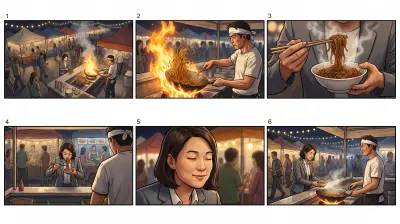
A six panel color storyboard of a night market chef flipping noodles and an office worker tasting them
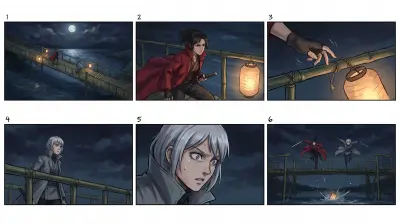
A six panel color anime storyboard of two swordswomen on a bamboo bridge at night and a lantern falling into the river
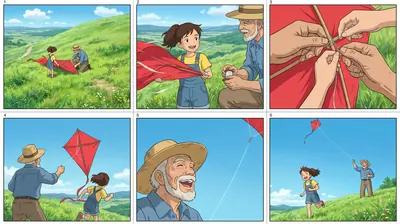
A six panel color anime storyboard of a girl and her grandfather launching a red kite on a sunny green hill

The example shot list as a storyboard, made in Ziztu.

The template

The example is a 30 second night market scene, the same one shown as a storyboard above. A shot list is the next step after a storyboard: it adds the details a crew, an editor or a video model needs.

Shot list

The night market noodlesYour title here

Set-up

What stays the same in every shot.

Scene
A chef flips noodles for a tired office worker at a night market stall.
Place
A busy night market with a big flame under a wok, steam and string lights.
Light
Warm flame light and colored string lights, no daylight.
People
A chef with a white headband. An office worker in a gray suit.

Shots

In the order you will cut them. One action per shot.

ShotSize and angleSubject and actionCameraSoundTime
1Wide, eye levelThe market at night: steam, lights, crowds. The stall in the middle.Slow push inCrowd and sizzling4 s
2MediumThe chef tosses noodles in the wok, flame rising.StillRoar of the flame3 s
3Close-up, low angleNoodles fly through the flame above the wok.StillSizzle2 s
4Medium, over the shoulderThe office worker sits at the counter, watching, tired.StillCrowd murmur3 s
5Close-up insertA bowl is set down in front of her.StillBowl on wood2 s
6Close-upShe tastes the noodles and closes her eyes.Slow push inQuiet, one soft note4 s
7MediumThe chef watches her and nods once.StillNone3 s
8WideThe two of them, the stall and the market behind them.Slow pull backCrowd returns5 s

Coverage check

Check these before the day, or before you generate.

  1. 1An establishing shotShot 1 shows the place.
  2. 2A shot of the other personShot 4 gives the worker her own angle.
  3. 3InsertsShots 3 and 5 are objects only.
  4. 4A last wideShot 8 pulls back to end the scene.

Paste it into Google Docs, Word, Notion or any text editor. It is free to copy and use.

The fastest way to use it

On your own

  • Copy the template into a document and fill it in.
  • Find an image tool, a video tool and a voice tool, and move your work between them.
  • Keep the same faces, places and style yourself, shot after shot.

In Ziztu

  • The idea box opens with the example already written. Change the names and press go.
  • Studio plans the shot list, makes every shot and adds the music, in one place.
  • Character sheets keep the cast looking the same in every shot.
  • 40 free credits, no card: write the script, cast your characters, draw the storyboard and hear the voices. Video starts at $12.
Use this template

How to fill it in

  1. 01

    Set up the scene once

    Write the place, the light and the people at the top. Every shot repeats them, so they should never change.

  2. 02

    List the shots in cutting order

    Give every shot a size, a subject and one action. Add the camera and the sound.

  3. 03

    Time it and check the coverage

    Add the times up, then make sure there is an establishing shot, a shot for each person, two inserts and a last wide.

What makes it work

One action per shot

If a shot says two things happen, split it. Short shots are easier to plan, shoot and generate.

Write the sound too

Sound is half a scene. Naming it in the list means it is not forgotten in the edit.

Use inserts to hide the join

A bowl, a hand or a flame gives you somewhere to cut that is not a face.

Frequently asked questions

What is a shot list?

A shot list is an ordered list of every shot you plan to capture, with the size, the angle, what happens, any camera move, the sound and the length. A crew uses it on set, an editor uses it to assemble the cut and a video model uses it to make each shot.

What is the difference between a shot list and a storyboard?

A storyboard shows each shot as a picture. A shot list describes each shot in words and numbers. Most scenes use both: draw or generate the storyboard first, then write the shot list with the details.

What goes in a shot list?

The shot number, the size and angle, the subject and action, the camera move, the sound and the time. This template adds a set-up block for the place, the light and the people, so those stay the same in every shot.

How many shots should a 30 second scene have?

Six to ten. The example here has eight shots across 25 seconds, with two inserts and a last wide.

Can I make a video from a shot list with AI?

Yes. Press Use this template to open the idea box with the scene written out, or try the AI storyboard generator to see it as six panels first. In Ziztu Studio you plan every shot and keep the cast the same.

Is the template free?

Yes. Copy it as text, download it as a Markdown file or print it to PDF without an account.

A six panel color storyboard of a night market chef flipping noodles and an office worker tasting them

Turn the template into a scene you can watch.

40 free credits, no card: write the script, cast your characters, draw the storyboard and hear the voices. Video starts at $12.