How to Make an AI Micro Drama
To make an AI micro drama in Ziztu, write one idea, let the Director plan the cast and shots, then generate vertical 9:16 clips with the same characters and cut them on one timeline. The 40 free credits cover script, cast and storyboard; video starts at $12.
Updated
Real outputs made in Ziztu
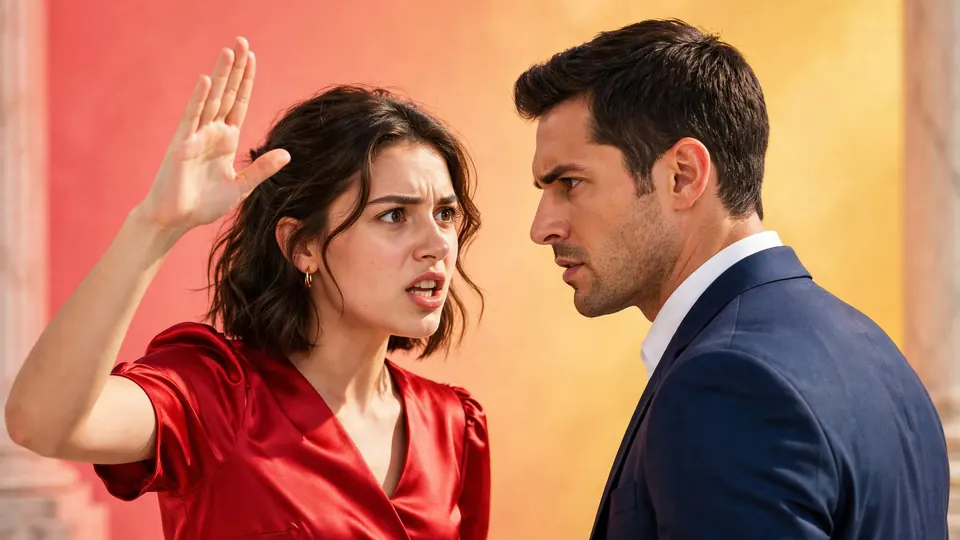
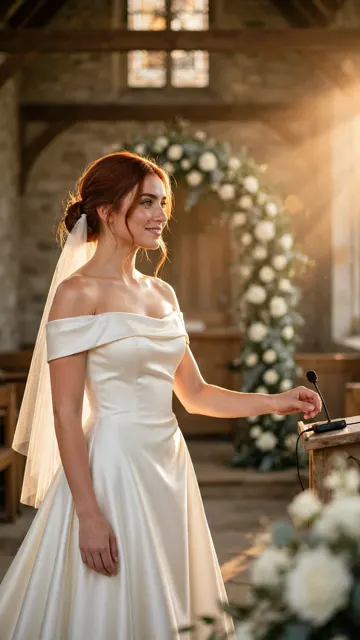
The Wrong Wedding, episode 1: 32 seconds, seven shots, three characters, made in Ziztu from one sentence.
9:16 · 32 s
A live-action vertical micro drama, episode 1: on her wedding day a bride reads a message on the groom's phone and walks down the aisle anyway, smiling. End on a cliffhanger when she takes the microphone.
A cafe worker meets the man who steps out of the black car.
A woman in a yellow raincoat sees the same man behind her again.
How to make an AI micro drama in 5 steps
Step 1. Write one idea
Write one sentence with a person, what they want, what is in the way and the last beat. The last beat is where the episode stops, so make it a cliffhanger.
- Costs
- Nothing. Typing the idea is free.
- Time
- About a minute
A live-action vertical micro drama, episode 1: on her wedding day a bride reads a message on the groom's phone and walks down the aisle anyway, smiling. End on a cliffhanger when she takes the microphone.
The Wrong Wedding started from this sentence.
Step 2. Let the Director plan the cast and the shots
The Director reads the idea and proposes the cast, the places and a shot list, with a size, an angle and a camera move for each shot. You read the plan, change what you want and approve it. Nothing is generated until you approve, and every button shows its price first.
- You get
- For The Wrong Wedding: three characters, one place and seven shots
Step 3. Lock the cast with character sheets
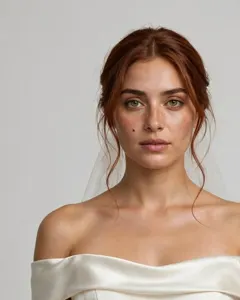
Each character gets a turnaround sheet, a picture of the same person from the front, the side and the back. Every shot that includes the character starts from that sheet, so the face, hair and outfit stay the same. Pick the sheet you like before you make any clips.
Step 4. Generate the shots, vertical
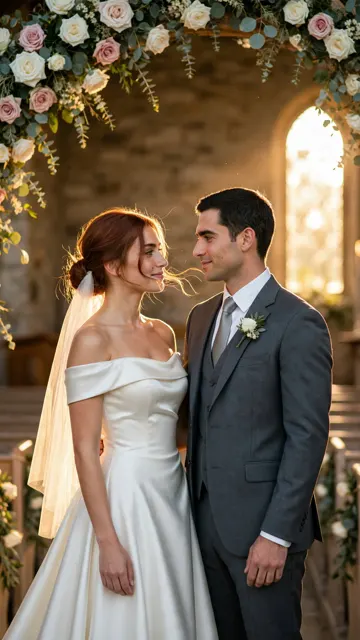
Choose 9:16 when you start the project. Each shot is a clip of a few seconds, up to 15, and you can retake one without touching the others.
- Costs
- 31 credits ($0.37) at 480p, 50 credits ($0.60) at 768p, for a 5 second clip on Starter
- Time
- Most Fast clips finish in 40 to 90 seconds
Step 5. Add voices, music and captions, then cut
Write each line in its shot with the way it is said, for example "whispered, calm". The video model speaks the line in the clip. Then add a score and captions on the timeline, and export one MP4.
Lip sync and long speeches are not perfect, so keep lines short and check each take.
- Costs
- A score cue is 25 credits ($0.30)
- Export
- MP4 up to 1080p
A worked example: The Wrong Wedding
The Wrong Wedding began as the one sentence in step 1. The Director planned three characters, one place and seven shots. The episode runs 32 seconds, from a wide shot of the aisle to a woman in red in the doorway.
| Shot | What happens | Size | Camera | Line | Length | Credits at 768P |
|---|---|---|---|---|---|---|
| 1 | Aisle procession | Wide | Tracking | No line | 5 s | 50 |
| 2 | Daniel at the altar | Medium | Static | "You look... perfect." | 5 s | 50 |
| 3 | The quiet truth | Medium | Push-in | "I read your messages this morning." | 6 s | 60 |
| 4 | Daniel freezes | Medium close-up | Static | "Maya... let me explain." | 4 s | 40 |
| 5 | Taking the microphone | Medium | Static | "Everyone, a small change of plans." | 5 s | 50 |
| 6 | Doors swing open | Wide | Static | No line | 3 s | 30 |
| 7 | The woman in red | Full | Static | No line | 4 s | 40 |
Priced from the rate card at 768P, the seven clips come to 320 credits, about $3.84 on Starter. Pictures, voices, a score and retakes are extra, and this is a list price, not what any one run costs.
Mistakes that cost credits
- Opening on the setup. The first seconds decide if a viewer stays. The Wrong Wedding opens on Maya already walking the aisle, not on guests taking their seats.
- Too many characters. Three is plenty for one episode. The example has Maya, Daniel and one woman whose face stays hidden.
- Long speeches. Keep each line short. The longest line in the example is six words. Short lines are easier for a clip to speak.
- Skipping the character sheets. A face described in words alone drifts between clips. Make the sheets before the first clip.
- One clip for a whole scene. Cut a scene into shots of 3 to 6 seconds, as the example does. A retake of one short shot costs far less than a retake of a long one.
Why Ziztu for this job
- Ziztu turns one idea into a whole micro drama or anime episode, with the same characters in every shot.
- A Director plans the cast, the scenes and every shot first, and the price of each generation is shown before you spend any credits.
- Plans start at $12 a month for 1,000 credits. On Starter, a 5 second clip costs about $0.37 at 480p or $0.60 at 768p.
- The same Maya, Daniel and chapel are in all seven shots of The Wrong Wedding because every shot starts from the cast and the place you approved.
Start this in Ziztu
Start with the idea that made The Wrong Wedding, then change anything.
A live-action vertical micro drama, episode 1: on her wedding day a bride reads a message on the groom's phone and walks down the aisle anyway, smiling. End on a cliffhanger when she takes the microphone.
40 free credits, no card: write the script, cast your characters, draw the storyboard and hear the voices. Video starts at $12. You see the price before every generation.
Keep going
- Keep characters consistent in AI video covers the sheets and the Identity lock option in depth.
- Write a cliffhanger for a micro drama for the last shot of the episode.
- Make a vertical series for TikTok and Reels for the second, third and fourth episode.
- AI micro drama generator to test one 5 second scene first.
- AI Script Writer if you want a script before the shots.
- Ziztu vs OpenArt if you are comparing tools for micro dramas.
Frequently asked questions
How do I make an AI micro drama?
Write one idea, let the Director plan the cast and shots, make a character sheet for each person, generate each shot as a vertical 9:16 clip, then add voices, music and captions and export one MP4. In Ziztu all of that is one project.
How long is an AI micro drama?
A vertical micro drama episode usually runs one to three minutes. The example on this page runs 32 seconds. One shot can be up to 15 seconds, so an episode is many shots cut together.
How much does an AI micro drama cost to make?
The seven clips of the example episode cost 320 credits at 768P, about $3.84 on Starter. Pictures, voices, music and retakes are extra. The price of each generation is shown before you spend credits. Free credits cover scripts, character art, storyboards, voices and sound. Animating shots into video starts on any plan. Free results carry a small watermark.
Can the characters look the same in every shot?
Yes, when every shot starts from the same character sheet. Faces can still drift in a hard shot, such as two people touching. Retake that shot with the Identity lock option, which uses up to two references.
Can I post my micro drama on TikTok, Reels and Shorts?
Yes. Every paid plan includes commercial use. TikTok, YouTube and Instagram ask creators to label realistic AI video, so turn the AI label on. Use invented characters, not real people.
Do I need to write a script first?
No. One idea in plain words is enough, and the Director writes the plan. If you already have a script, import it and turn it into shots instead.