How to Turn a Manga Chapter Into Anime
To turn a manga chapter into anime in Ziztu, plan one shot per key panel, add the main characters as reference images, animate each panel with image to video and cut the clips with voices and music. Use pages you own or have the rights to. The 40 free credits cover script, cast and storyboard; video starts at $12.
Updated
Real outputs made in Ziztu
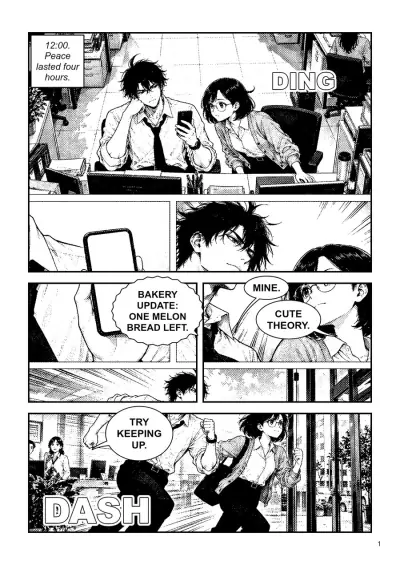
Page 1 of Lunch Rush, drawn with the AI Manga Maker: eight panels, one message, one race.
1 page
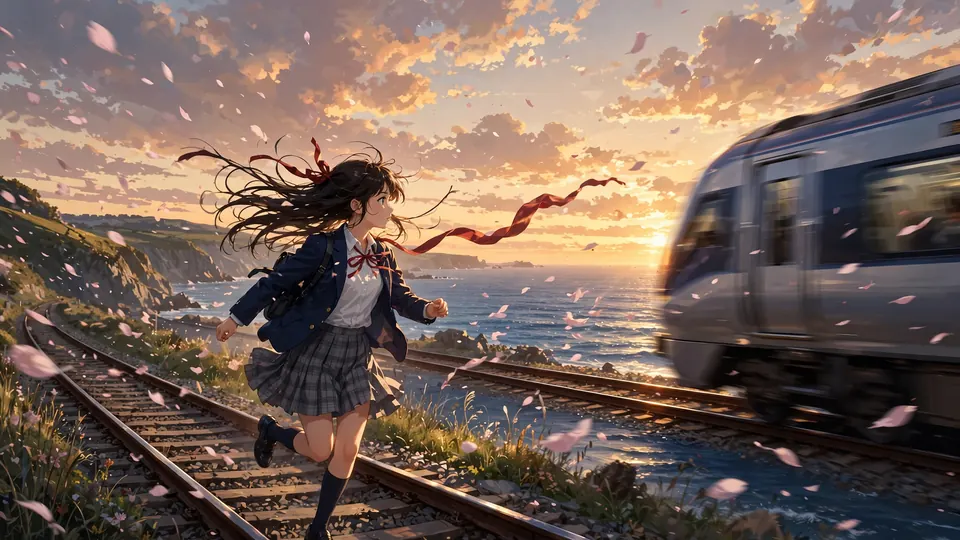
A still becomes a clip: an AI-made anime picture animated with image to video, a slow push in.
How to turn a manga chapter into anime in 5 steps
Step 1. Check the rights, then pick the panels
Use your own manga, or pages you have permission to adapt. Then mark the panels that carry the chapter: an action, a reaction, an object and every line of dialogue. Pure text panels and repeated views can be cut.
- Costs
- Nothing. This step is on paper.
Step 2. Prepare the panel pictures
Crop each panel you picked into its own picture. A black and white panel animates as it is. If you want colour, colour the panels first in an image editor of your choice, and use the same colours for the whole chapter.
Step 3. Add the characters as references
In the Cast, add each main character and upload their art from the manga as the reference image. Choose "My image is the final design" so the character is not redrawn, then "Use my image as the official sheet". Every shot with that character now starts from your drawing.
Step 4. Animate each panel
Upload a panel as the first frame, say in one sentence what moves, and pick a camera move: a push in, a pull back, a pan, an orbit or a still camera. Each clip is 5 seconds.
- Costs
- 50 credits ($0.60) for a 5 second clip at 768p on Starter; 31 credits ($0.37) at 480p
- Tool
- Image to Video AI, or the same step inside a project
Step 5. Add voices and music, then cut
Turn each speech bubble into a short spoken line in its shot, add music on the timeline, and cut the clips in the order of the page. Sound effects such as DING and DASH can be real sounds instead of lettering.
- Export
- MP4 up to 1080p
A worked example: Lunch Rush, page 1
Page 1 of Lunch Rush was drawn with the AI Manga Maker. It has eight panels: two rivals at their desks, a phone buzzing, a smirk, two lines of dialogue and a race out of the office. Planned as six shots, it is about 26 seconds of anime. This is a plan from the page, not a finished episode.
| Shot | From the page | Size | Length | Credits at 768P |
|---|---|---|---|---|
| 1 | The two rivals at their desks, a phone buzzes | Wide | 5 s | 50 |
| 2 | The phone screen in his hand | Insert | 3 s | 30 |
| 3 | His smirk as he reads the message | Close-up | 4 s | 40 |
| 4 | "Mine." "Cute theory." | Two-shot | 5 s | 50 |
| 5 | She grabs her bag and runs after him | Medium | 4 s | 40 |
| 6 | They race out of the office, "Try keeping up." | Wide tracking | 5 s | 50 |
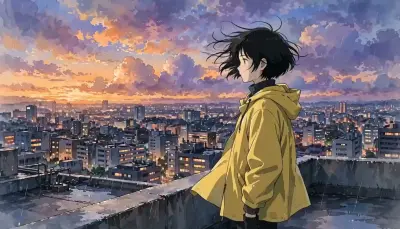
Priced from the rate card at 768P, the six clips come to 260 credits, about $3.12 on Starter, before voices, music and retakes. The clip beside the page is a different still, an AI-made anime picture animated with the same tool.
Mistakes that cost credits
- Animating every panel. A page of eight panels is not eight shots. Keep the panels that move the story and cut the rest.
- Panels that mix two moments. If a panel shows two actions, crop it into two pictures, one per shot.
- Lettering inside the picture. Speech bubbles and sound effects in the picture will animate badly. Crop them out and speak the line instead.
- Changing the colours between panels. Colour the whole chapter in one palette so the characters match from shot to shot.
- Adapting pages you do not have rights to. Use your own manga or pages you have permission to adapt.
Why Ziztu for this job
- Ziztu turns one idea into a whole micro drama or anime episode, with the same characters in every shot.
- Micro dramas and anime are made in one place, on one credit balance, with voices, music and captions on one timeline.
- 40 free credits, no card: write the script, cast your characters, draw the storyboard and hear the voices. Video starts at $12.
- Your own character art can be the official sheet of a character, so every animated panel starts from your drawing and not a redraw.
Start this in Ziztu
Start with a panel-sized idea, then bring your own pages.
An anime short: two office rivals race for the last melon bread at the bakery down the street, and a crow steals it. End on a cliffhanger when they both look up.
40 free credits, no card: write the script, cast your characters, draw the storyboard and hear the voices. Video starts at $12. You see the price before every generation.
Keep going
- Make an anime episode with AI for the whole path from idea to episode.
- Keep characters consistent in AI video for the sheets in detail.
- Image to Video AI to animate one panel now.
- AI Manga Generator to draw a page from a scene.
- AI anime video generator to test one panel-sized scene from words.
- The anime scene library for shot breakdowns with prompts to copy.
- Ziztu vs Kling if you are comparing tools for image to video.
- Ziztu vs Higgsfield if you are comparing tools for anime clips.
Frequently asked questions
Can AI turn a manga chapter into anime?
Yes, panel by panel. Pick the panels that carry the chapter, animate each one as a short clip with image to video, and cut the clips with voices and music. It is not one click for a whole chapter.
Can I upload a whole manga chapter at once?
No. Crop the panels you want and use them one at a time, as the first frame of each shot. That also lets you choose which moments become shots.
Will the characters look like my manga?
If you add your own art as the character reference and choose "My image is the final design", every shot with that character starts from your drawing. A clip can still drift in a hard shot, so check each one and retake it if needed.
Is it legal to animate someone else's manga?
Only with permission. Use your own work or pages you have the rights to adapt. Ziztu cannot grant rights to another creator's story.
How much does it cost?
A 5 second clip costs 50 credits at 768p, about $0.60 on Starter. The six-shot plan for the example page is 260 credits at 768p before voices, music and retakes.