How to Make an Anime Opening With AI
To make an anime opening with AI in Ziztu, pick the song, plan the five classic shots (title card, cast walk, the run, back to back, the final sky), generate each as a short clip and cut them to the beat markers on one timeline. The 40 free credits cover script, cast and storyboard; video starts at $12.
Updated
Real outputs made in Ziztu
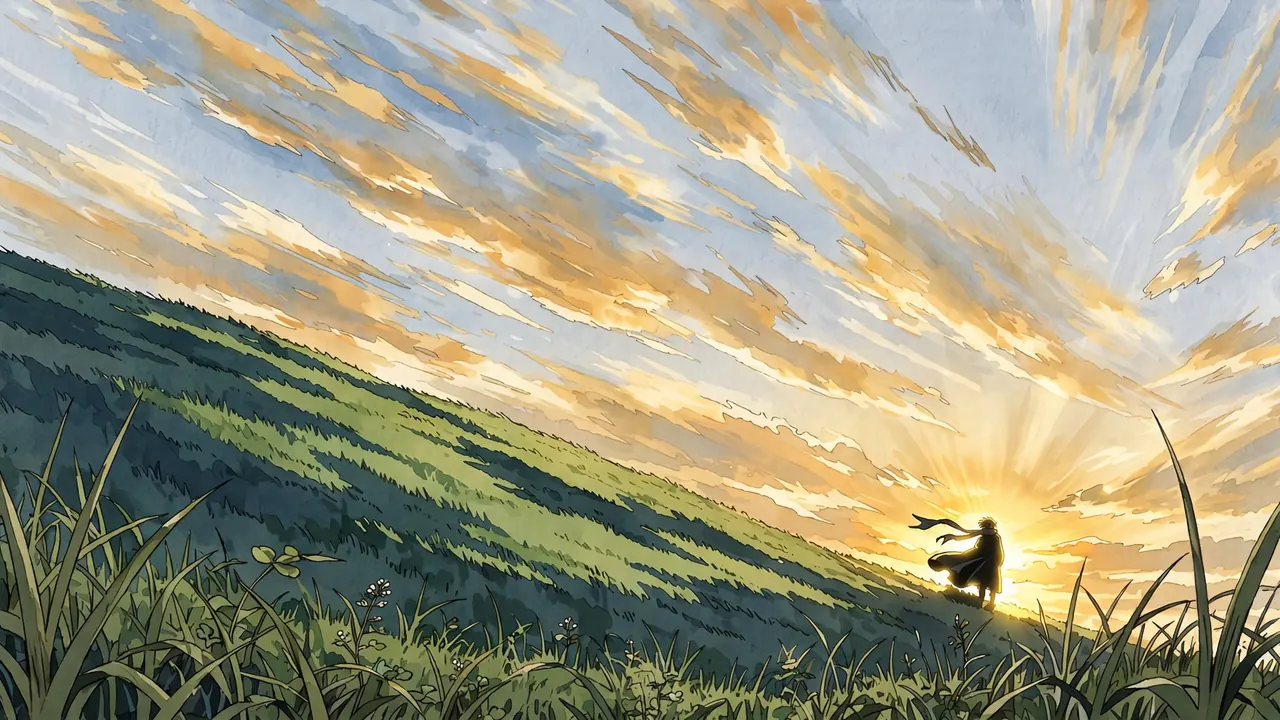
The title card: empty sky on purpose, the title is added in the edit.
16:9
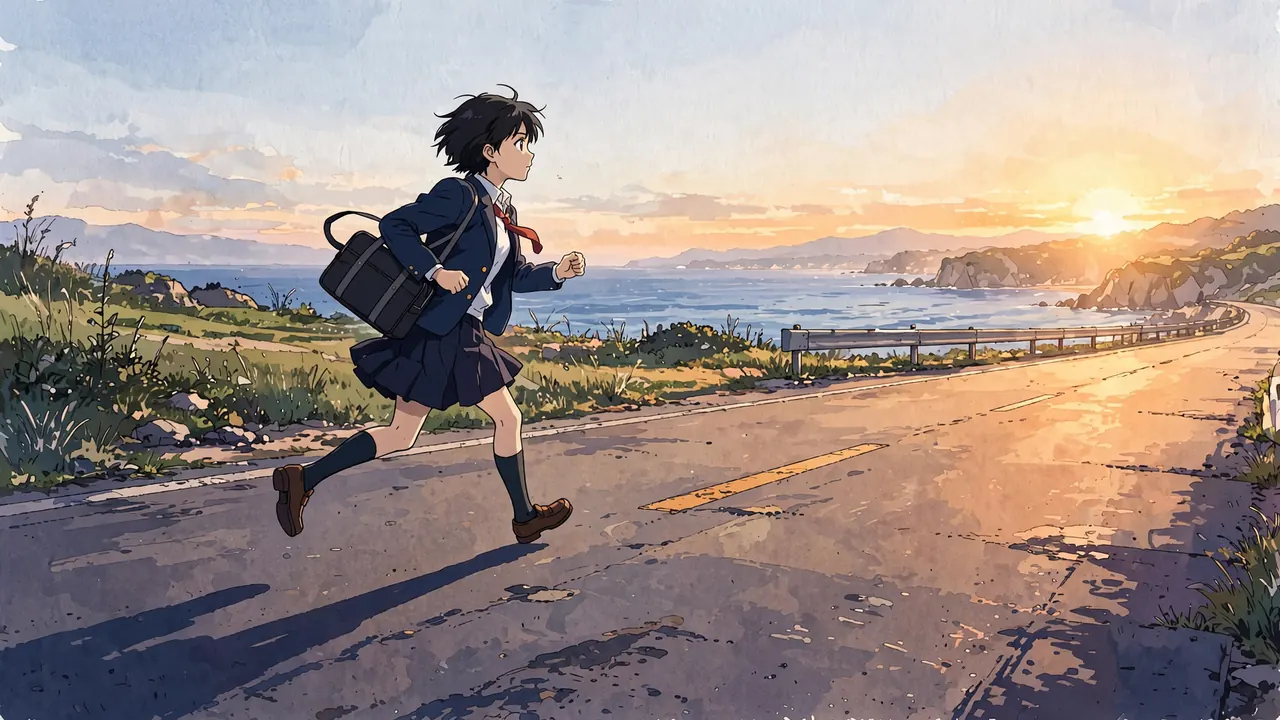
The run: cut to the fastest part of the song.
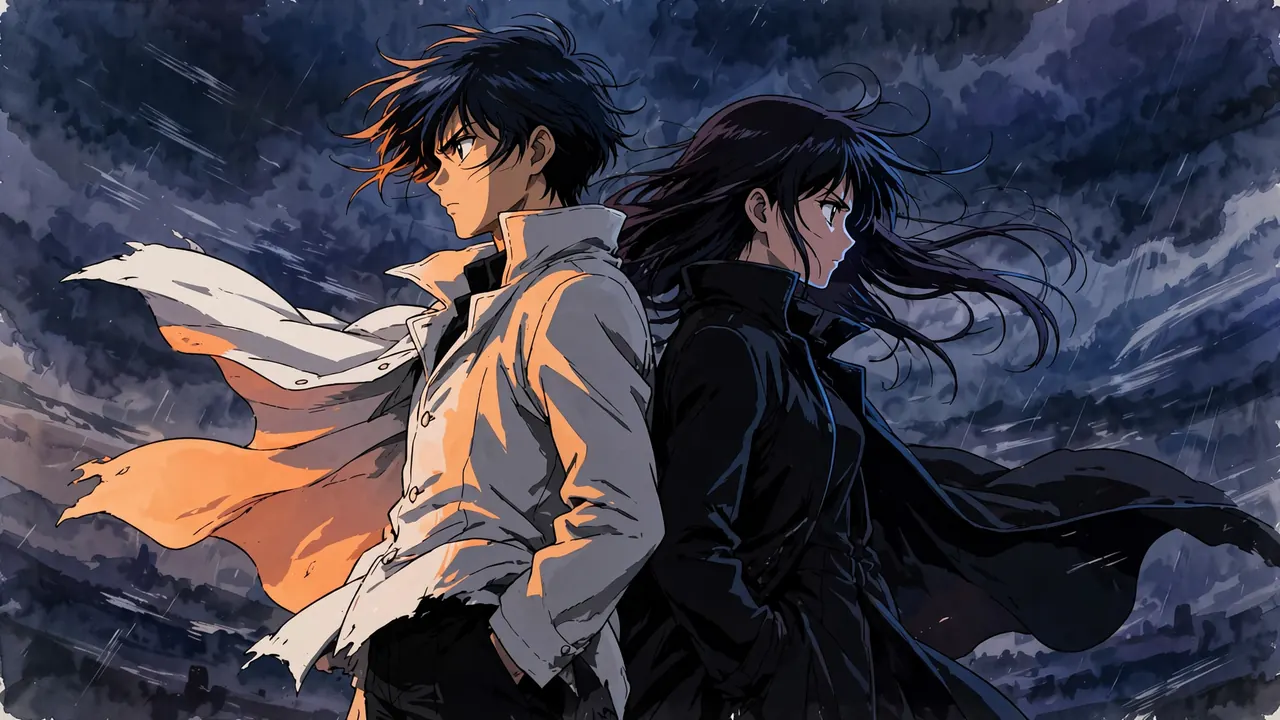
Back to back: one light colour for each side of the story.
How to make an anime opening in 5 steps
Step 1. Pick the song and mark the beats
Use a track you have the rights to, or make a score with the music tools. Listen for the first big hit, the fastest part and the last chord. Beat markers on the timeline show where the cuts should land.
- Costs
- A score cue is the price on its button, shown before you click
Step 2. Plan the five classic shots
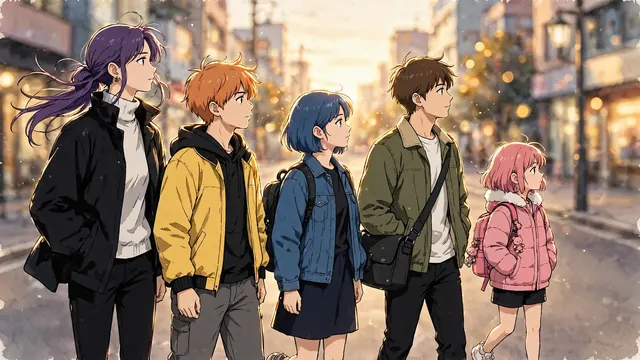
Most openings share five shots: the title card, the cast walk, the run, two rivals back to back and a final wide. Put the title card on the first big hit, the run on the fastest part and the last wide on the final chord. The anime opening scene page breaks each one down with prompts to copy.
Step 3. Make a strong first frame for each shot
Generate one first frame per shot, in one look. Leave empty sky or space for the title, because letters come out wrong in generated pictures. Add the title in the edit.
The clouds race across the sky, the figure's coat and scarf whip in the wind, and the light grows brighter.
Pair it with the slow push in camera move.
Step 4. Animate each frame as a short clip
Use image to video for each frame with the camera move that fits: a slow push in for the title card, a slow pull back for the cast walk, a handheld follow for the run, a slow orbit for back to back and a slow pull back for the last wide. Each clip is 5 seconds.
- Costs
- 50 credits ($0.60) per 5 second clip at 768p on Starter
Step 5. Cut to the beat and add the title
Place the clips on the timeline against the beat markers, add the title card lettering and export. A real opening is about 90 seconds, so repeat the five shots with new angles and add quick flashes of the story.
- Export
- MP4 up to 1080p
A worked example: the five shots
These are the five shots of the opening sequence in the scene library, each a 5 second clip. Five clips at 768P come to 250 credits, about $3.00 on Starter, before music and retakes. A full 90 second opening has many more shots, so plan for several times that.
| Shot | Camera move | Job in the cut |
|---|---|---|
| The title card | Slow push in | Empty sky on purpose: the title is added in the edit |
| The cast walk | Slow pull back | The whole cast walking at the camera |
| The run | Handheld, following | Cut to the fastest part of the song |
| Back to back | Slow orbit | One light colour for each side of the story |
| The last wide | Slow pull back | A held wide on the last chord |
Mistakes that cost credits
- Generating the title. Image and video models garble letters. Leave the space empty and add the title in the edit.
- Cutting on the wrong beat. The title belongs on the first big hit and the last wide on the final chord. Mark the beats first.
- Changing the look between shots. An opening is repeated every week. Keep one look so the cast is the same in every shot.
- Making every shot a fight. Include the quiet shots: the cast walk and the last wide give the fast shots room.
- Using a song you do not have rights to. Use your own track, a licensed track or a score made with the music tools.
Why Ziztu for this job
- Ziztu turns one idea into a whole micro drama or anime episode, with the same characters in every shot.
- Micro dramas and anime are made in one place, on one credit balance, with voices, music and captions on one timeline.
- Plans start at $12 a month for 1,000 credits. On Starter, a 5 second clip costs about $0.37 at 480p or $0.60 at 768p.
- Planning the shots, making the frames, animating them and cutting to beat markers all happen in one project, so the opening is not stitched together from several tools.
Start this in Ziztu
Start an opening for your own anime.
An anime opening, 90 seconds: five friends on a hill above a seaside town, a girl who runs along the coast road at sunrise, two rivals standing back to back under a storm, and a final wide shot of the cast under the first stars.
40 free credits, no card: write the script, cast your characters, draw the storyboard and hear the voices. Video starts at $12. You see the price before every generation.
Keep going
- Anime opening shots for the full breakdown of each shot with prompts.
- Make an anime episode with AI for the episode that comes after the opening.
- AI Music Video Generator for a quick music video from a song idea.
- AI anime video generator to test one shot.
- Keep characters consistent in AI video so the cast matches in every shot.
- Ziztu vs Runway if you are comparing tools.
Frequently asked questions
How do I make an anime opening with AI?
Plan the shots against the song, make a strong first frame for each, animate them as short clips with image to video, then cut them to the beats and add the title in the editor. Ziztu does the planning and the timeline in one place.
How long is an anime opening?
Most TV openings run about 90 seconds, a short edit of the full song. Plan the shots to the beats of that edit.
Can AI write the title on the title card?
Not reliably, because generated pictures and clips garble letters. Leave the space empty in the frame and add the title as text on the timeline.
How much does it cost?
Five 5 second clips cost 250 credits at 768P, about $3.00 on Starter, before music and retakes. A full opening has more shots, and every price is shown before you generate.