
Lyric Video Template

A lyric video is a timing sheet with a background behind it. Every line gets a start time, the text on screen, a background and a motion. Filled in, then blank.

Use this template
  • FitsA song or a 15 to 60 second hook
  • IncludesFilled example and blank
  • CostFree to copy

Updated

Lyric video: white lyric lines over a glowing city skyline at blue hour reflected in a river
A lyric line in white over a purple and orange sunset sky
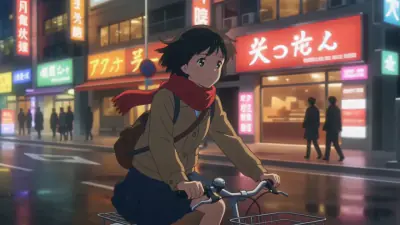
An anime music video frame: a girl with a red scarf rides a bicycle through a rainy neon city at night

Lyric videos made in Ziztu from a line of lyric and a background.

The template

The example is a 19 second upbeat lyric video over a night city. The same table works for any song: only the lines, the times and the background change.

Lyric video plan

City Lights, 19 second hookYour title here

Video card

Four decisions that never change during the video.

Song
City Lights, an upbeat pop hook
Length and shape
19 seconds, 16:9
Background
A night city skyline at blue hour, lights reflected in a river
Text style
White, bold, centered in the lower third over a soft dark gradient

Lines and timing

One row per line. A line appears when it is sung and stays half a second after.

StartLine on screenMotionBackground
0:00City lights are calling out my nameText fades up. Slow push in on the skyline.Skyline at blue hour
0:04I am leaving the quiet behindText slides up. Lights flicker on the river.Skyline, closer
0:08Every window is a sparkText fades. Camera drifts left.Lit windows
0:11Take me where the music startsText pops in word by word on the beat.Bridge and river
0:15City lights, City lightsText repeats and grows with the chorus.Wide skyline, fireworks of light
0:19EndHold, then fade to black.Skyline

Rules for lyrics on screen

Check these before you make the video.

  1. 1Seven words or fewerLong lines are split in two screens.
  2. 2In time with the voiceEach line starts on the first word and stays half a second after the last.
  3. 3Readable on any pictureWhite text over a soft dark gradient, inside the safe margins.

Paste it into Google Docs, Word, Notion or any text editor. It is free to copy and use.

The fastest way to use it

On your own

  • Copy the template into a document and fill it in.
  • Find an image tool, a video tool and a voice tool, and move your work between them.
  • Keep the same faces, places and style yourself, shot after shot.

In Ziztu

  • The idea box opens with the example already written. Change the names and press go.
  • Studio plans the shot list, makes every shot and adds the music, in one place.
  • Character sheets keep the cast looking the same in every shot.
  • 40 free credits, no card: write the script, cast your characters, draw the storyboard and hear the voices. Video starts at $12.
Use this template

How to fill it in

  1. 01

    Pick one background and one text style

    Decide the picture behind the words and how the words look. Keep both fixed for the whole video.

  2. 02

    Time every line

    Write the start second for each line, then add a motion. Cut long lines in two so each screen is short.

  3. 03

    Check the last screen

    End on the chorus line or on a held skyline. Fade out after the last word so the song can finish.

What makes it work

One background is enough

A single strong picture with small camera moves looks intentional. Many unrelated pictures look like a slideshow.

Repeat the chorus bigger

Grow the text or the picture each time the chorus returns, so the song feels like it is building.

Use music you may use

Only upload a song you wrote, own or have a licence for. Publishing lyrics and audio you do not own can get a video removed.

Frequently asked questions

What is a lyric video template?

It is a timing sheet for a lyric video: every line of the song with the second it starts, how it appears on screen and what is behind it. You can keep it in a document and use it to build the video in any tool.

How do I time a lyric video?

Play the song and write the second each line is sung. Start each line on its first word and keep it on screen half a second after the last word, then add a fade or a slide so it does not just appear.

How many words per screen in a lyric video?

Seven or fewer is easy to read at a glance. Split a longer line in two screens that follow each other.

Are the lyrics in the example real?

They are short lines written for this page, not from a published song. The frames above are lyric videos made in Ziztu.

Can I make a lyric video with AI?

Yes. Press Use this template to open the idea box with the example written out, or try the AI lyric video maker for a short video from one line. In Ziztu Studio you can plan the whole song with your own track.

Is the template free?

Yes. Copy it as text, download it as a Markdown file or print it to PDF without an account.

Lyric video: white lyric lines over a glowing city skyline at blue hour reflected in a river

Turn the template into a scene you can watch.

40 free credits, no card: write the script, cast your characters, draw the storyboard and hear the voices. Video starts at $12.