Say the song is about a girl with a red scarf riding a bicycle through a neon city in the rain, and you want the video by tonight. The best AI music video generator for that is Ziztu's music video tool, which we make, so read its entry with that in mind: one description in, a cut video out, with the same girl in every shot. For long cinematic shots you assemble yourself, Runway is stronger. For a video built around your own uploaded track, you pair a song tool like Suno with a video tool and cut them together. This list ranks the main options for 2026 by how much of a finished music video each one makes for you, with prices read from every official pricing page on 13 October 2026.
How we ranked them
We ranked them by how much of a finished music video each tool makes for you: the shots, a cast that stays the same, the music and the cut. Tools that hand you raw clips to assemble rank below the one that returns a cut video, and the "How to choose" section says when a different tool fits better. For every one we checked the same five things:
- What it makes. A finished short video from a prompt, raw clips you edit, or a song to pair with visuals.
- Style range. Whether it does anime and other looks well, or only realistic footage.
- Cost. The entry plan, and what a short clip really costs once credits are converted to dollars.
- Free start. What you can make before paying.
- Honest limits. What it does not do, so nothing surprises you after you pay.
Here is what we did and did not do. We read each official pricing page on 13 October 2026 and did the arithmetic ourselves, so you can repeat it. We ran Ziztu's own tool, and the notes marked "what we saw" come from those runs. We did not generate videos on every other tool for this article, so we make no claim about their quality beyond what their own pages say. Ziztu is our product, so read its entry with that in mind.
The list
1. Ziztu: best value for short, stylized music videos
Ziztu's AI music video generator takes one description and makes a 10 to 20 second music video: two to four clips of 5 seconds, each a different shot, cut over a track from its music library. You pick a look, a length, an aspect ratio and a mood, and download one MP4.
- What it makes: a finished short video in one run. One prompt in, a cut video out.
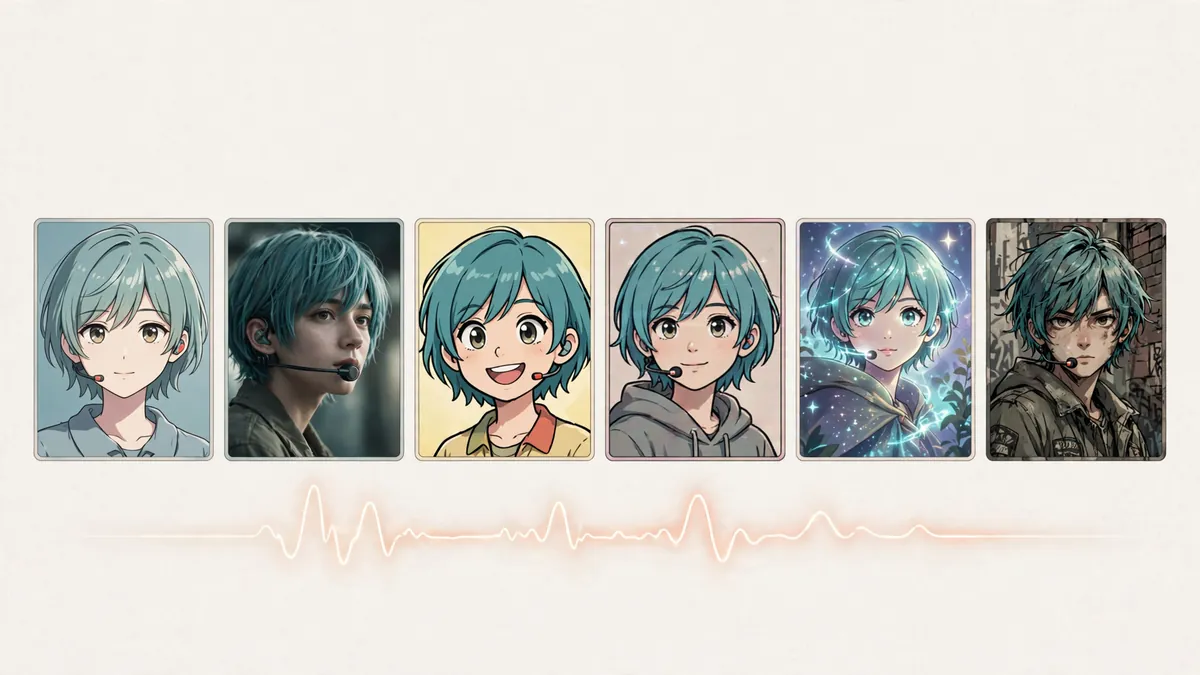
- Style range: six built-in looks, anime, cinematic, cartoon, retro, fantasy and urban. The look is applied to every shot, so the clips match.
- Cost: a 5 second clip at 768p is 50 credits, so a 15 second video is three clips. The Starter plan is 1,000 credits for $12 a month, about 1.2 cents a credit, so that 15 second video costs roughly $1.80. The full rate card is in our AI video price index.
- Free start: new accounts get 40 trial credits, no card, for the script, character art, voices and sound. The video clips start on any plan.
- Limits: no song upload in the quick tool, and no beat detection. The cuts fall every 5 seconds, not on the beat. The quick tool caps at 20 seconds; for a full three minute video you use the longer Studio timeline.

What we saw: we ran "a girl with a red scarf rides a bicycle through a neon city at night, rain on the street" in the anime look at 768p. The three shots kept the same character and outfit across the cuts, which is the thing that usually breaks in generated video. The library track faded in and out cleanly. It is not a beat-matched edit, but for a social clip it is a complete video in about a minute.
2. Runway: best for long cinematic clips you edit yourself
Runway is a full creative studio built around its Gen-4.5 model, with editing, upscaling and audio tools. It does not make a finished music video for you, but it makes strong cinematic clips you then cut to your song.
- What it makes: individual clips and edits. You assemble the music video.
- Style range: realistic and cinematic. Anime is possible from a careful first frame, but it is not a built-in look.
- Cost: Standard is $15 a month ($12 billed yearly) for 625 credits a month, which is about 52 seconds of Gen-4.5 at 12 credits a second. Pro is $35 ($28 yearly) for 2,250 credits. Max is $95 ($76 yearly) for 9,500 credits.
- Free start: 125 one-time credits on signup, which do not renew.
- Limits: the entry plan does not go far at 12 credits a second, and you still do the edit and the music sync yourself.
3. Pika: best for fast, playful social clips
Pika makes short clips quickly and is known for its viral effects. Like Runway, it gives you clips rather than a cut music video, but it is fast and cheap to start.
- What it makes: short clips and effect shots you drop into an edit.
- Style range: stylized and playful; not an anime specialist.
- Cost: paid plans start at $10 a month (Starter), then $35 (Creator) and $95 (Fancy). Paid plans have no watermark.
- Free start: a limited free tier that runs on credit packs rather than a monthly allowance.
- Limits: no built-in music library and no automatic cutting; you bring the song and the edit.
4. Kaiber: the audio-reactive option
Kaiber built its name on audio-reactive visuals that move with the music, which is closer to a true "music video generator" than a general clip tool. It is worth a look if you want visuals that pulse with the track.
- What it makes: audio-reactive video from your audio and prompts.
- Style range: painterly and abstract looks suit ambient and electronic music.
- Cost: Kaiber runs a tiered monthly subscription. Its pricing has changed more than once in 2026, so check kaiber.ai for the current plans before you commit.
- Free start: check the current plan list, as the free terms have moved during the year.
- Limits: less suited to clean character work or a steady narrative than a shot-based tool.
5. Suno plus a video tool: best for your own song
Suno is not a video tool; it writes songs from a text prompt. We include it because the most common "music video" job is to turn a song you already have, or one you make in Suno, into visuals. You make the track, then generate and cut the video around it.
- What it makes: full songs with lyrics. Pair it with a video tool for the visuals.
- Cost: Pro is $10 a month ($8 billed yearly) for 2,500 credits; Premier is $30 a month ($24 yearly) for 10,000 credits. Free is 50 credits a day with no commercial use.
- Free start: 50 credits a day on the free plan, enough for a few songs, but no downloads and no commercial rights.
- Limits: no video at all. See our guide to making a music video from a song for the full pairing workflow.
Comparison table
| Tool | Starts at | Free start | Anime look | Makes the video for you | Best for |
|---|---|---|---|---|---|
| Ziztu | $12/mo | 40 trial credits | Built in | Yes, a cut MP4 | Short stylized videos, best value |
| Runway | $15/mo | 125 one-time credits | From a first frame | No, you edit | Long cinematic clips |
| Pika | $10/mo | Limited free tier | No | No, you edit | Fast playful social clips |
| Kaiber | Check site | Check site | No | Audio-reactive | Visuals that move with the music |
| Suno | $10/mo | 50 credits a day | n/a | n/a (song only) | Making the song itself |
Prices read from each tool's official pricing page on 13 October 2026. Ziztu figures come from our own rate card.
Same characters and planned shots: what each page lists
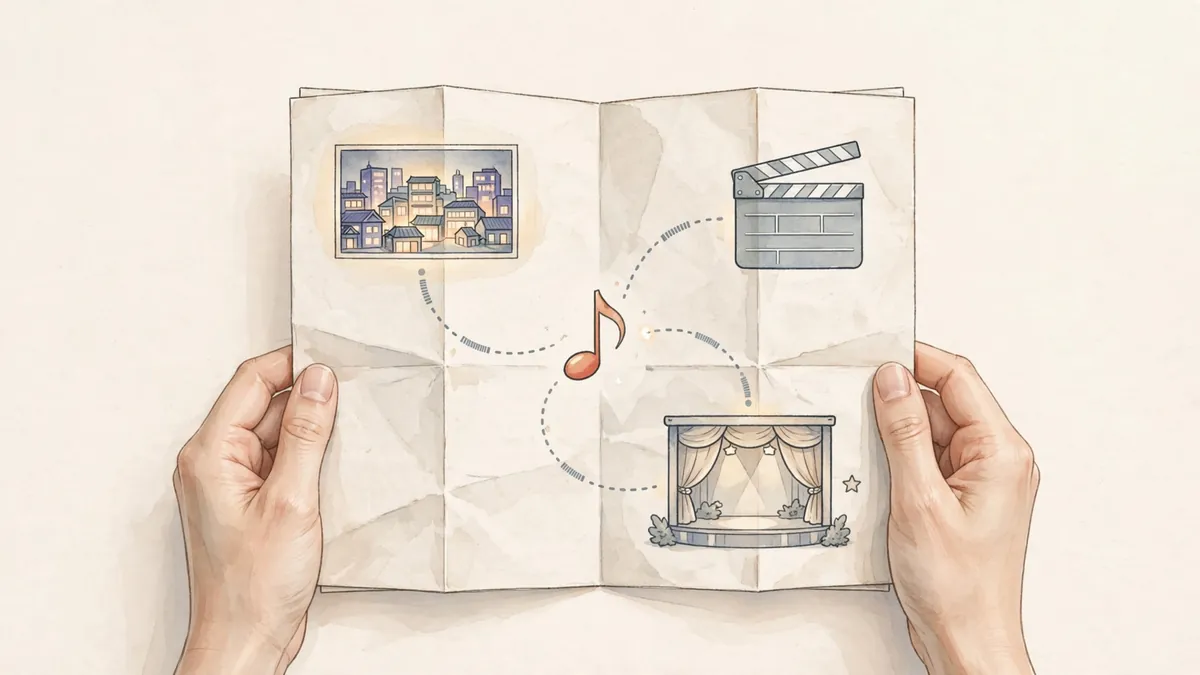
Ziztu keeps a cast sheet in the project and sends it with every shot, and its Director writes the shot list. Many tools let you attach a reference image to a shot, so the table says what each tool's own page lists. "Not found" means the feature is not on the pricing or product page we read; it does not mean the tool cannot do it, and we did not test how any of them hold a cast over an episode.
| Tool | Keeps the same characters across shots | Plans the shots for you |
|---|---|---|
| Ziztu | In the quick tool, one description and one look carry through every shot; in Studio, a cast sheet | Yes: two to four clips, each a different shot, planned from your description |
| Runway | "References to Video" (video from reference images) in its menu | Not found, read 14 Oct 2026 |
| Pika | A "Character Creator" image app in its menu | Not found, read 14 Oct 2026 |
| Kaiber | Not found, read 14 Oct 2026 | Not found, read 14 Oct 2026 |
| Suno | Not applicable: songs only, per its pricing page | Not applicable: no video |
How to choose the right tool
- You want a short video fast, with an anime or stylized look: use Ziztu's music video tool. One prompt gives you a cut 10 to 20 second MP4 in 16:9, 9:16 or 1:1.
- You want long, realistic, cinematic shots and you will do the edit: use Runway, and cut the clips to your song in a video editor.
- You want quick, playful clips for social: use Pika for the shots, then assemble them.
- You want the visuals to pulse with the music: try Kaiber's audio-reactive mode.
- You are starting from your own song: make or pick the track first, generate visuals, then sync them. Our lyric video maker is the simplest path if you mainly want the words on screen.
How to make a music video from a Suno song
The quick generators above do not take a song upload, so the workflow for your own track is a little different:
- Make or pick the song. Generate it in Suno, or use a track you already own and have the rights to.
- Plan the shots to the song. Note the calm, building and loud sections, and decide what each should show. Keeping one main character and one place makes the cuts feel like one video.
- Generate the visuals. Use a video tool for the clips, or an AI singing voice if you want a character to appear to sing the lyrics.
- Cut the clips to the music. Line the shots up with the sections in any editor and match the cuts to the changes in the track.
Our full guide to making an AI music video from a song covers each step in detail, including how to plan shots that fit the shape of the song.
Honest limits to keep in mind
No AI music video tool is magic. Three things trip people up:
- Length. Quick tools make short videos, 10 to 20 seconds. A full three minute video means either a longer timeline like Studio or stitching many clips together.
- Beat sync. Most tools cut on a fixed clock, not on the beat. If tight beat-matching matters, plan to cut the clips yourself.
- Consistency. Characters and places can drift between clips. Describe one clear subject and reuse the same words to keep the shots looking like one video.
Make your first music video
If you want a finished short video without an editor, start with Ziztu's AI music video generator. Describe the scene, pick a look and a track, and download an MP4 in minutes. New accounts get 40 free credits for planning, art, voices and sound, and a 15 second video at 768p is three clips at 50 credits each on the Starter plan ($12 a month for 1,000 credits).