AI Manga Generator
Draw one manga page from a scene here. For a whole book with a story, a cast and lettering, use the AI Manga Maker.
Updated
Example outputs
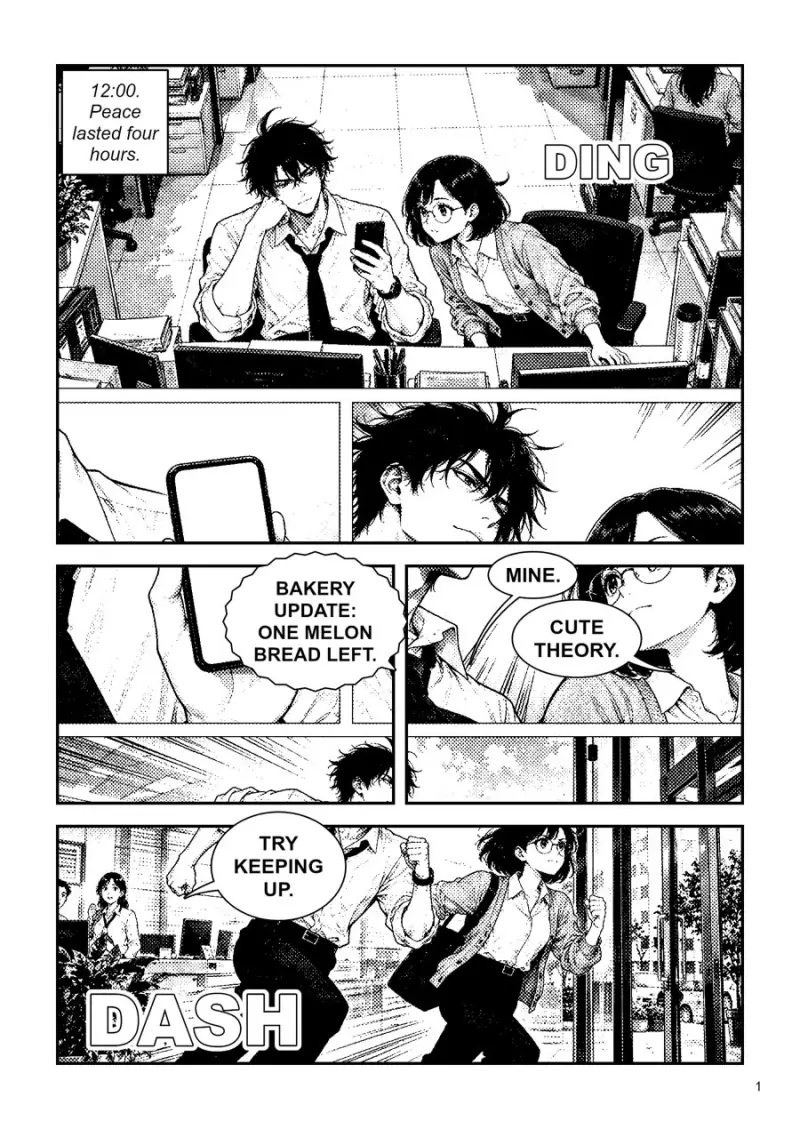
Page 1 of 4 of "Lunch Rush", a book made with the AI Manga Maker from one story prompt (two office rivals race for the last melon bread). It drew a sheet for each character, then drew and lettered every page with GPT Image 2.5. The whole 4-page book cost about $1.06 to make.
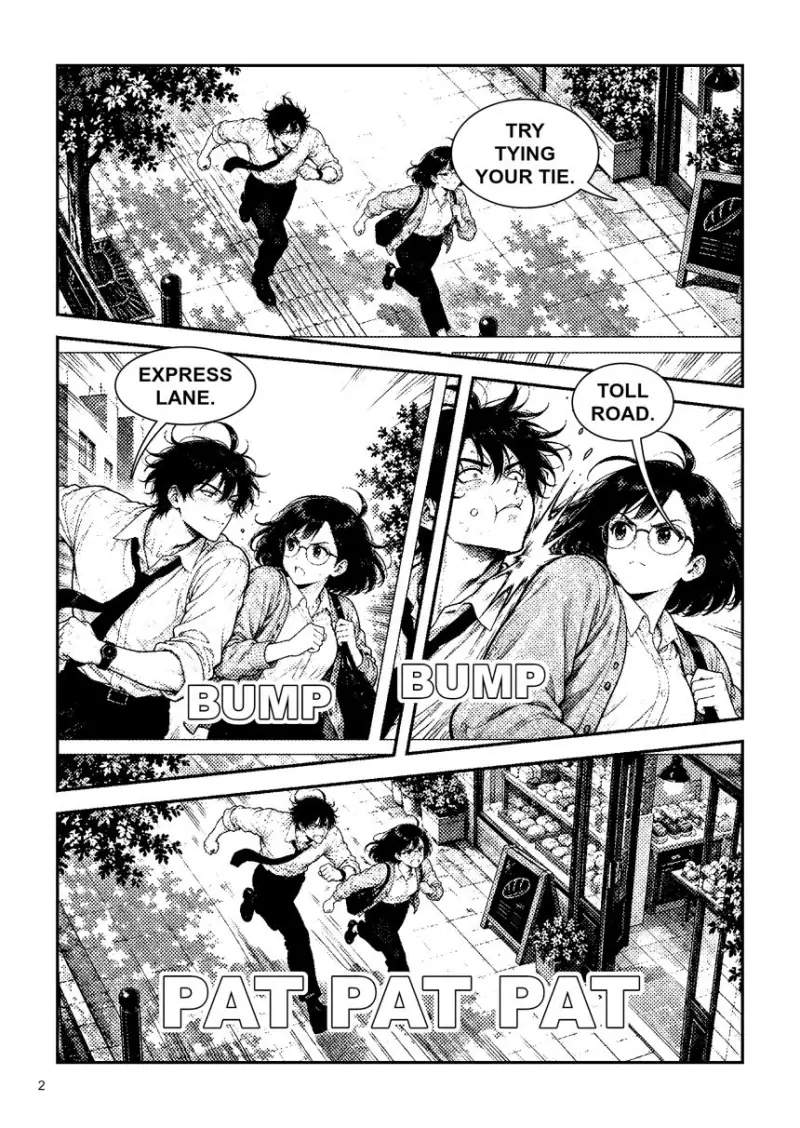
Page 2 of 4 of "Lunch Rush", a book made with the AI Manga Maker from one story prompt (two office rivals race for the last melon bread). It drew a sheet for each character, then drew and lettered every page with GPT Image 2.5. The whole 4-page book cost about $1.06 to make.
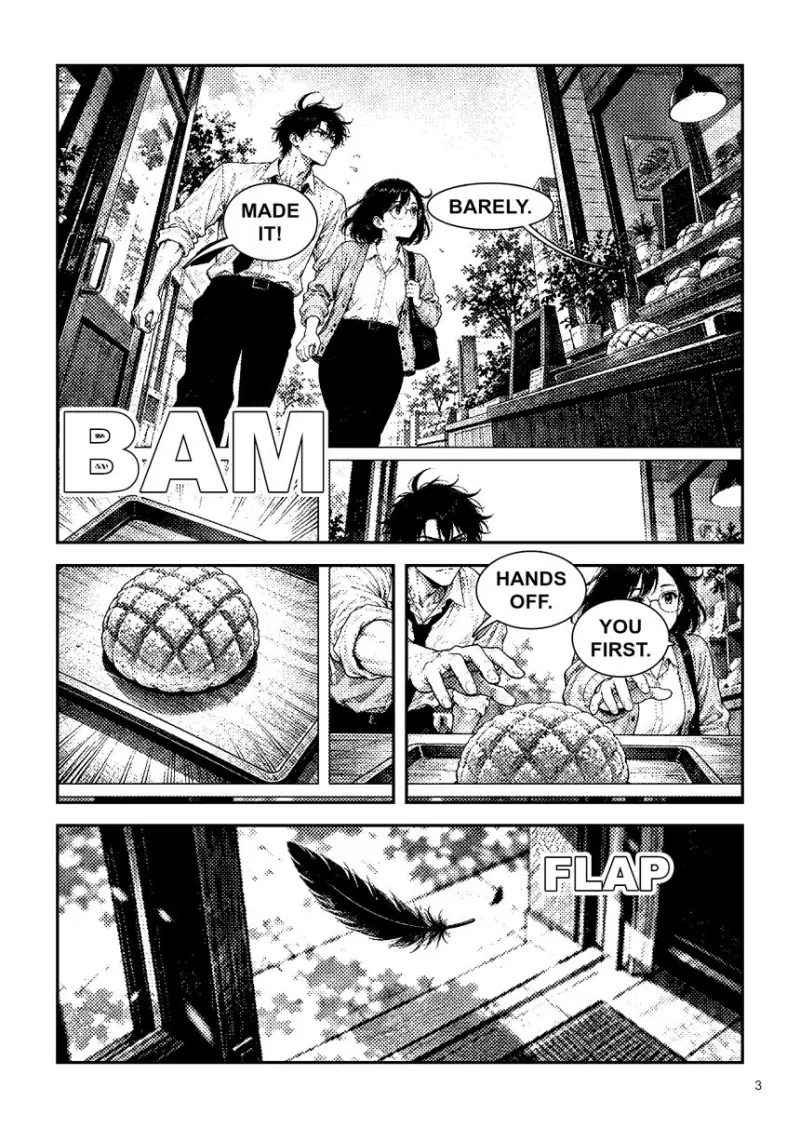
Page 3 of 4 of "Lunch Rush", a book made with the AI Manga Maker from one story prompt (two office rivals race for the last melon bread). It drew a sheet for each character, then drew and lettered every page with GPT Image 2.5. The whole 4-page book cost about $1.06 to make.
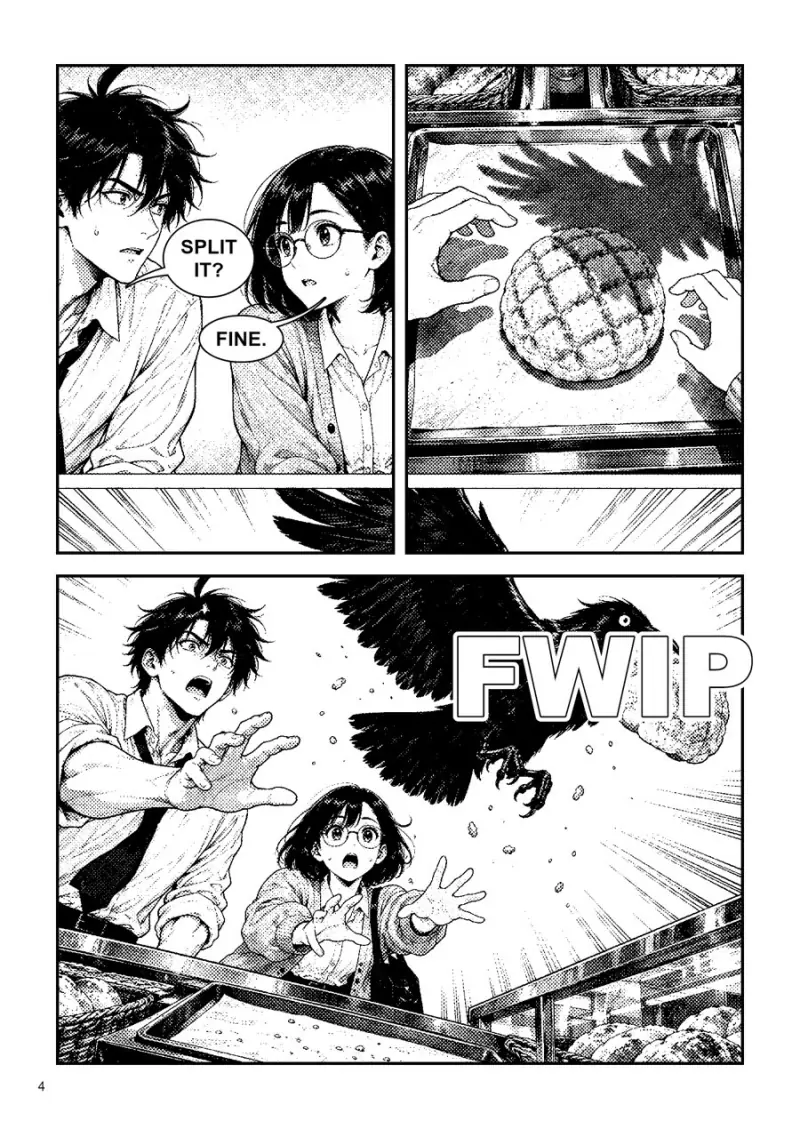
Page 4 of 4 of "Lunch Rush", a book made with the AI Manga Maker from one story prompt (two office rivals race for the last melon bread). It drew a sheet for each character, then drew and lettered every page with GPT Image 2.5. The whole 4-page book cost about $1.06 to make.
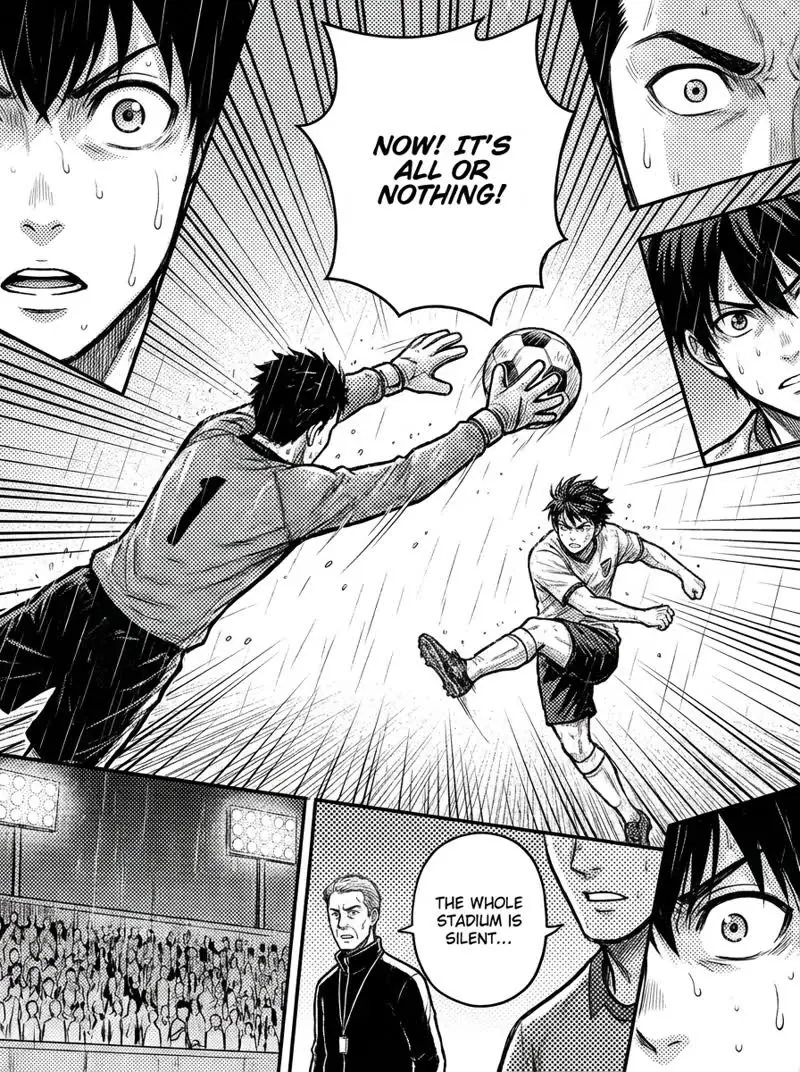
Made with the widget on this page. Scene: "a goalkeeper dives for a penalty kick in the rain at a night match, the striker frozen mid-kick, the whole stadium holding its breath". Sports, Dynamic action, Screen tone. Model: Nano Banana Pro 1K, 38 credits.
How it works
Describe the scene, the characters and the key moment, in plain words.
Choose a genre, a page layout and an ink style. Nano Banana Pro draws one black and white page with panels and speech bubbles in about half a minute.
For a whole book, open the AI Manga Maker: it writes the story, draws a sheet for each character, draws and letters every page, and exports PDF, CBZ or PNG.
Ideas and uses
| Genre | Audience | Visual traits | Common themes |
|---|---|---|---|
| Shonen | Young readers, all ages | Bold lines, speed effects, dramatic expressions | Friendship, self-improvement, battles |
| Shojo | Young women | Soft lines, floral motifs, large expressive eyes | Romance, coming of age, relationships |
| Seinen | Adult readers | Realistic anatomy, detailed backgrounds, varied tones | Complex drama, crime, psychological tension |
| Isekai | All ages | Mix of real-world and fantasy styles | Transported hero, RPG mechanics, world-building |
| Horror | Older readers | High contrast, shadow, distorted anatomy | Supernatural threats, dread, mystery |
| Sports | All ages | Dynamic motion, sweat and effort, crowd reactions | Training, rivals, tournaments |
What makes good AI manga
Good manga pages follow a few conventions: black ink on white, screen tone for depth, expressive faces, and panel shapes that guide the eye through the story. Each genre pushes these in its own direction. Shonen uses speed lines and dramatic close-ups. Shojo uses soft lines and big emotional panels. Seinen uses more realistic anatomy and detailed backgrounds. Horror uses heavy shadow and empty space.
Panel layout and story pacing
Panel size controls pacing. Large panels slow the reader down and signal importance. Small panels create speed. A panel that breaks the border feels like a moment bursting out of normal time. Pick "Dynamic action" for fights and chases, "Story build" for dialogue and "Full splash" for one big moment.
Writing prompts that produce great manga
Describe who is there, what happens and how it should feel, not just what to draw. For example: "A young boxer stares down an undefeated champion for the first time. The champion is enormous. The boxer is trembling but determined." Keep each line of dialogue short, and put exact words in quotes.
Whole books with the AI Manga Maker
The AI Manga Maker is the manga app inside Ziztu. You describe the story and its Director writes the script, plans the pages, draws a sheet for each character so they stay on model, draws every page and letters the balloons and sound effects. You can redraw a page or a panel, edit balloons, and export the book as a PDF, a print PDF, a CBZ, PNG files or a webtoon strip.
Frequently asked questions
How do I make manga with AI?
For one page, describe the scene here, pick a genre and a layout, and press Generate. For a story of several pages, use the AI Manga Maker: you describe the story and it plans the pages, draws the cast and letters the dialogue.
Is it free?
You can try it free. Sign up with an email address and you get 40 free trial credits. One page here costs 38 credits, so the trial covers one page. Free trial results carry a small watermark. The AI Manga Maker shows the price of a book before it starts.
How do I keep my characters consistent across pages?
Use the AI Manga Maker. It draws a character sheet for each character first and uses it on every page. On this page, each run is a new page, so describe each character the same way every time.
What is the difference between manga and webtoon?
Manga is printed in black and white, often reads right to left and uses a page format. Webtoons are full color and scroll vertically on a phone. The AI Manga Maker can export a webtoon strip as well as pages.
Which model draws the pages?
Nano Banana Pro from Google, at 1K resolution, on this page. The AI Manga Maker uses GPT Image 2.5 for character sheets and pages.
Can I turn my manga into an animated video?
Yes, in Ziztu Studio. A panel can become a short clip with image to video, and Studio chains clips into a motion comic.