Video to Text Converter
A free video to text converter, no sign-up. Upload a video or an audio file and get what is said as text with timestamps. MP4, MOV, WebM, MP3, WAV and M4A, up to 10 minutes. Download .txt, .srt or .vtt.

Upload your file to get started. No account needed.
How it works
- 01
Choose a file
Pick a video or audio file, or drop it on the box. Up to 10 minutes and 60 MB.
- 02
Press Get transcript
The sound is read and turned into text with the Whisper large-v3 model. A minute of speech takes a few seconds.
- 03
Copy or download
Copy the text, or save .txt, .srt or .vtt. Add a summary, five hooks or a post with one click.
What you get
Any video or audio file
MP4, MOV, WebM, MKV, MP3, WAV, M4A and more. We read the sound track, so the picture does not matter.
Subtitle files included
Download the text, or the same transcript as an SRT or VTT subtitle file with timestamps.
Your file is deleted
The file is used to make the text and deleted when the job ends. We keep nothing of it.
Who it's for
Interviewers, podcasters and students
Turn a recorded interview, a lecture or a voice memo into text you can search and quote.
Video editors
Get the words of a clip with timestamps and start a cut from the text.
Anyone with a video that sites will not let us read
Download it, then upload it here. It works on any file.
Ideas and uses
What the example shows
The example above is the real output of this tool for a short scene from a micro drama made with Ziztu. One line for each phrase and the time it starts. Your file comes back the same way, in the language it was spoken in.
How good is the text?
The text is made by Whisper large-v3, a speech model that is accurate on clear speech in many languages. Quiet rooms and one speaker give the best results. Loud music, several people talking over each other and strong accents lower it. The tool does not label who is speaking. Read the text once before you use it.
Files are limited to 10 minutes and 60 MB so the tool stays free for everyone. For a longer recording, cut it into parts.
Under the transcript are three more free steps. Summary gives the main point and the key points. 5 hooks writes five opening lines for a new video on the same topic, from five different angles. A post writes a caption you can post. Each one reads only the text you got, and each is free.
The last step is for a different kind of video. Turn this into a micro drama or anime script writes a short story idea from the topic and opens it in the free AI script writer or anime script generator. From there the same idea can become a real episode in the Ziztu studio.
Links instead of files
If the video is online, you do not need to download it: use the YouTube transcript generator, Instagram Reel transcript generator, TikTok transcript generator or Twitter (X) video transcript generator. To make subtitles for a video, use the SRT generator.
Frequently asked questions
Is this video to text converter free?
Yes, with no sign-up and no watermark. You can convert 5 files a day without an account and 20 with a free one, each up to 10 minutes and 60 MB.
Which files work?
Video files such as MP4, MOV, WebM and MKV, and audio files such as MP3, WAV, M4A, AAC and OGG. If your browser can play it, it almost always works.
Does it make subtitles?
Yes. Download the result as .srt or .vtt, with a timestamp on each line. The SRT generator page does the same with a subtitle focus.
Which languages are supported?
It recognizes the language by itself. Whisper works for many languages, including English, Spanish, French, German, Portuguese, Hindi, Japanese, Korean, Arabic and Urdu. Accuracy is best for widely spoken languages.
Do you keep my file?
No. The file is uploaded, its sound is read, and the file is deleted when the job ends. We do not keep the file or the sound. Nobody reads your files.
Does it tell speakers apart?
No. The transcript is one stream of text with timestamps and no speaker names. For an interview, add the names yourself.
Why does it say my file is too long?
The free tool reads files up to 10 minutes and 60 MB. Cut a longer recording into parts, or lower the video quality, and upload each part.
More like this
 Instagram Reel Transcript GeneratorA free Instagram Reel transcript generator with no signup.
 TikTok Transcript GeneratorA free TikTok transcript generator, no login.
 YouTube Transcript GeneratorA free YouTube transcript generator, no sign-up.
 Twitter (X) Video Transcript GeneratorA free Twitter video transcript generator for X, no signup.
 AI Script WriterA free AI script writer and screenplay generator: type one idea and get a formatted script back, a scene, a short film, a comedy sketch or a 30-second ad.
Updated
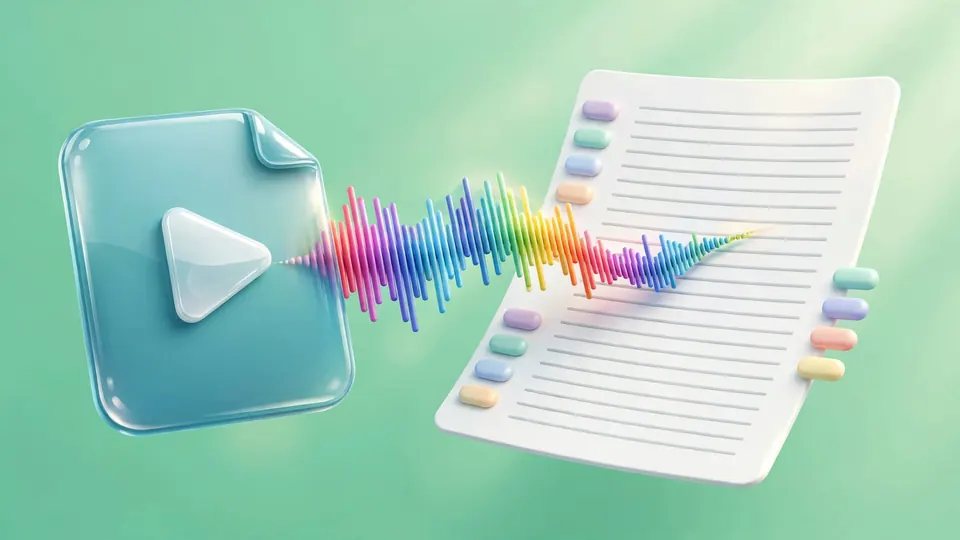
Turn any recording into text you can use.
New accounts also get 400 free trial credits for the video tools. No credit card required.