AI Age Filter
Upload a portrait and pick an age. The AI changes the age and keeps the person, clothes and background.
Updated
Example outputs
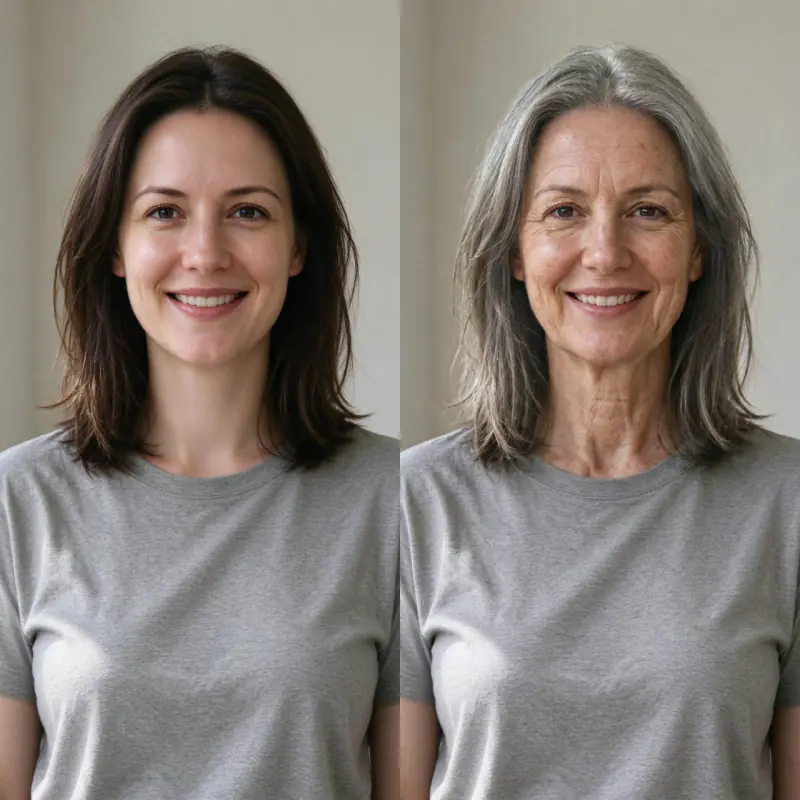
Left: the uploaded photo (an AI-made person, both sides cropped for this card). Right: Older by 40 years, no extra words. Model: Nano Banana Pro edit at 1K, 38 credits.
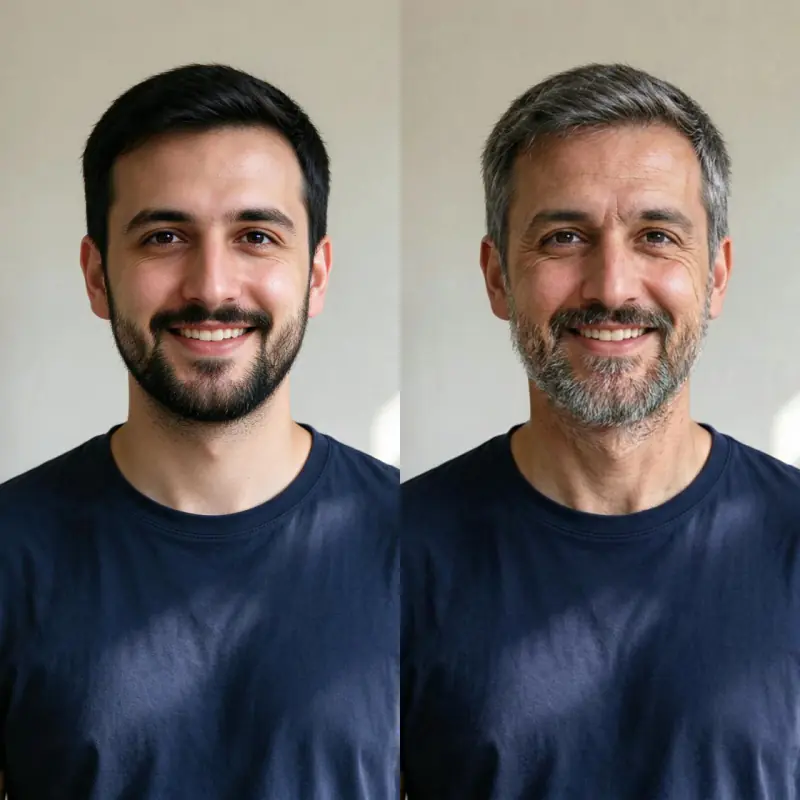
Left: the uploaded photo (an AI-made person, both sides cropped for this card). Right: Older by 20 years. Model: Nano Banana Pro edit at 1K, 38 credits.
How it works
Upload a clear portrait photo with the face visible and well-lit.
Choose an age: older by 20 years, older by 40 years, elderly, or younger by 10 years. Add a detail if you like.
Nano Banana Pro redraws the person at the new age and is told to keep the face, clothes and background. Download the result, about 1,000 pixels on the long side.
Ideas and uses
See yourself at any age with AI
The AI Age Filter takes a portrait photo and renders a realistic version of the same person at a different age. The model is asked to keep the face and add the changes of age: grey hair, skin texture, laugh lines, eye area changes for older versions, and softer, fuller features for younger versions. The result keeps the recognizable facial structure of the original photo.
Use cases: curiosity, content and creative
People use the age filter for a range of purposes:
- Personal curiosity: seeing what you might look like in 20 or 40 years is a compelling and harmless thing to explore.
- Social content: age filter results are a popular format on TikTok, Instagram and Snapchat, both for self-exploration and for family or nostalgia posts.
- Creative projects: writers, game designers and filmmakers use it to generate reference images of a character at different life stages.
- Family projects: compare a photo of yourself now to a childhood photo by generating an age-matched version.
Privacy and your photos
Your uploaded photo is deleted from our server within 24 hours. To make the result, the photo is sent to our AI provider, fal, which keeps its own copy under its own retention rules. Only upload photos you have the right to edit.
Frequently asked questions
Is the AI age filter free?
You can try it free. Sign up with an email address and you get 40 free trial credits; one photo costs 38 credits. Free trial results carry a small "Made with Ziztu" watermark. Paid plans start at $12 a month for 1,000 credits.
Do I need an account?
Yes. You need a free account to generate, so we can give you your trial credits and keep your results.
How accurate is the aging?
The AI produces plausible, natural-looking results based on typical aging patterns. It is not a forensic age progression tool, but the results are realistic enough for personal curiosity, creative projects and social content.
Can I make myself look younger?
Yes. Choose "Younger by 10 years", or add words such as "with the same hairstyle".
Does it work on photos of other people?
Only upload photos you have the right to edit. For photos of other people, get their consent first.
Can I animate the change into a video?
Not on this page. It makes one still photo. You can animate it in Studio.
Is my photo stored?
Your uploaded photo is deleted from our server within 24 hours. To make the result, the photo is sent to our AI provider, fal, which keeps its own copy under its own retention rules. Only upload photos you have the right to edit.