
You can design a tattoo with AI in about ten minutes. Write a prompt that names one subject, one tattoo style, the line weight and a plain white background. Generate several drafts, keep the strongest, refine it, then take it to your tattoo artist as a reference. The AI gives you a clear picture of the idea. Your artist turns it into something that works on skin.
This guide covers the prompt formula, prompts for each major style, how to plan size and placement, and the mistakes that make AI tattoo designs hard to use.
The prompt formula that works
Vague prompts give generic results. A good tattoo prompt has five parts.
- Subject: what the tattoo shows. "A wolf head facing forward."
- Style: fine line, blackwork, traditional, neo-traditional, Japanese, watercolor.
- Line and shading: "thin even lines, no shading" or "bold outline, solid black fill."
- Shape: the outline of the area. "Fits a vertical forearm panel" or "round badge."
- Background: "isolated on a plain white background, tattoo flash sheet."
Put together: "A wolf head facing forward, blackwork style, bold outline with dotwork shading, round badge shape, isolated on a plain white background, tattoo flash sheet."
The phrase "tattoo flash" helps. It tells the model you want a flat design on paper, not a photo of an arm.
Prompts for each tattoo style
| Style | What defines it | Words to add to your prompt |
|---|---|---|
| Fine line | Thin single needle lines, little or no shading | fine line, thin even lines, no shading, minimal |
| Blackwork | Solid black areas and strong contrast | blackwork, solid black fill, high contrast |
| Dotwork | Shading made of dots | dotwork shading, stippling, geometric |
| Traditional | Thick outlines, flat bold color | American traditional, thick black outline, flat red yellow green |
| Neo-traditional | Ornate detail, richer color, decorative frames | neo-traditional, ornate frame, rich jewel colors |
| Japanese | Waves, clouds, koi, dragons, big compositions | Japanese irezumi style, wind bars, waves, bold outline |
| Watercolor | Soft color washes without heavy outlines | watercolor tattoo, soft color bleed, no heavy outline |
| Script | Lettering only | Avoid in AI: letter it by hand (see below) |
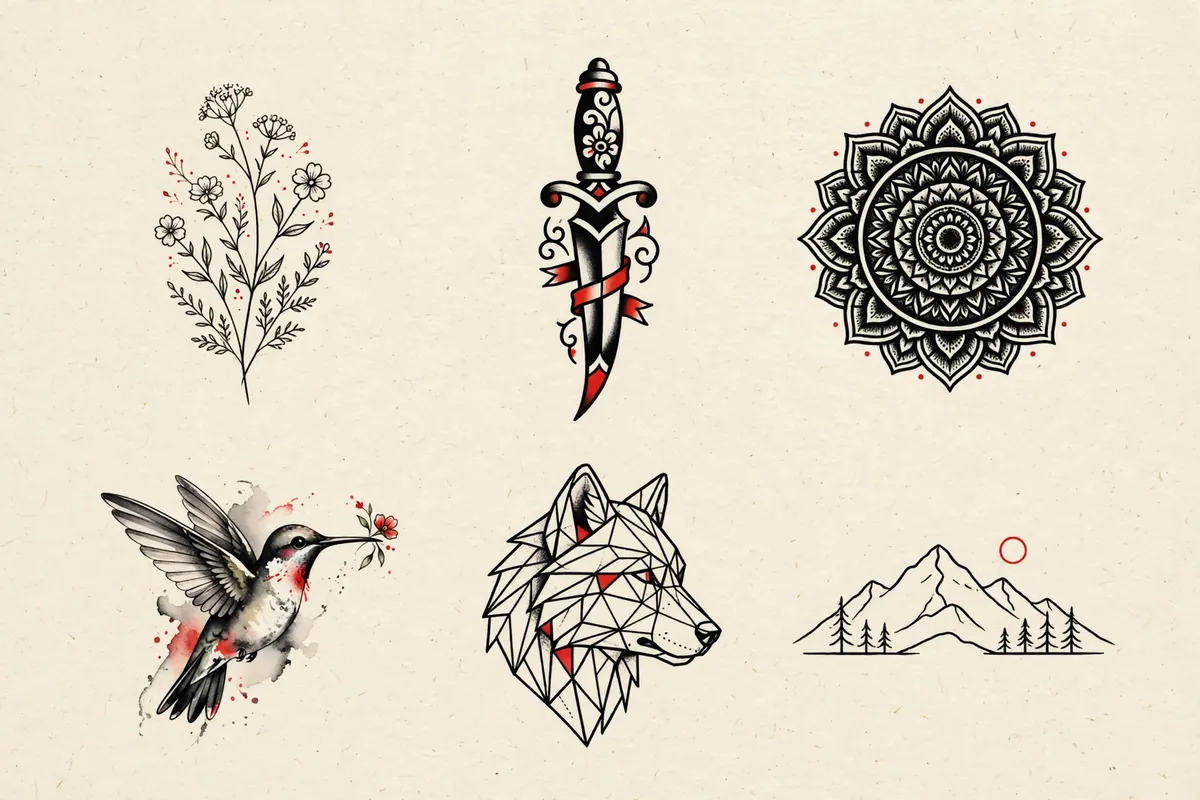
Two example prompts you can copy:
- "A single rose with a long stem, fine line style, thin even lines, no shading, vertical composition, plain white background, tattoo flash."
- "A koi fish swimming up through stylized waves, Japanese irezumi style, bold outline, red and black, fits a half sleeve, plain white background."
Step by step: from idea to reference image
- Collect two or three real tattoos you like. Look at your artist's portfolio too. It tells you which styles they actually do well.
- Write five prompts, each with a different composition of the same idea: front facing, side view, inside a circle, with a frame, without one.
- Generate drafts cheaply. Use a fast image model for this round. In Ziztu a draft with Meta Muse Image costs 3 credits, or 7 with Seedream 5 Flash.
- Pick one and refine it. Change one thing at a time: "fewer leaves," "thicker outline," "remove the background shading."
- Make a clean final. Use a higher quality model for the version you bring to the shop. GPT Image 2.5 at high quality costs up to 15 credits per image in Ziztu.
- Check it at real size. Print it at the size you want on your body, or hold your phone at arm's length. If you cannot read the shapes at that size, simplify.
- Bring it to your artist with notes on what you love and what you are unsure about.
Size, placement and how tattoos age
AI does not know anything about skin. These checks are on you.
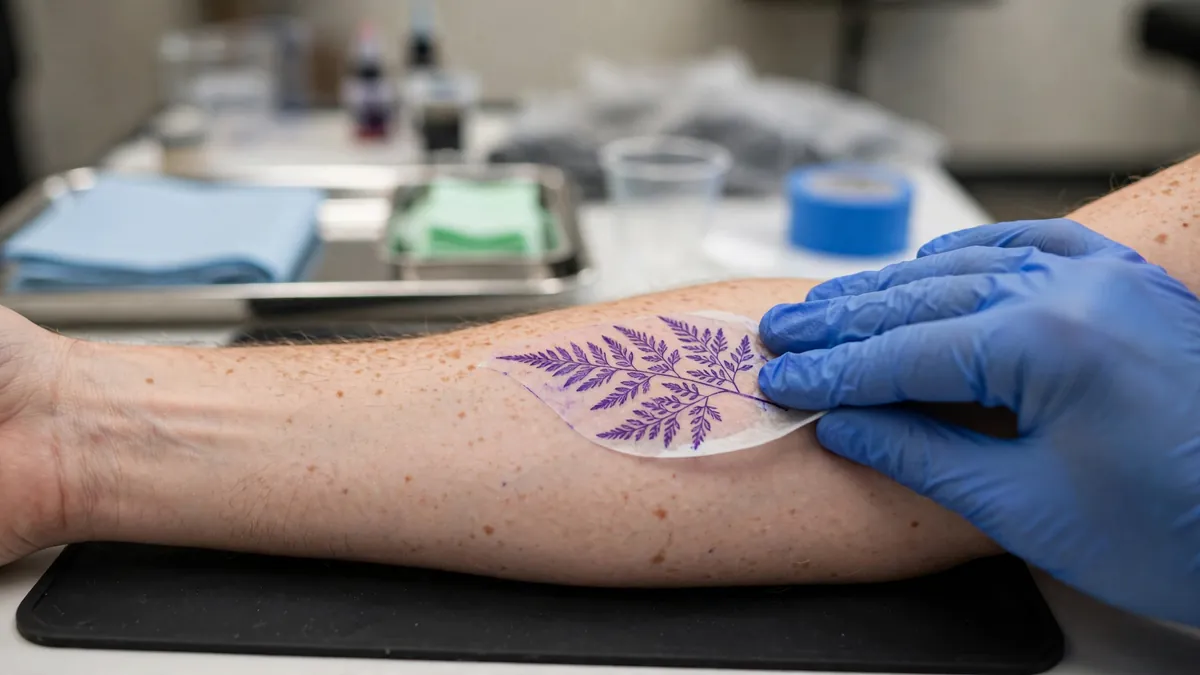
- Small designs need simple shapes. Fine detail closer than a few millimeters tends to blur together over the years. If a design is going on a wrist or a finger, cut it down to its main lines.
- Match the shape to the body part. Forearms suit tall, narrow designs. Shoulders and calves suit round or wrapping shapes. Name the shape in the prompt.
- Leave negative space. Skin showing through the design helps it read from a distance. Ask for "open negative space."
- Think about movement. Designs over joints and muscles stretch. Your artist will adjust the drawing for this. Leave them room to do it.
Lettering and names
Image models still misspell words and invent letters. For any tattoo with text:
- Generate the image with no words in it.
- Choose a font or a hand lettering style you like.
- Ask your artist to letter it, or set the text yourself in an editor and place it over the design.
Check the spelling three times. It is the one mistake that cannot be fixed later.
Working with your tattoo artist
Your AI image is a reference, the same as a photo from Pinterest. A good artist will redraw it, adjust it for your body and sometimes suggest something better.
- Say where it came from. Most artists are fine with AI references. A few are not. Ask when you book.
- Expect changes. The artist is responsible for how the tattoo heals and ages. Trust them on line weight and size.
- Pay for the drawing time. Turning a reference into a stencil is real work.
Make a reveal video of your new design
Once your design is final, you can turn it into a short reveal for Instagram or TikTok. In Ziztu Studio, upload the design as the first frame of a shot and describe a slow push in, with ink spreading across paper or light sweeping over it. A 5 second clip costs 31 credits at 480p or 50 at 768p. For a flat logo-style design, the logo animation maker gives you a branded reveal in a few clicks.
Honest limitations
- AI tattoo images are references, never stencils. Lines are uneven and some details are too small to tattoo.
- Models copy what they have seen. A prompt for a famous logo or a living artist's style is a bad idea, legally and ethically.
- Watercolor and very fine line work may not hold up over time on skin the way they look on screen. Ask your artist.
- A preview on a photo of your arm is a rough guide only.
More guides for designing characters and art with AI: how to make a fursona and how to make Twitch emotes. Or see every free and paid tool on the tools page.