AI Lyric Video Maker
Paste your lyrics, add your own song or pick a track, then a background and a format. You get an MP4 with each line on screen, up to 60 seconds.
Examples
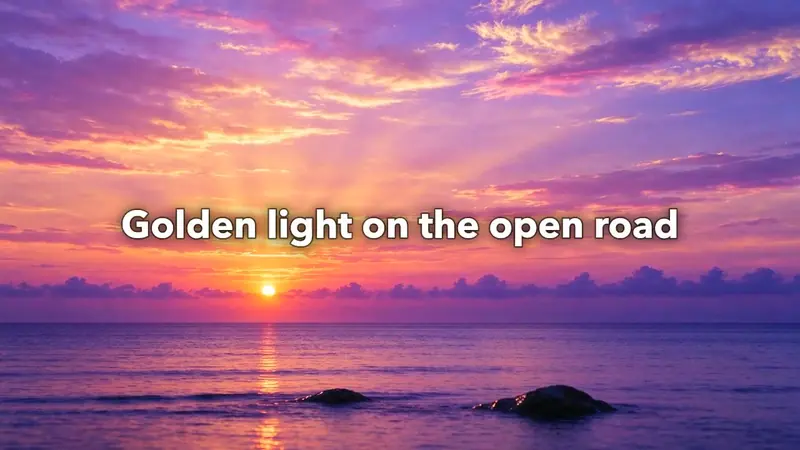
"Golden light on the open road." Sunset sky, 16:9, upbeat, 16 seconds.
16:9 · 16 s · 720P
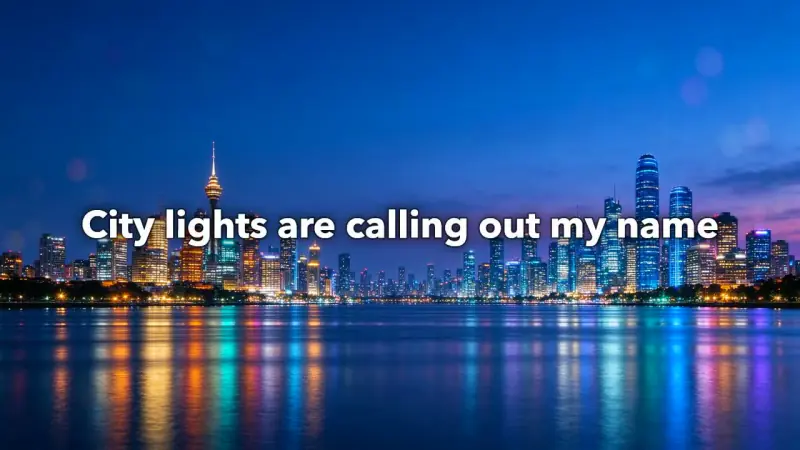
"City lights are calling out my name." Night city, 16:9, upbeat, 19 seconds.
16:9 · 19 s · 720P
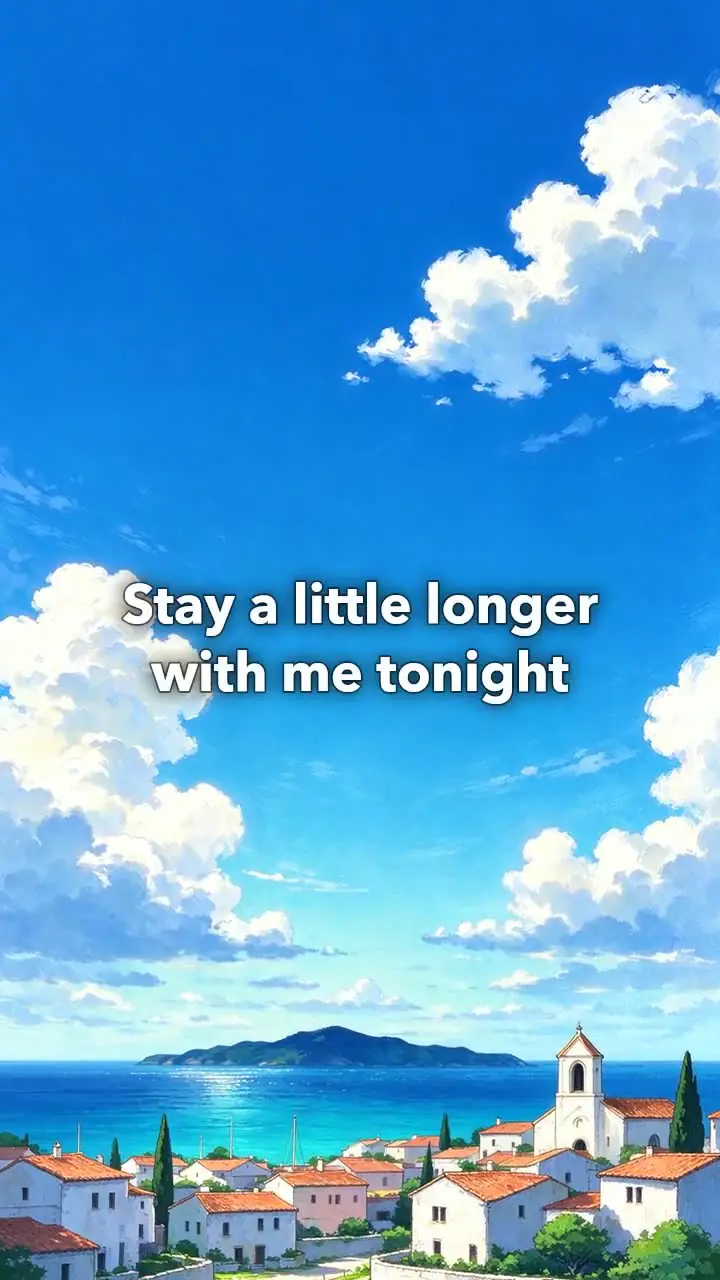
"Summer rain on windowpanes." Anime sky, 9:16, romantic, 17 seconds.
9:16 · 17 s · 720P
Try it with your own idea.
40 free credits on signup, this result costs 7 credits.
How it works
- 01
Paste your lyrics, one line per screen, up to 20 lines. [Verse] and [Chorus] labels are skipped. To set times yourself, start a line with a mark such as [0:12].
- 02
Add your own song (MP3, WAV or M4A, up to 50 MB and 10 minutes) or pick a track from our music library. Then pick a background (night city, sunset sky, starry sky, rainy window, anime sky or soft gradient) and a format.
- 03
The AI paints the background, then the server adds a slow push-in, shows each lyric line with a soft fade and puts the music under it. You get an MP4 of up to 60 seconds.
What you get
Each line appears on cue
Add timing marks like [0:12] and each line shows when you want it, over the background you pick.
Your song or a library track
Upload an MP3, WAV or M4A, or choose upbeat, calm piano, soft strings or romantic.
Three formats, six backgrounds
16:9 for YouTube, 9:16 for TikTok and Reels or 1:1 for Instagram, over a city, a sky, a window or a gradient.
Who it's for
Musicians uploading to YouTube
Make a lyric video for a song release without a graphic designer or a video editor.
Independent artists
Create a clip for the Spotify Canvas or an Instagram post from the lyrics of a new track.
Content creators
Make a lyric video for a cover, a tribute or a fan edit to post on TikTok.
Try it with your own idea.
40 free credits on signup, this result costs 7 credits.
Ideas and uses
How the lyric video is made
Your options become one background picture drawn by Seedream 5 Flash, with open space in the middle for the words. Our server then makes the video: a slow push-in on the picture, each lyric line drawn in large white letters with a soft shadow and a short fade, and your own song or the music track under it, faded out at the end. The tool sings nothing; for sung lyrics, make the song with the AI singing voice generator first and add it here.
Tips for a clean lyric video
- One idea per line: short lines read faster and look better on a phone.
- Use marks for your own song: listen once, note when each line starts, and type [0:05], [0:09] and so on in front of the lines.
- Pick the format first: 9:16 for TikTok and Reels, 16:9 for YouTube.
The model behind the background
The picture behind your lyrics is drawn by Seedream 5 Flash. In Ziztu Studio you can draw a background with other image models, or animate it with a video model.
- Seedream 5 Flash, from ByteDance: fast, low priced images, up to 6 at a time. One image costs 7 credits, about $0.08.
- Meta Muse Image: the Studio default for character sheets, plates and reference shots, with up to 10 reference images. One image costs 3 credits, about $0.04.
- MiniMax H3 Max Turbo: image to video with a first and a last frame, clips of 1 to 15 seconds. A 5 second clip at 480P costs 31 credits, about $0.37.
Try the video models in the AI Video Generator.
Frequently asked questions
Is the lyric video maker free?
You can try it free. A new account gets 40 free trial credits; one lyric video costs about 7 credits. Trial videos are 480P and carry a small watermark. Plans start at $12 a month for 1,000 credits.
What does the lyric video maker make?
An MP4 of up to 60 seconds: one AI background with a slow push-in, your lyric lines in large white text one at a time with a soft fade, and your own song or a track from our library under it.
Can I upload my own song?
Yes. Under the lyrics box, add an MP3, WAV or M4A file of up to 50 MB and 10 minutes, and tick that you own it or have the right to use it. The video uses the first 60 seconds of the song, so trim it first if you want a part from the middle. Start your lines with [m:ss] marks so they land on the words. Your song costs nothing extra. Without a song, pick one of our four tracks: upbeat, calm piano, soft strings or romantic.
How are the lines timed?
Each line stays on screen for about 1.2 seconds plus 0.4 seconds a word, between 2.5 and 6 seconds. Start a line with a mark such as [0:12] and it appears at 12 seconds instead.
Which formats can I make?
16:9 for YouTube (1280 x 720), 9:16 for TikTok and Reels (720 x 1280) and 1:1 square (720 x 720).
Is there karaoke word highlighting?
No. Each line appears as a whole and fades out when the next one comes. There is no word-by-word highlight.
Which AI model makes the background?
Seedream 5 Flash, ByteDance's image model, draws one background picture with open space in the middle for the words. Our server adds the push-in and the lyric lines. For a sung track, Ziztu also has the AI singing voice generator, which runs MiniMax Music.
More like this
 AI Music Video GeneratorDescribe the video and pick a track from our music library.
 AI Singing Voice GeneratorPaste your lyrics, pick a genre and a voice. MiniMax Music 2 sings your words as a full song with music.
 AI Sound Effect GeneratorDescribe any sound and ElevenLabs Sound Effects v2 makes it in seconds.
 AI Manga GeneratorDraw one manga page from a scene here with Nano Banana Pro.
Updated
Make a lyric video for your song.
New accounts get free trial credits. No credit card required.