Anime City Background
A covered shopping street, a crossing from above, an alley of wires, a station front and a rooftop view: daytime city backgrounds and how to make them.
Updated
What a good city background needs
City backgrounds carry most modern anime: the walk to school, the corner store, the station where friends meet. Background artists draw them in perspective with clean ruler lines, then fill them with small things: vending machines, overhead wires, bicycles, potted plants, shop awnings. The clutter is what makes a street feel real.
Many city backgrounds are empty plates, painted without characters so the animators can place people on top. If you need a background for your own characters, ask for an empty street and say where the camera stands. If you need a story frame, add one person and give them something to do.
Five shots, broken down
Every frame below was made for this page with Meta Muse Image from the prompt under it. The notes use storyboard terms: where the camera stands and how high, what the frame holds, where the light comes from, and what should move when you animate it.
Shot 1: A covered shopping street
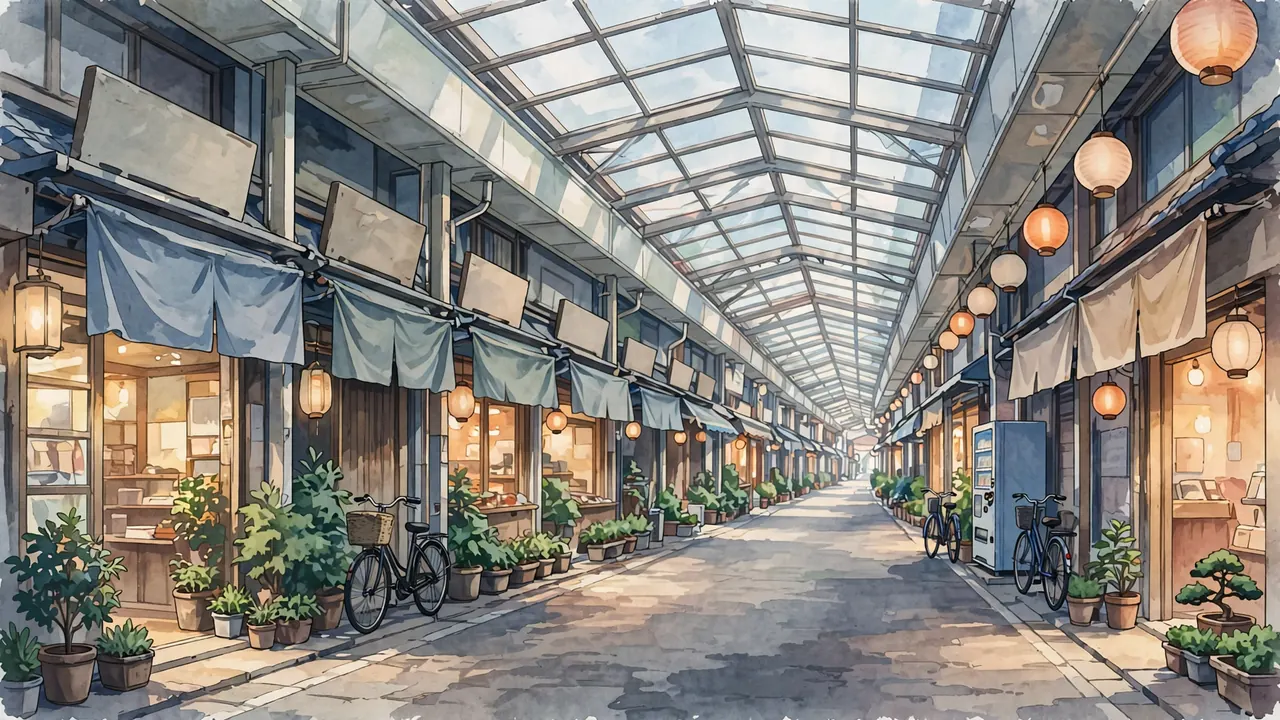
- Camera
- Eye level, about 1.6 meters, in the middle of a covered shopping street, looking down its length.
- Lens
- Normal, a 35 mm feel.
- Framing
- One-point perspective: shop fronts on both sides lead to a vanishing point slightly right of center; the arcade roof across the top.
- Light
- Soft, even daylight through a translucent arcade roof; warm lights inside the shops.
- Palette
- #686967#91918D#363937#C6BDAC#E1E1D9
- Motion
- Awnings and banners stir, two pigeons walk across the floor.
A single frame from a 2D anime film, 16:9. An empty background plate at eye level in the middle of a covered shopping street in a small Japanese town, looking down its length in one-point perspective, the vanishing point slightly right of center. Small shops on both sides with cloth awnings, potted plants, a vending machine, bicycles parked by the doors and paper lanterns. Soft daylight through a translucent arcade roof, warm lights inside the shops. No people. Blank shop signs with no lettering. Hand-painted background, clean line art, flat cel shading with hard two-tone shadows. No text, no letters, no numbers, no words, no logos, no watermark, no signature.
The exact words this frame was made from with Meta Muse Image. Paste them into an anime image tool and change the details.
Cloth awnings and banners stir in a light breeze, two pigeons walk across the floor, and the light shifts gently.
Save the frame, upload it to image to video and paste this. Pick the camera move "slow push in".
Shot 2: A crossing from above
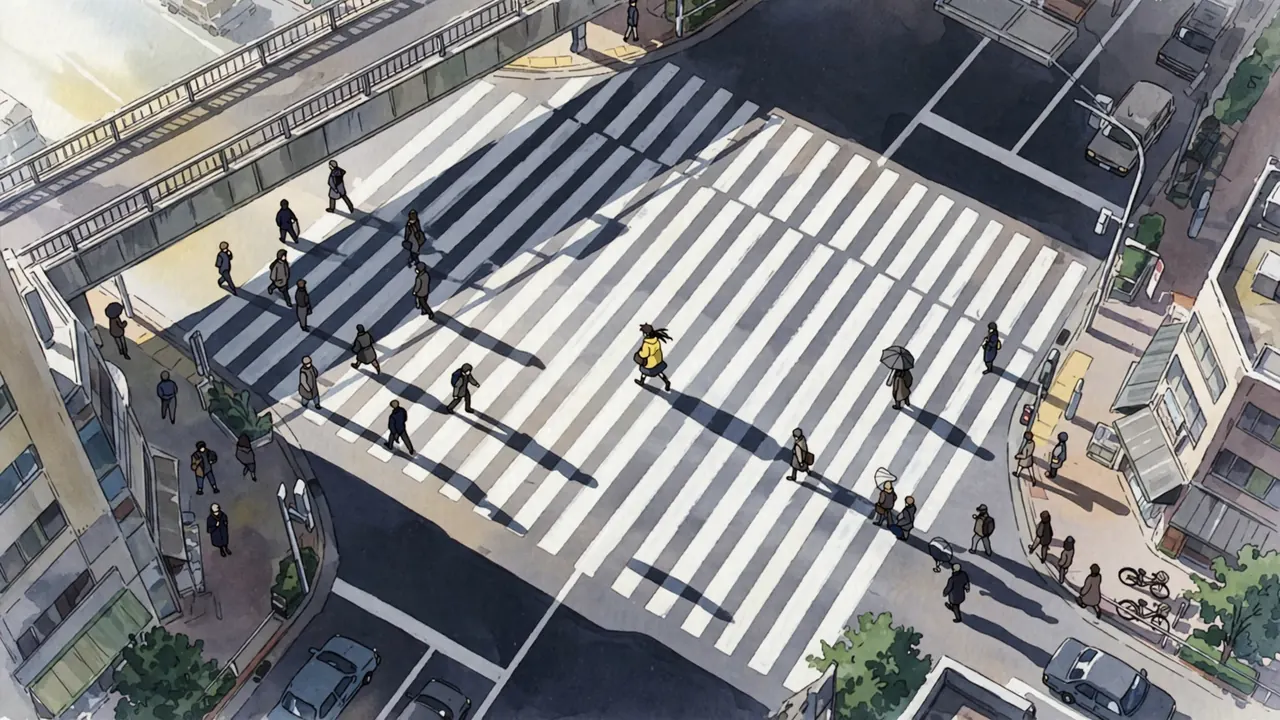
- Camera
- High, from a pedestrian bridge about eight meters up, looking down at a crossing.
- Lens
- Normal, a 40 mm feel.
- Framing
- Zebra stripes running diagonally across the frame, people crossing both ways, one girl in a yellow coat in the center.
- Light
- Bright late morning sun from the upper left; crisp shadows of people on the stripes.
- Palette
- #2B3039#868789#5B5D61#A7A6A5#ECEDE6
- Motion
- People cross both ways; the yellow coat stops and looks up.
A single frame from a 2D anime film, 16:9. High angle from a pedestrian bridge about eight meters above a busy city crossing, looking down. White zebra stripes run diagonally across the frame, and small figures cross in both directions, their crisp shadows falling on the stripes. One girl in a bright yellow coat walks in the center of the frame. Bright late morning sun from the upper left. Hand-painted background, clean line art, flat cel shading with hard two-tone shadows. No text, no letters, no numbers, no words, no logos, no watermark, no signature.
The exact words this frame was made from with Meta Muse Image. Paste them into an anime image tool and change the details.
People cross in both directions, and the girl in the yellow coat stops in the middle of the crossing and looks up.
Save the frame, upload it to image to video and paste this. Pick the camera move "static camera".
Shot 3: An alley of wires
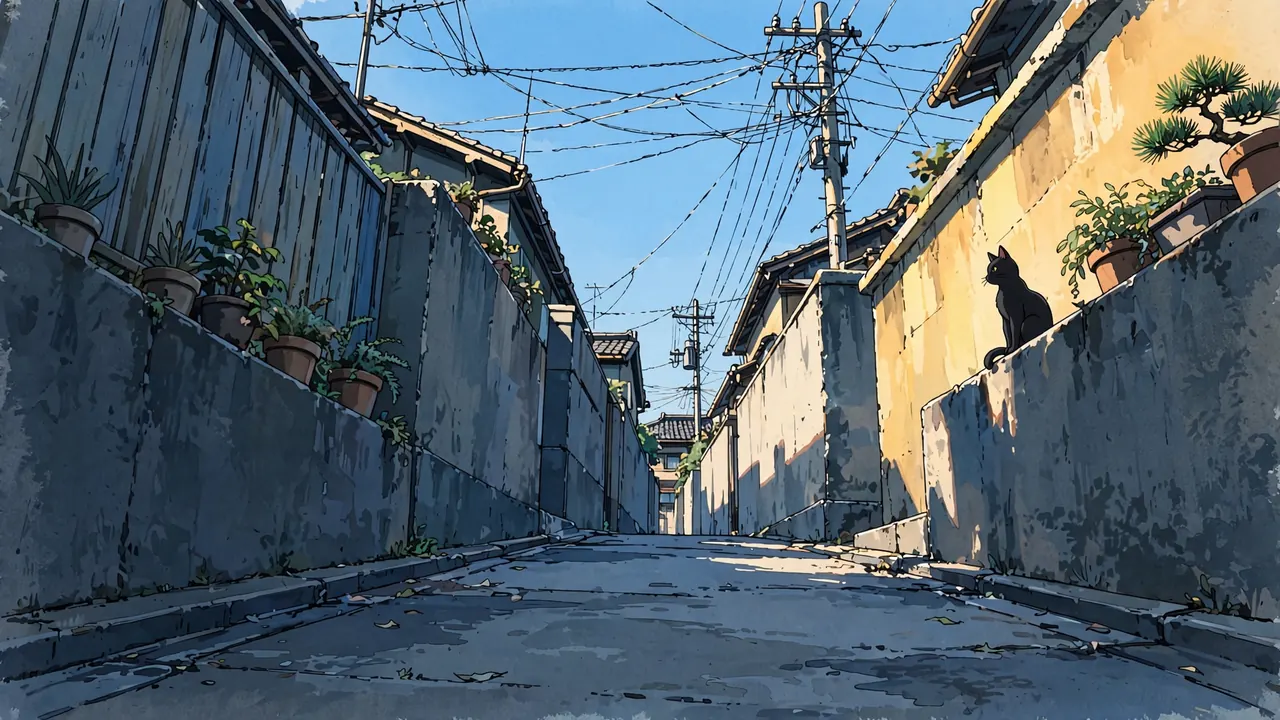
- Camera
- Low, near the ground at the mouth of a narrow alley, tilted up.
- Lens
- Wide, a 24 mm feel: the walls lean in.
- Framing
- Walls and fences rising on both sides, poles and a tangle of wires against the sky, a cat on the wall in the right third.
- Light
- Afternoon sun on the top of the right wall; the alley floor in cool shade.
- Palette
- #475A69#212F3A#EDD19E#87C3ED#74B1DE
- Motion
- The wires sway, the cat jumps down, laundry moves on a balcony.
A single frame from a 2D anime film, 16:9. Low camera near the ground at the mouth of a narrow residential alley in a Japanese neighborhood, tilted up. Concrete walls, fences and potted plants rise on both sides, and utility poles with a tangle of overhead wires cross the bright blue sky. A black cat sits on top of the wall in the right third. Afternoon sun lights the top of the right wall, the alley floor is in cool shade. No people. Hand-painted background, clean line art, flat cel shading with hard two-tone shadows. No text, no letters, no numbers, no words, no logos, no watermark, no signature.
The exact words this frame was made from with Meta Muse Image. Paste them into an anime image tool and change the details.
The overhead wires sway a little, the black cat stands and jumps down off the wall, and laundry moves on a balcony above.
Save the frame, upload it to image to video and paste this. Pick the camera move "static camera".
Shot 4: Waiting in front of the station
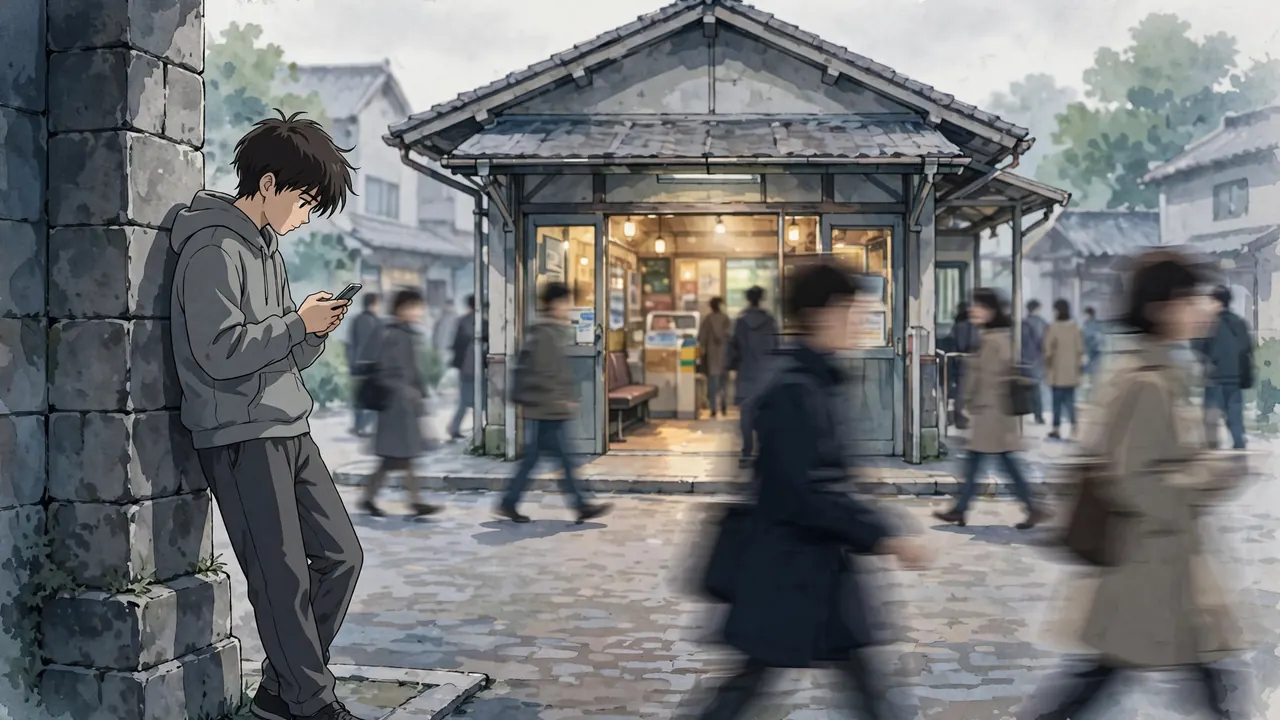
- Camera
- Eye level, about five meters away across the station square.
- Lens
- Long, a 70 mm feel: passersby blur in front and behind.
- Framing
- The boy by a pillar in the left third, blurred passersby crossing in front, the station entrance behind.
- Light
- Soft overcast noon light; a few warm lights inside the station.
- Palette
- #454B4F#AEAFAC#20262C#696A69#8B8D8B
- Motion
- Passersby cross, he checks his phone, then looks up and waves.
A single frame from a 2D anime film, 16:9. Eye level from about five meters away across a small station square. A teenage boy in a gray hoodie waits beside a stone pillar in the left third of the frame, looking down at his phone, not at the camera. Blurred passersby cross in the foreground and background. The entrance of a small train station behind him. Soft overcast noon light, a few warm lights inside the station. Hand-painted background, clean line art, flat cel shading with hard two-tone shadows. No text, no letters, no numbers, no words, no logos, no watermark, no signature.
The exact words this frame was made from with Meta Muse Image. Paste them into an anime image tool and change the details.
Passersby walk across in front of the camera, the boy checks his phone, then looks up and waves at someone off screen.
Save the frame, upload it to image to video and paste this. Pick the camera move "static camera".
Shot 5: The city from a rooftop
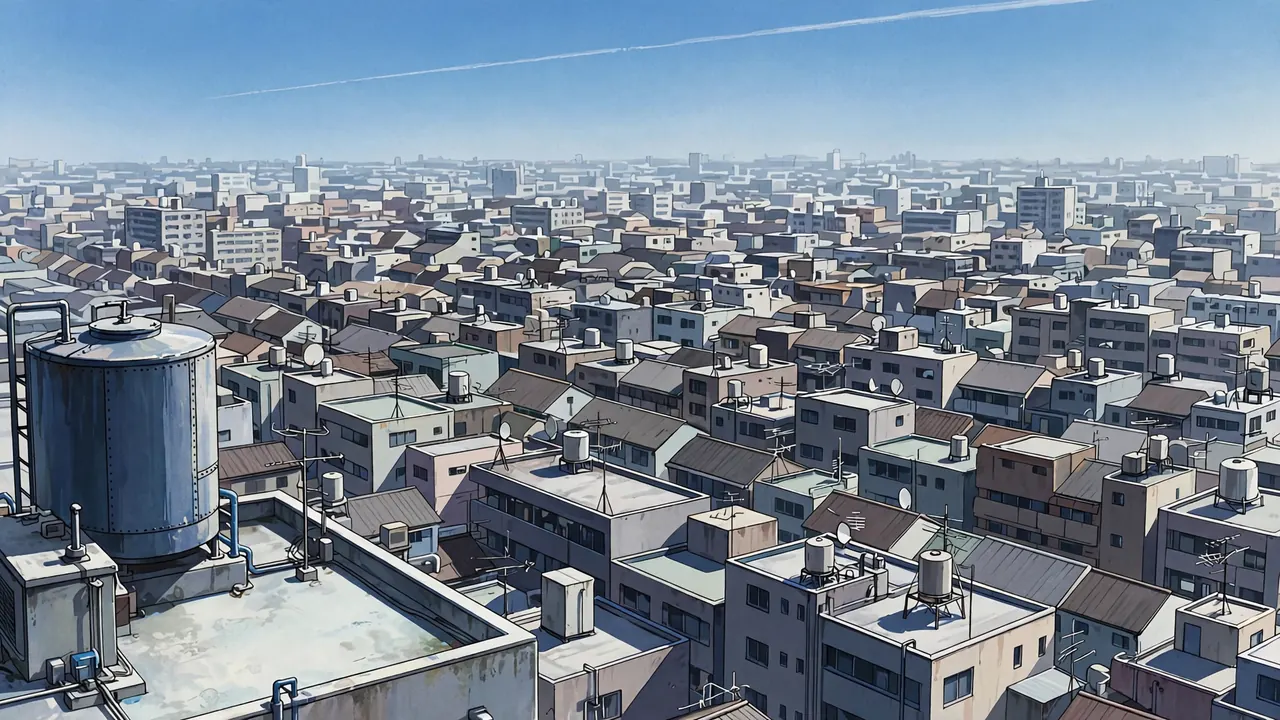
- Camera
- High, from the roof of an apartment block, looking across the city.
- Lens
- Long, an 85 mm feel: buildings stack into a wall.
- Framing
- Rooftops filling the lower two thirds, a water tank in the left foreground, a band of sky with a plane trail on top.
- Light
- Clear midday light with a slight haze that makes far buildings paler.
- Palette
- #2D3541#595F6A#ACBECA#D4D8D6#74A5CF
- Motion
- A train slides between buildings, the plane trail grows.
A single frame from a 2D anime film, 16:9. High view from the roof of an apartment block across a dense Japanese city, compressed as if seen through a long lens: rows of rooftops, water tanks, antennas and apartment blocks stack up into a wall that fills the lower two thirds. A rooftop water tank in the left foreground. A band of clear blue sky across the top with a thin airplane trail. Midday light with a slight haze that makes far buildings paler. No people. Hand-painted background, clean line art, flat cel shading with hard two-tone shadows. No text, no letters, no numbers, no words, no logos, no watermark, no signature.
The exact words this frame was made from with Meta Muse Image. Paste them into an anime image tool and change the details.
A commuter train slides between the buildings in the distance, the airplane trail lengthens across the sky, and laundry flutters on a balcony.
Save the frame, upload it to image to video and paste this. Pick the camera move "slow pan to the right".
How to make an anime city background with AI
- Say the perspective. "One-point perspective down the street" or "two-point perspective from the corner" gives straight, readable lines instead of a warped street.
- Add clutter on purpose. Vending machines, overhead wires, bicycles, potted plants, cloth awnings. Name four or five; they make the place lived in.
- Ask for blank signs. AI writes nonsense on shop signs. Ask for blank ones and add real lettering later if you need it.
- Empty plate or story frame. For a background to draw on, say "no people". For a story frame, add one person with one action.
- Keep the light the same across shots. If the street is lit from the left in the wide shot, keep the sun on the left in every closer shot of the scene.
Make it move
Save any frame on this page, upload it to image to video and paste its video prompt for a 5 second clip. Or make your own first frame from the image prompt.
Scenes that go with this one
Frequently asked questions
Where can I get anime city backgrounds?
You can make your own. Copy a prompt from this page, change the street and the time of day, and ask for no people if you want a clean plate to draw characters on. Each frame here was made that way.
Why are there so many wires in anime city scenes?
Japanese residential streets really do have utility poles and overhead wires everywhere, and background artists use them as strong lines that lead the eye and frame the sky. They also say "ordinary town" at a glance.
How do I keep the same street across several shots?
Write a short location line (the street, three things in it and where the sun is) and reuse it in every prompt, but describe only what each camera position can see. For longer scenes, make a few empty plates from different camera positions first.
Can I put my own character into a city background?
Yes. Make an empty plate, then draw or composite your character on top, or describe the character in the prompt with one action. For the same character across many shots, Ziztu Studio keeps a character sheet and uses it in every shot.
What is an empty plate?
A background with no characters in it, painted so animators can place people on top. It is also the safest first frame for image to video when you only want the place to move: wind, light, traffic.